Platform
Solutions
Resources
Company
Platform
Solutions
Resources
Company

∙
Passwordless Authentication Methods Comparison: 8 Technologies Evaluated

∙
Passwordless Authentication Methods Comparison: 8 Technologies Evaluated
∙
Passwordless Authentication Methods Comparison: 8 Technologies Evaluated
The average enterprise manages over 300 software applications, each requiring authentication. Traditional password-based systems have created a security crisis: 88% of Basic Web Application Attack breaches involved stolen credentials, costing organizations an average of $4.8 million per incident.
Passwordless authentication technologies promise to eliminate these vulnerabilities, but not all approaches deliver the same security outcomes. This guide evaluates eight methods to help security leaders understand which solutions genuinely eliminate risk versus those that simply shift it.
What “Passwordless” Actually Means
The term “passwordless” describes authentication systems that eliminate traditional passwords from the login process. However, the security architecture underlying each approach varies dramatically:
Credential replacement: Some methods replace passwords with different authenticators while maintaining username dependencies and centralized storage
Credential elimination: Other approaches remove the concept of stored credentials entirely through distributed architecture
This distinction matters because many passwordless solutions inherit vulnerabilities from the credential-based systems they’re designed to replace.
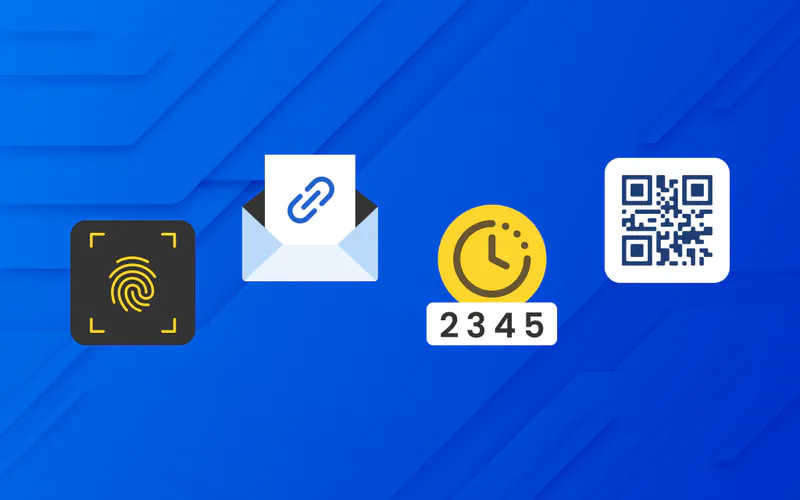
8 Passwordless Technologies Compared
1. FIDO2 and WebAuthn
FIDO2 represents an open authentication standard using public key cryptography. A private key remains secured on the user’s device while a corresponding public key is stored on the server.
How it works:
During registration, the authenticator generates a unique key pair for each service
Authentication occurs when the server sends a challenge that only the private key holder can correctly sign
Private keys never leave the user’s device
Key strengths:
Eliminates password transmission entirely
Protects against credential stuffing and password reuse
Open standard supported across major browsers
Security gaps:
Still requires username entry
Device loss creates recovery challenges
Backup codes typically reintroduce credential vulnerabilities
Malware on compromised devices can potentially intercept authentication
Best for: Organizations with technical users comfortable managing hardware authenticators and accepting recovery complexity
2. Biometric Authentication
Biometric systems use unique physical characteristics (fingerprints, facial geometry, iris patterns, or voice recognition) to verify identity.
How it works:
Biometric sensors capture a user’s physical characteristic and convert it into a digital template
During authentication, a new scan is compared against the stored template
Modern implementations store templates locally on devices in secure enclaves
Key strengths:
Highly convenient user experience
Difficult to share or transfer access
Eliminates password memorization burden
Security gaps:
Biometric spoofing remains possible (particularly facial recognition)
Cannot revoke compromised biometrics
Typically serves as convenience layer unlocking underlying credentials
Presentation attacks using photos or recordings
Accuracy varies with sensor quality and environmental conditions
Best for: Consumer-facing applications prioritizing convenience over maximum security, or as a secondary factor
3. Magic Links
Magic links deliver one-time authentication URLs via email. Users click the link to authenticate without entering passwords.
How it works:
System generates a unique, time-limited URL containing an authentication token
Link is emailed to the address associated with the account
Clicking the link authenticates the session
Key strengths:
Extremely simple user experience
No credential memorization required
Quick deployment with minimal technical requirements
Security gaps:
Security depends entirely on email account security
Tokens transmitted through email infrastructure create interception points
Email compromise grants full access to all linked accounts
Man-in-the-middle attacks on email transmission
Links can be forwarded, creating unauthorized access
Best for: Low-risk applications where user convenience significantly outweighs security concerns
4. SMS and Push-based One-Time Passwords
One-time passwords (OTP) delivered via SMS or push notifications provide time-limited authentication codes.
How it works:
Authentication server generates a random code valid for 30 to 60 seconds
Code is transmitted to user’s registered phone via SMS or authenticated app
User enters code to complete authentication
Key strengths:
Works on any phone capable of receiving SMS
Familiar to users from banking and other services
Relatively simple deployment
Security gaps:
SMS interception through SIM swapping attacks
Social engineering targeting telecom customer service
Push notification fatigue leads to careless approval
Malware on mobile devices can intercept codes
Telecommunications infrastructure vulnerabilities
Best for: Secondary authentication factor, not standalone authentication for high-value systems
5. Authenticator Apps
Authenticator applications generate time-based one-time passwords (TOTP) using synchronized algorithms. Popular examples include Google Authenticator, Microsoft Authenticator, and Authy.
How it works:
Application receives a secret key from the service during setup
App uses this key with current time to generate codes that change every 30 seconds
Server performs the same calculation to verify submitted codes
Key strengths:
Codes generate locally without network transmission
More secure than SMS-based OTP
Works offline once configured
Free and widely supported
Security gaps:
Initial secret key exchange during setup is vulnerable to interception
Device loss requires backup codes that reintroduce credential storage
Malware on devices can extract secret keys
Phishing sites can capture and immediately replay codes during active sessions
Secret persists on both client and server indefinitely
Best for: Organizations wanting stronger security than SMS OTP without hardware token costs
6. Passkeys
Passkeys represent Apple, Google, and Microsoft’s consumer-friendly implementation of FIDO standards with automatic cloud synchronization across devices.
How it works:
Device generates a key pair using public key cryptography
Private key syncs across your devices through the platform provider’s encrypted cloud service
Public key goes to the website
Users authenticate to their device (typically with biometrics), which unlocks access to synced passkeys
Key strengths:
Seamless experience across devices within same ecosystem
Resists traditional phishing attacks
Backed by major technology companies
Growing adoption across major websites
Security gaps:
Master password dependencies for platform account access create single points of failure
Reliance on centralized cloud providers introduces trust dependencies
Platform account compromise grants access to all synced passkeys
Cross-platform scenarios (iPhone to Android) introduce complexity
Recovery mechanisms often reintroduce credential-based vulnerabilities
Best for: Consumer applications and organizations fully committed to single-vendor ecosystems
7. Certificate-based Authentication
Digital certificates using Public Key Infrastructure (PKI) have secured enterprise authentication for decades, particularly in government and financial sectors.
How it works:
Trusted Certificate Authority issues digital certificates binding cryptographic key pairs to verified identities
Client presents certificate during authentication
Server validates it against the CA’s signature
Client proves possession of corresponding private key through cryptographic challenge-response
Key strengths:
Decades of proven enterprise deployment
Strong cryptographic foundation
Suitable for highest-security environments
Supports hardware token storage
Security gaps:
Compromised certificate authorities undermine entire trust chains
Certificate theft from poorly secured devices
Complexity creates configuration errors
Revocation checking failures allow use of compromised certificates
Hardware token loss requires backup authentication
Substantial infrastructure requirements
Best for: High-security environments with existing PKI infrastructure and technical expertise
8. WWPass Authentication

WWPass eliminates credentials entirely through distributed architecture rather than replacing passwords with alternative authenticators.
How it works:
Authentication data is split using Reed-Solomon erasure coding and distributed across multiple secure locations globally
No single location holds complete authentication information
Client-side encryption ensures servers never access unencrypted data
Users authenticate with WWPass hardware tokens containing cryptographic keys
Authentication data reconstructs only during active sessions
Key strengths:
Complete credential elimination (no stored usernames or passwords)
Distributed architecture requires compromise of multiple geographically separated systems simultaneously
All encryption occurs client-side before any data transmission
Eliminates centralized databases to breach
No master password dependencies
Global patent portfolio protecting the architecture
Security gaps:
Physical token loss requires account recovery procedures
Dependency on multiple global infrastructure nodes for availability
Best for: Regulated industries requiring HIPAA or PCI DSS compliance, organizations eliminating credential-based attack surface entirely
Side-by-Side Comparison Table
Method | Eliminates Passwords | Eliminates Usernames | Eliminates Centralized Credentials | Master Password Dependency | Hardware Required | Recovery Risk |
|---|---|---|---|---|---|---|
FIDO2/WebAuthn | ✓ | ✗ | Partial | Sometimes | Usually | High |
Biometric | ✓ | ✗ | ✗ | Often | Device sensors | Medium |
Magic Links | ✓ | ✗ | ✗ | Via email | ✗ | Very High |
SMS/Push OTP | ✓ | ✗ | ✗ | ✗ | Phone | High |
Authenticator Apps | ✓ | ✗ | ✗ | ✗ | ✗ | High |
Passkeys | ✓ | ✗ | ✗ | ✓ | ✗ | High |
Certificate PKI | ✓ | Partial | Partial | ✗ | Optional | Medium |
WWPass | ✓ | ✓ | ✓ | ✗ | ✓ | Low |
What Each Method Actually Eliminates
Understanding what each passwordless method eliminates versus what it replaces reveals critical security architecture differences:
Passwords only:
Magic links, SMS OTP, authenticator apps, and biometrics eliminate password entry but maintain username dependencies
Typically require passwords or backup codes for account recovery scenarios
Reduce some attack vectors while preserving others
Passwords plus some attack vectors:
FIDO2, WebAuthn, and certificate-based authentication eliminate password transmission and storage on user devices
Maintain username requirements
Create new dependencies on device security or backup recovery methods
Passwords plus master password at platform level:
Passkeys eliminate individual service passwords
Introduce master password requirements for account recovery and cross-device synchronization
Shift credential risk to platform provider level
Complete credential elimination:
WWPass architecture eliminates both usernames and passwords
Removes the underlying credential storage that creates attractive targets
Distributed model eliminates centralized breach risk
Critical Security Considerations for Enterprise Deployment
Attack Surface Reduction
Does the solution eliminate credentials or simply move them? Technologies that maintain username dependencies, backup passwords, or recovery codes preserve attack surfaces that sophisticated adversaries will target.
Account Recovery Architecture
Recovery mechanisms frequently reintroduce the vulnerabilities passwordless systems claim to eliminate:
Master passwords
Security questions
Backup codes
SMS-based recovery
Each creates credential-based fallbacks that undermine the security model.
Compliance Requirements
HIPAA-regulated healthcare organizations:
Must ensure authentication systems provide genuine client-side encryption
Server-side decryption of authentication data creates compliance gaps
HHS HIPAA Security Rule requires protection of electronic protected health information
PCI DSS financial institutions:
Need to verify where authentication data is stored and who can access it
Encryption in transit alone is insufficient
Centralized credential databases create compliance risk regardless of passwordless authentication method
Centralized Trust Dependencies
Solutions relying on platform providers (Apple, Google, Microsoft) for cloud synchronization introduce single points of compromise:
Platform account takeover grants access to all synchronized authenticators
Users must trust platform provider’s security practices
Vendor lock-in limits flexibility
Insider Threat Mitigation
Authentication systems maintaining centralized databases remain vulnerable to insider access:
Database administrators
Security personnel
Cloud provider employees
Distributed architecture eliminates the central repository that insiders might access.
Decision Framework: Matching Technology to Risk Profile
Low-Risk Applications (Internal tools, low-sensitivity data)
Consider: Magic links, authenticator apps, biometrics
Rationale: User convenience and deployment simplicity outweigh remaining security gaps
Medium-Risk Applications (Business applications, moderate sensitivity)
Consider: FIDO2, passkeys within committed ecosystems
Rationale: Balance of security improvement and user experience, acceptable recovery complexity
High-Risk Applications (Financial data, customer PII, regulated industries)
Consider: Certificate-based authentication, WWPass architecture
Rationale: Compliance requirements and threat landscape demand genuine credential elimination
Maximum Security Requirements (Healthcare PHI, government, critical infrastructure)
Consider: WWPass authentication with distributed architecture
Rationale: Regulatory mandates require client-side encryption and complete credential elimination
Implementation Considerations
Deployment Timeline Expectations
Quick deployment (2 to 4 weeks):
Magic links
SMS/Push OTP
Authenticator apps
Passkeys (with existing platform commitment)
Medium deployment (1 to 3 months):
FIDO2/WebAuthn
Biometric authentication
WWPass systems with existing integrations
Extended deployment (3 to 6+ months):
Certificate-based PKI infrastructure
Custom WWPass integrations
Enterprise-wide FIDO2 rollout with hardware distribution
User Training Requirements
Minimal training needed:
Magic links
Biometrics
SMS OTP
Moderate training needed:
Authenticator apps
Passkeys
FIDO2 with hardware keys
Significant training needed:
Certificate-based authentication
Hardware token management for WWPass systems
Cost Considerations
Low cost:
Magic links
SMS OTP
Authenticator apps
Software-only solutions
Medium cost:
Passkeys (infrastructure costs)
Basic FIDO2 implementation
Biometric sensor deployment
Higher cost:
Hardware security keys at scale
PKI infrastructure
WWPass authentication systems
Hardware token distribution
Frequently Asked Questions
What is the most secure passwordless authentication method?
Security depends on architecture rather than authentication method alone. Solutions using distributed storage with client-side encryption and complete credential elimination provide stronger security than methods replacing passwords while maintaining centralized credential databases. For regulated industries, WWPass architecture offers the highest security by eliminating the credentials that attackers target.
Can passwordless authentication be phished?
Most passwordless methods resist traditional password phishing. However, some remain vulnerable to sophisticated attacks:
Man-in-the-middle scenarios
Session hijacking
Social engineering targeting push notification approval
Magic link interception
WWPass systems with hardware tokens and distributed architecture provide the strongest phishing resistance.
Do passwordless solutions work across all devices and platforms?
Cross-platform compatibility varies significantly:
Passkeys work seamlessly within Apple, Google, or Microsoft ecosystems but face friction across them
FIDO2 requires browser and OS support
Biometrics depend on device sensor capabilities
Certificate-based and WWPass solutions require consistent client software
Organizations should verify compatibility across their entire device fleet before deployment.
What happens if users lose their authentication device?
Recovery procedures vary by solution and often reintroduce security vulnerabilities:
Backup codes restore credential storage risk
Master passwords create single points of failure
SMS recovery enables SIM swapping attacks
Alternative authentication methods may bypass primary security
Evaluate recovery architecture as critically as primary authentication security. Systems with distributed architecture and secure token replacement procedures minimize recovery risk.
Are passwordless solutions compliant with HIPAA and PCI DSS?
Compliance depends on whether the solution provides genuine client-side encryption and eliminates server-side access to authentication data. Not all passwordless solutions meet these requirements:
HIPAA requires protection of electronic protected health information (ePHI)
PCI DSS mandates specific controls around cardholder data access
Client-side encryption must prevent server access to authentication credentials
Audit trails must demonstrate compliance with access controls
Verify compliance documentation specific to your regulatory obligations rather than assuming “passwordless” equals “compliant.”
How do passwordless solutions integrate with existing identity systems?
Integration approaches vary:
SAML and OAuth protocols support most passwordless methods
Some solutions require identity provider replacement
Others work alongside existing systems
Legacy application support varies significantly
Organizations with complex identity infrastructure should conduct proof-of-concept testing before full deployment.
Making the Right Choice
The most critical question is not whether a solution is “passwordless” but whether it eliminates the underlying architectural vulnerabilities that make authentication systems attractive targets.
Key evaluation criteria:
Does it eliminate credentials or simply replace them?
What happens during account recovery?
Where is authentication data stored and who can access it?
Does it meet your regulatory compliance requirements?
What attack vectors remain after implementation?
Technologies that replace passwords with alternative authenticators while maintaining centralized credential storage, username dependencies, or master password requirements may reduce some attack vectors while preserving others.
For organizations with stringent regulatory requirements or high-value data protection needs, solutions providing complete credential elimination through distributed architecture and client-side encryption offer the strongest security posture.
Evaluating passwordless authentication for your organization? Learn more about WWPass credential elimination architecture designed for enterprise security and regulatory compliance.
The average enterprise manages over 300 software applications, each requiring authentication. Traditional password-based systems have created a security crisis: 88% of Basic Web Application Attack breaches involved stolen credentials, costing organizations an average of $4.8 million per incident.
Passwordless authentication technologies promise to eliminate these vulnerabilities, but not all approaches deliver the same security outcomes. This guide evaluates eight methods to help security leaders understand which solutions genuinely eliminate risk versus those that simply shift it.
What “Passwordless” Actually Means
The term “passwordless” describes authentication systems that eliminate traditional passwords from the login process. However, the security architecture underlying each approach varies dramatically:
Credential replacement: Some methods replace passwords with different authenticators while maintaining username dependencies and centralized storage
Credential elimination: Other approaches remove the concept of stored credentials entirely through distributed architecture
This distinction matters because many passwordless solutions inherit vulnerabilities from the credential-based systems they’re designed to replace.
8 Passwordless Technologies Compared
1. FIDO2 and WebAuthn
FIDO2 represents an open authentication standard using public key cryptography. A private key remains secured on the user’s device while a corresponding public key is stored on the server.
How it works:
During registration, the authenticator generates a unique key pair for each service
Authentication occurs when the server sends a challenge that only the private key holder can correctly sign
Private keys never leave the user’s device
Key strengths:
Eliminates password transmission entirely
Protects against credential stuffing and password reuse
Open standard supported across major browsers
Security gaps:
Still requires username entry
Device loss creates recovery challenges
Backup codes typically reintroduce credential vulnerabilities
Malware on compromised devices can potentially intercept authentication
Best for: Organizations with technical users comfortable managing hardware authenticators and accepting recovery complexity
2. Biometric Authentication
Biometric systems use unique physical characteristics (fingerprints, facial geometry, iris patterns, or voice recognition) to verify identity.
How it works:
Biometric sensors capture a user’s physical characteristic and convert it into a digital template
During authentication, a new scan is compared against the stored template
Modern implementations store templates locally on devices in secure enclaves
Key strengths:
Highly convenient user experience
Difficult to share or transfer access
Eliminates password memorization burden
Security gaps:
Biometric spoofing remains possible (particularly facial recognition)
Cannot revoke compromised biometrics
Typically serves as convenience layer unlocking underlying credentials
Presentation attacks using photos or recordings
Accuracy varies with sensor quality and environmental conditions
Best for: Consumer-facing applications prioritizing convenience over maximum security, or as a secondary factor
3. Magic Links
Magic links deliver one-time authentication URLs via email. Users click the link to authenticate without entering passwords.
How it works:
System generates a unique, time-limited URL containing an authentication token
Link is emailed to the address associated with the account
Clicking the link authenticates the session
Key strengths:
Extremely simple user experience
No credential memorization required
Quick deployment with minimal technical requirements
Security gaps:
Security depends entirely on email account security
Tokens transmitted through email infrastructure create interception points
Email compromise grants full access to all linked accounts
Man-in-the-middle attacks on email transmission
Links can be forwarded, creating unauthorized access
Best for: Low-risk applications where user convenience significantly outweighs security concerns
4. SMS and Push-based One-Time Passwords
One-time passwords (OTP) delivered via SMS or push notifications provide time-limited authentication codes.
How it works:
Authentication server generates a random code valid for 30 to 60 seconds
Code is transmitted to user’s registered phone via SMS or authenticated app
User enters code to complete authentication
Key strengths:
Works on any phone capable of receiving SMS
Familiar to users from banking and other services
Relatively simple deployment
Security gaps:
SMS interception through SIM swapping attacks
Social engineering targeting telecom customer service
Push notification fatigue leads to careless approval
Malware on mobile devices can intercept codes
Telecommunications infrastructure vulnerabilities
Best for: Secondary authentication factor, not standalone authentication for high-value systems
5. Authenticator Apps
Authenticator applications generate time-based one-time passwords (TOTP) using synchronized algorithms. Popular examples include Google Authenticator, Microsoft Authenticator, and Authy.
How it works:
Application receives a secret key from the service during setup
App uses this key with current time to generate codes that change every 30 seconds
Server performs the same calculation to verify submitted codes
Key strengths:
Codes generate locally without network transmission
More secure than SMS-based OTP
Works offline once configured
Free and widely supported
Security gaps:
Initial secret key exchange during setup is vulnerable to interception
Device loss requires backup codes that reintroduce credential storage
Malware on devices can extract secret keys
Phishing sites can capture and immediately replay codes during active sessions
Secret persists on both client and server indefinitely
Best for: Organizations wanting stronger security than SMS OTP without hardware token costs
6. Passkeys
Passkeys represent Apple, Google, and Microsoft’s consumer-friendly implementation of FIDO standards with automatic cloud synchronization across devices.
How it works:
Device generates a key pair using public key cryptography
Private key syncs across your devices through the platform provider’s encrypted cloud service
Public key goes to the website
Users authenticate to their device (typically with biometrics), which unlocks access to synced passkeys
Key strengths:
Seamless experience across devices within same ecosystem
Resists traditional phishing attacks
Backed by major technology companies
Growing adoption across major websites
Security gaps:
Master password dependencies for platform account access create single points of failure
Reliance on centralized cloud providers introduces trust dependencies
Platform account compromise grants access to all synced passkeys
Cross-platform scenarios (iPhone to Android) introduce complexity
Recovery mechanisms often reintroduce credential-based vulnerabilities
Best for: Consumer applications and organizations fully committed to single-vendor ecosystems
7. Certificate-based Authentication
Digital certificates using Public Key Infrastructure (PKI) have secured enterprise authentication for decades, particularly in government and financial sectors.
How it works:
Trusted Certificate Authority issues digital certificates binding cryptographic key pairs to verified identities
Client presents certificate during authentication
Server validates it against the CA’s signature
Client proves possession of corresponding private key through cryptographic challenge-response
Key strengths:
Decades of proven enterprise deployment
Strong cryptographic foundation
Suitable for highest-security environments
Supports hardware token storage
Security gaps:
Compromised certificate authorities undermine entire trust chains
Certificate theft from poorly secured devices
Complexity creates configuration errors
Revocation checking failures allow use of compromised certificates
Hardware token loss requires backup authentication
Substantial infrastructure requirements
Best for: High-security environments with existing PKI infrastructure and technical expertise
8. WWPass Authentication
WWPass eliminates credentials entirely through distributed architecture rather than replacing passwords with alternative authenticators.
How it works:
Authentication data is split using Reed-Solomon erasure coding and distributed across multiple secure locations globally
No single location holds complete authentication information
Client-side encryption ensures servers never access unencrypted data
Users authenticate with WWPass hardware tokens containing cryptographic keys
Authentication data reconstructs only during active sessions
Key strengths:
Complete credential elimination (no stored usernames or passwords)
Distributed architecture requires compromise of multiple geographically separated systems simultaneously
All encryption occurs client-side before any data transmission
Eliminates centralized databases to breach
No master password dependencies
Global patent portfolio protecting the architecture
Security gaps:
Physical token loss requires account recovery procedures
Dependency on multiple global infrastructure nodes for availability
Best for: Regulated industries requiring HIPAA or PCI DSS compliance, organizations eliminating credential-based attack surface entirely
Side-by-Side Comparison Table
Method | Eliminates Passwords | Eliminates Usernames | Eliminates Centralized Credentials | Master Password Dependency | Hardware Required | Recovery Risk |
|---|---|---|---|---|---|---|
FIDO2/WebAuthn | ✓ | ✗ | Partial | Sometimes | Usually | High |
Biometric | ✓ | ✗ | ✗ | Often | Device sensors | Medium |
Magic Links | ✓ | ✗ | ✗ | Via email | ✗ | Very High |
SMS/Push OTP | ✓ | ✗ | ✗ | ✗ | Phone | High |
Authenticator Apps | ✓ | ✗ | ✗ | ✗ | ✗ | High |
Passkeys | ✓ | ✗ | ✗ | ✓ | ✗ | High |
Certificate PKI | ✓ | Partial | Partial | ✗ | Optional | Medium |
WWPass | ✓ | ✓ | ✓ | ✗ | ✓ | Low |
What Each Method Actually Eliminates
Understanding what each passwordless method eliminates versus what it replaces reveals critical security architecture differences:
Passwords only:
Magic links, SMS OTP, authenticator apps, and biometrics eliminate password entry but maintain username dependencies
Typically require passwords or backup codes for account recovery scenarios
Reduce some attack vectors while preserving others
Passwords plus some attack vectors:
FIDO2, WebAuthn, and certificate-based authentication eliminate password transmission and storage on user devices
Maintain username requirements
Create new dependencies on device security or backup recovery methods
Passwords plus master password at platform level:
Passkeys eliminate individual service passwords
Introduce master password requirements for account recovery and cross-device synchronization
Shift credential risk to platform provider level
Complete credential elimination:
WWPass architecture eliminates both usernames and passwords
Removes the underlying credential storage that creates attractive targets
Distributed model eliminates centralized breach risk
Critical Security Considerations for Enterprise Deployment
Attack Surface Reduction
Does the solution eliminate credentials or simply move them? Technologies that maintain username dependencies, backup passwords, or recovery codes preserve attack surfaces that sophisticated adversaries will target.
Account Recovery Architecture
Recovery mechanisms frequently reintroduce the vulnerabilities passwordless systems claim to eliminate:
Master passwords
Security questions
Backup codes
SMS-based recovery
Each creates credential-based fallbacks that undermine the security model.
Compliance Requirements
HIPAA-regulated healthcare organizations:
Must ensure authentication systems provide genuine client-side encryption
Server-side decryption of authentication data creates compliance gaps
HHS HIPAA Security Rule requires protection of electronic protected health information
PCI DSS financial institutions:
Need to verify where authentication data is stored and who can access it
Encryption in transit alone is insufficient
Centralized credential databases create compliance risk regardless of passwordless authentication method
Centralized Trust Dependencies
Solutions relying on platform providers (Apple, Google, Microsoft) for cloud synchronization introduce single points of compromise:
Platform account takeover grants access to all synchronized authenticators
Users must trust platform provider’s security practices
Vendor lock-in limits flexibility
Insider Threat Mitigation
Authentication systems maintaining centralized databases remain vulnerable to insider access:
Database administrators
Security personnel
Cloud provider employees
Distributed architecture eliminates the central repository that insiders might access.
Decision Framework: Matching Technology to Risk Profile
Low-Risk Applications (Internal tools, low-sensitivity data)
Consider: Magic links, authenticator apps, biometrics
Rationale: User convenience and deployment simplicity outweigh remaining security gaps
Medium-Risk Applications (Business applications, moderate sensitivity)
Consider: FIDO2, passkeys within committed ecosystems
Rationale: Balance of security improvement and user experience, acceptable recovery complexity
High-Risk Applications (Financial data, customer PII, regulated industries)
Consider: Certificate-based authentication, WWPass architecture
Rationale: Compliance requirements and threat landscape demand genuine credential elimination
Maximum Security Requirements (Healthcare PHI, government, critical infrastructure)
Consider: WWPass authentication with distributed architecture
Rationale: Regulatory mandates require client-side encryption and complete credential elimination
Implementation Considerations
Deployment Timeline Expectations
Quick deployment (2 to 4 weeks):
Magic links
SMS/Push OTP
Authenticator apps
Passkeys (with existing platform commitment)
Medium deployment (1 to 3 months):
FIDO2/WebAuthn
Biometric authentication
WWPass systems with existing integrations
Extended deployment (3 to 6+ months):
Certificate-based PKI infrastructure
Custom WWPass integrations
Enterprise-wide FIDO2 rollout with hardware distribution
User Training Requirements
Minimal training needed:
Magic links
Biometrics
SMS OTP
Moderate training needed:
Authenticator apps
Passkeys
FIDO2 with hardware keys
Significant training needed:
Certificate-based authentication
Hardware token management for WWPass systems
Cost Considerations
Low cost:
Magic links
SMS OTP
Authenticator apps
Software-only solutions
Medium cost:
Passkeys (infrastructure costs)
Basic FIDO2 implementation
Biometric sensor deployment
Higher cost:
Hardware security keys at scale
PKI infrastructure
WWPass authentication systems
Hardware token distribution
Frequently Asked Questions
What is the most secure passwordless authentication method?
Security depends on architecture rather than authentication method alone. Solutions using distributed storage with client-side encryption and complete credential elimination provide stronger security than methods replacing passwords while maintaining centralized credential databases. For regulated industries, WWPass architecture offers the highest security by eliminating the credentials that attackers target.
Can passwordless authentication be phished?
Most passwordless methods resist traditional password phishing. However, some remain vulnerable to sophisticated attacks:
Man-in-the-middle scenarios
Session hijacking
Social engineering targeting push notification approval
Magic link interception
WWPass systems with hardware tokens and distributed architecture provide the strongest phishing resistance.
Do passwordless solutions work across all devices and platforms?
Cross-platform compatibility varies significantly:
Passkeys work seamlessly within Apple, Google, or Microsoft ecosystems but face friction across them
FIDO2 requires browser and OS support
Biometrics depend on device sensor capabilities
Certificate-based and WWPass solutions require consistent client software
Organizations should verify compatibility across their entire device fleet before deployment.
What happens if users lose their authentication device?
Recovery procedures vary by solution and often reintroduce security vulnerabilities:
Backup codes restore credential storage risk
Master passwords create single points of failure
SMS recovery enables SIM swapping attacks
Alternative authentication methods may bypass primary security
Evaluate recovery architecture as critically as primary authentication security. Systems with distributed architecture and secure token replacement procedures minimize recovery risk.
Are passwordless solutions compliant with HIPAA and PCI DSS?
Compliance depends on whether the solution provides genuine client-side encryption and eliminates server-side access to authentication data. Not all passwordless solutions meet these requirements:
HIPAA requires protection of electronic protected health information (ePHI)
PCI DSS mandates specific controls around cardholder data access
Client-side encryption must prevent server access to authentication credentials
Audit trails must demonstrate compliance with access controls
Verify compliance documentation specific to your regulatory obligations rather than assuming “passwordless” equals “compliant.”
How do passwordless solutions integrate with existing identity systems?
Integration approaches vary:
SAML and OAuth protocols support most passwordless methods
Some solutions require identity provider replacement
Others work alongside existing systems
Legacy application support varies significantly
Organizations with complex identity infrastructure should conduct proof-of-concept testing before full deployment.
Making the Right Choice
The most critical question is not whether a solution is “passwordless” but whether it eliminates the underlying architectural vulnerabilities that make authentication systems attractive targets.
Key evaluation criteria:
Does it eliminate credentials or simply replace them?
What happens during account recovery?
Where is authentication data stored and who can access it?
Does it meet your regulatory compliance requirements?
What attack vectors remain after implementation?
Technologies that replace passwords with alternative authenticators while maintaining centralized credential storage, username dependencies, or master password requirements may reduce some attack vectors while preserving others.
For organizations with stringent regulatory requirements or high-value data protection needs, solutions providing complete credential elimination through distributed architecture and client-side encryption offer the strongest security posture.
Evaluating passwordless authentication for your organization? Learn more about WWPass credential elimination architecture designed for enterprise security and regulatory compliance.
The average enterprise manages over 300 software applications, each requiring authentication. Traditional password-based systems have created a security crisis: 88% of Basic Web Application Attack breaches involved stolen credentials, costing organizations an average of $4.8 million per incident.
Passwordless authentication technologies promise to eliminate these vulnerabilities, but not all approaches deliver the same security outcomes. This guide evaluates eight methods to help security leaders understand which solutions genuinely eliminate risk versus those that simply shift it.
What “Passwordless” Actually Means
The term “passwordless” describes authentication systems that eliminate traditional passwords from the login process. However, the security architecture underlying each approach varies dramatically:
Credential replacement: Some methods replace passwords with different authenticators while maintaining username dependencies and centralized storage
Credential elimination: Other approaches remove the concept of stored credentials entirely through distributed architecture
This distinction matters because many passwordless solutions inherit vulnerabilities from the credential-based systems they’re designed to replace.
8 Passwordless Technologies Compared
1. FIDO2 and WebAuthn
FIDO2 represents an open authentication standard using public key cryptography. A private key remains secured on the user’s device while a corresponding public key is stored on the server.
How it works:
During registration, the authenticator generates a unique key pair for each service
Authentication occurs when the server sends a challenge that only the private key holder can correctly sign
Private keys never leave the user’s device
Key strengths:
Eliminates password transmission entirely
Protects against credential stuffing and password reuse
Open standard supported across major browsers
Security gaps:
Still requires username entry
Device loss creates recovery challenges
Backup codes typically reintroduce credential vulnerabilities
Malware on compromised devices can potentially intercept authentication
Best for: Organizations with technical users comfortable managing hardware authenticators and accepting recovery complexity
2. Biometric Authentication
Biometric systems use unique physical characteristics (fingerprints, facial geometry, iris patterns, or voice recognition) to verify identity.
How it works:
Biometric sensors capture a user’s physical characteristic and convert it into a digital template
During authentication, a new scan is compared against the stored template
Modern implementations store templates locally on devices in secure enclaves
Key strengths:
Highly convenient user experience
Difficult to share or transfer access
Eliminates password memorization burden
Security gaps:
Biometric spoofing remains possible (particularly facial recognition)
Cannot revoke compromised biometrics
Typically serves as convenience layer unlocking underlying credentials
Presentation attacks using photos or recordings
Accuracy varies with sensor quality and environmental conditions
Best for: Consumer-facing applications prioritizing convenience over maximum security, or as a secondary factor
3. Magic Links
Magic links deliver one-time authentication URLs via email. Users click the link to authenticate without entering passwords.
How it works:
System generates a unique, time-limited URL containing an authentication token
Link is emailed to the address associated with the account
Clicking the link authenticates the session
Key strengths:
Extremely simple user experience
No credential memorization required
Quick deployment with minimal technical requirements
Security gaps:
Security depends entirely on email account security
Tokens transmitted through email infrastructure create interception points
Email compromise grants full access to all linked accounts
Man-in-the-middle attacks on email transmission
Links can be forwarded, creating unauthorized access
Best for: Low-risk applications where user convenience significantly outweighs security concerns
4. SMS and Push-based One-Time Passwords
One-time passwords (OTP) delivered via SMS or push notifications provide time-limited authentication codes.
How it works:
Authentication server generates a random code valid for 30 to 60 seconds
Code is transmitted to user’s registered phone via SMS or authenticated app
User enters code to complete authentication
Key strengths:
Works on any phone capable of receiving SMS
Familiar to users from banking and other services
Relatively simple deployment
Security gaps:
SMS interception through SIM swapping attacks
Social engineering targeting telecom customer service
Push notification fatigue leads to careless approval
Malware on mobile devices can intercept codes
Telecommunications infrastructure vulnerabilities
Best for: Secondary authentication factor, not standalone authentication for high-value systems
5. Authenticator Apps
Authenticator applications generate time-based one-time passwords (TOTP) using synchronized algorithms. Popular examples include Google Authenticator, Microsoft Authenticator, and Authy.
How it works:
Application receives a secret key from the service during setup
App uses this key with current time to generate codes that change every 30 seconds
Server performs the same calculation to verify submitted codes
Key strengths:
Codes generate locally without network transmission
More secure than SMS-based OTP
Works offline once configured
Free and widely supported
Security gaps:
Initial secret key exchange during setup is vulnerable to interception
Device loss requires backup codes that reintroduce credential storage
Malware on devices can extract secret keys
Phishing sites can capture and immediately replay codes during active sessions
Secret persists on both client and server indefinitely
Best for: Organizations wanting stronger security than SMS OTP without hardware token costs
6. Passkeys
Passkeys represent Apple, Google, and Microsoft’s consumer-friendly implementation of FIDO standards with automatic cloud synchronization across devices.
How it works:
Device generates a key pair using public key cryptography
Private key syncs across your devices through the platform provider’s encrypted cloud service
Public key goes to the website
Users authenticate to their device (typically with biometrics), which unlocks access to synced passkeys
Key strengths:
Seamless experience across devices within same ecosystem
Resists traditional phishing attacks
Backed by major technology companies
Growing adoption across major websites
Security gaps:
Master password dependencies for platform account access create single points of failure
Reliance on centralized cloud providers introduces trust dependencies
Platform account compromise grants access to all synced passkeys
Cross-platform scenarios (iPhone to Android) introduce complexity
Recovery mechanisms often reintroduce credential-based vulnerabilities
Best for: Consumer applications and organizations fully committed to single-vendor ecosystems
7. Certificate-based Authentication
Digital certificates using Public Key Infrastructure (PKI) have secured enterprise authentication for decades, particularly in government and financial sectors.
How it works:
Trusted Certificate Authority issues digital certificates binding cryptographic key pairs to verified identities
Client presents certificate during authentication
Server validates it against the CA’s signature
Client proves possession of corresponding private key through cryptographic challenge-response
Key strengths:
Decades of proven enterprise deployment
Strong cryptographic foundation
Suitable for highest-security environments
Supports hardware token storage
Security gaps:
Compromised certificate authorities undermine entire trust chains
Certificate theft from poorly secured devices
Complexity creates configuration errors
Revocation checking failures allow use of compromised certificates
Hardware token loss requires backup authentication
Substantial infrastructure requirements
Best for: High-security environments with existing PKI infrastructure and technical expertise
8. WWPass Authentication
WWPass eliminates credentials entirely through distributed architecture rather than replacing passwords with alternative authenticators.
How it works:
Authentication data is split using Reed-Solomon erasure coding and distributed across multiple secure locations globally
No single location holds complete authentication information
Client-side encryption ensures servers never access unencrypted data
Users authenticate with WWPass hardware tokens containing cryptographic keys
Authentication data reconstructs only during active sessions
Key strengths:
Complete credential elimination (no stored usernames or passwords)
Distributed architecture requires compromise of multiple geographically separated systems simultaneously
All encryption occurs client-side before any data transmission
Eliminates centralized databases to breach
No master password dependencies
Global patent portfolio protecting the architecture
Security gaps:
Physical token loss requires account recovery procedures
Dependency on multiple global infrastructure nodes for availability
Best for: Regulated industries requiring HIPAA or PCI DSS compliance, organizations eliminating credential-based attack surface entirely
Side-by-Side Comparison Table
Method | Eliminates Passwords | Eliminates Usernames | Eliminates Centralized Credentials | Master Password Dependency | Hardware Required | Recovery Risk |
|---|---|---|---|---|---|---|
FIDO2/WebAuthn | ✓ | ✗ | Partial | Sometimes | Usually | High |
Biometric | ✓ | ✗ | ✗ | Often | Device sensors | Medium |
Magic Links | ✓ | ✗ | ✗ | Via email | ✗ | Very High |
SMS/Push OTP | ✓ | ✗ | ✗ | ✗ | Phone | High |
Authenticator Apps | ✓ | ✗ | ✗ | ✗ | ✗ | High |
Passkeys | ✓ | ✗ | ✗ | ✓ | ✗ | High |
Certificate PKI | ✓ | Partial | Partial | ✗ | Optional | Medium |
WWPass | ✓ | ✓ | ✓ | ✗ | ✓ | Low |
What Each Method Actually Eliminates
Understanding what each passwordless method eliminates versus what it replaces reveals critical security architecture differences:
Passwords only:
Magic links, SMS OTP, authenticator apps, and biometrics eliminate password entry but maintain username dependencies
Typically require passwords or backup codes for account recovery scenarios
Reduce some attack vectors while preserving others
Passwords plus some attack vectors:
FIDO2, WebAuthn, and certificate-based authentication eliminate password transmission and storage on user devices
Maintain username requirements
Create new dependencies on device security or backup recovery methods
Passwords plus master password at platform level:
Passkeys eliminate individual service passwords
Introduce master password requirements for account recovery and cross-device synchronization
Shift credential risk to platform provider level
Complete credential elimination:
WWPass architecture eliminates both usernames and passwords
Removes the underlying credential storage that creates attractive targets
Distributed model eliminates centralized breach risk
Critical Security Considerations for Enterprise Deployment
Attack Surface Reduction
Does the solution eliminate credentials or simply move them? Technologies that maintain username dependencies, backup passwords, or recovery codes preserve attack surfaces that sophisticated adversaries will target.
Account Recovery Architecture
Recovery mechanisms frequently reintroduce the vulnerabilities passwordless systems claim to eliminate:
Master passwords
Security questions
Backup codes
SMS-based recovery
Each creates credential-based fallbacks that undermine the security model.
Compliance Requirements
HIPAA-regulated healthcare organizations:
Must ensure authentication systems provide genuine client-side encryption
Server-side decryption of authentication data creates compliance gaps
HHS HIPAA Security Rule requires protection of electronic protected health information
PCI DSS financial institutions:
Need to verify where authentication data is stored and who can access it
Encryption in transit alone is insufficient
Centralized credential databases create compliance risk regardless of passwordless authentication method
Centralized Trust Dependencies
Solutions relying on platform providers (Apple, Google, Microsoft) for cloud synchronization introduce single points of compromise:
Platform account takeover grants access to all synchronized authenticators
Users must trust platform provider’s security practices
Vendor lock-in limits flexibility
Insider Threat Mitigation
Authentication systems maintaining centralized databases remain vulnerable to insider access:
Database administrators
Security personnel
Cloud provider employees
Distributed architecture eliminates the central repository that insiders might access.
Decision Framework: Matching Technology to Risk Profile
Low-Risk Applications (Internal tools, low-sensitivity data)
Consider: Magic links, authenticator apps, biometrics
Rationale: User convenience and deployment simplicity outweigh remaining security gaps
Medium-Risk Applications (Business applications, moderate sensitivity)
Consider: FIDO2, passkeys within committed ecosystems
Rationale: Balance of security improvement and user experience, acceptable recovery complexity
High-Risk Applications (Financial data, customer PII, regulated industries)
Consider: Certificate-based authentication, WWPass architecture
Rationale: Compliance requirements and threat landscape demand genuine credential elimination
Maximum Security Requirements (Healthcare PHI, government, critical infrastructure)
Consider: WWPass authentication with distributed architecture
Rationale: Regulatory mandates require client-side encryption and complete credential elimination
Implementation Considerations
Deployment Timeline Expectations
Quick deployment (2 to 4 weeks):
Magic links
SMS/Push OTP
Authenticator apps
Passkeys (with existing platform commitment)
Medium deployment (1 to 3 months):
FIDO2/WebAuthn
Biometric authentication
WWPass systems with existing integrations
Extended deployment (3 to 6+ months):
Certificate-based PKI infrastructure
Custom WWPass integrations
Enterprise-wide FIDO2 rollout with hardware distribution
User Training Requirements
Minimal training needed:
Magic links
Biometrics
SMS OTP
Moderate training needed:
Authenticator apps
Passkeys
FIDO2 with hardware keys
Significant training needed:
Certificate-based authentication
Hardware token management for WWPass systems
Cost Considerations
Low cost:
Magic links
SMS OTP
Authenticator apps
Software-only solutions
Medium cost:
Passkeys (infrastructure costs)
Basic FIDO2 implementation
Biometric sensor deployment
Higher cost:
Hardware security keys at scale
PKI infrastructure
WWPass authentication systems
Hardware token distribution
Frequently Asked Questions
What is the most secure passwordless authentication method?
Security depends on architecture rather than authentication method alone. Solutions using distributed storage with client-side encryption and complete credential elimination provide stronger security than methods replacing passwords while maintaining centralized credential databases. For regulated industries, WWPass architecture offers the highest security by eliminating the credentials that attackers target.
Can passwordless authentication be phished?
Most passwordless methods resist traditional password phishing. However, some remain vulnerable to sophisticated attacks:
Man-in-the-middle scenarios
Session hijacking
Social engineering targeting push notification approval
Magic link interception
WWPass systems with hardware tokens and distributed architecture provide the strongest phishing resistance.
Do passwordless solutions work across all devices and platforms?
Cross-platform compatibility varies significantly:
Passkeys work seamlessly within Apple, Google, or Microsoft ecosystems but face friction across them
FIDO2 requires browser and OS support
Biometrics depend on device sensor capabilities
Certificate-based and WWPass solutions require consistent client software
Organizations should verify compatibility across their entire device fleet before deployment.
What happens if users lose their authentication device?
Recovery procedures vary by solution and often reintroduce security vulnerabilities:
Backup codes restore credential storage risk
Master passwords create single points of failure
SMS recovery enables SIM swapping attacks
Alternative authentication methods may bypass primary security
Evaluate recovery architecture as critically as primary authentication security. Systems with distributed architecture and secure token replacement procedures minimize recovery risk.
Are passwordless solutions compliant with HIPAA and PCI DSS?
Compliance depends on whether the solution provides genuine client-side encryption and eliminates server-side access to authentication data. Not all passwordless solutions meet these requirements:
HIPAA requires protection of electronic protected health information (ePHI)
PCI DSS mandates specific controls around cardholder data access
Client-side encryption must prevent server access to authentication credentials
Audit trails must demonstrate compliance with access controls
Verify compliance documentation specific to your regulatory obligations rather than assuming “passwordless” equals “compliant.”
How do passwordless solutions integrate with existing identity systems?
Integration approaches vary:
SAML and OAuth protocols support most passwordless methods
Some solutions require identity provider replacement
Others work alongside existing systems
Legacy application support varies significantly
Organizations with complex identity infrastructure should conduct proof-of-concept testing before full deployment.
Making the Right Choice
The most critical question is not whether a solution is “passwordless” but whether it eliminates the underlying architectural vulnerabilities that make authentication systems attractive targets.
Key evaluation criteria:
Does it eliminate credentials or simply replace them?
What happens during account recovery?
Where is authentication data stored and who can access it?
Does it meet your regulatory compliance requirements?
What attack vectors remain after implementation?
Technologies that replace passwords with alternative authenticators while maintaining centralized credential storage, username dependencies, or master password requirements may reduce some attack vectors while preserving others.
For organizations with stringent regulatory requirements or high-value data protection needs, solutions providing complete credential elimination through distributed architecture and client-side encryption offer the strongest security posture.
Evaluating passwordless authentication for your organization? Learn more about WWPass credential elimination architecture designed for enterprise security and regulatory compliance.

Get WWPass
Download the WWPass Key app and test authentication without a username or password.
Get WWPass
Download the WWPass Key app and test authentication without a username or password.
