Platform
Solutions
Resources
Company
Platform
Solutions
Resources
Company

Nick Morgan
∙
QR Code Login, Without the Risk: Enterprise Patterns and Quishing Defenses

Nick Morgan
∙
QR Code Login, Without the Risk: Enterprise Patterns and Quishing Defenses
Nick Morgan
∙
QR Code Login, Without the Risk: Enterprise Patterns and Quishing Defenses
Quick Response (QR) codes are two-dimensional barcodes that encode data readable by smartphone cameras. Invented in 1994 for automotive manufacturing, QR codes now facilitate contactless payments, venue check-ins, and enterprise authentication. The QR authentication market is growing at 18% annually as organizations seek passwordless access methods.
The critical distinction in QR authentication is between dynamic QR codes(regenerating every 60-180 seconds with unique session identifiers) and static QR codes (unchanged, reusable credentials). Dynamic QR implementations with proper security controls deliver genuine phishing resistance. Static QR codes create severe vulnerabilities, broadcasting long-lived credentials that attackers can capture and replay indefinitely.
QR Code Type | Regeneration | Session ID | Reusability | Security Level | Enterprise Use |
|---|---|---|---|---|---|
Dynamic QR | Every 60-180 seconds | Unique per authentication | Single-use only | High (recommended) | Secure login, MFA |
Static QR | Never changes | Same identifier | Unlimited reuse | Low (dangerous) | Marketing, URLs only |
Why Enterprises Are Moving to QR Code Login
Enterprise adoption of dynamic QR code login accelerates as organizations seek authentication methods delivering frictionless access with robust security. QR authentication enables device-driven user journeys eliminating password fatigue and credential risks. Major identity management systems prioritize QR code login for web and mobile workforce scenarios, with CIOs recognizing it as competitive differentiation delivering faster onboarding, streamlined access, and reduced password reset support costs.
Dynamic QR code login integrates with next-generation identity and access management (IAM) platforms supporting flexible authentication policies and standards like SAML and OpenID Connect. Companies like WWPass demonstrate how biometric or device-bound dynamic QR flows simplify login for remote and hybrid teams while keeping credentials decentralized. Solutions such as Microsoft Entra ID introduced QR code authentication specifically for frontline workers who share devices and must sign in repeatedly to access store or field applications.
Commercially, dynamic QR login boosts conversion rates for enterprise applications, especially in regulated sectors where security compliance is non-negotiable. Friction-free login increases employee productivity, eliminates credential-sharing risks, and allows security teams to focus on high-signal threats. Organizations implementing WWPass SSO report measurable reductions in account lockouts and forgotten passwords, resulting in fewer helpdesk tickets and increased user trust. For organizations modernizing legacy identity processes, integrating dynamic QR authentication is an actionable step toward zero-trust and passwordless access.
The risk of static QR codes: Poorly implemented static or predictable QR codes enable attackers to capture and replay authentication sessions on unauthorized devices. This opens doors to account hijacking and privilege escalation undermining operational stability. Recent data shows 331% year-over-year increase in QR code phishing campaigns (quishing), with 90% targeting credential theft. Unprotected static QR logins become vectors for bypassing MFA when session tokens lack cryptographic binding to originating browsers or devices.
Incident data reveals transaction abandonment spikes when users encounter suspicious or failed QR login attempts. Lost trust disrupts workforce efficiency and erodes customer confidence. A single quishing breach can trigger compliance reviews requiring costly forensics, customer notifications, and potential penalties. Average business loss from quishing exceeds $1 million per incident. Enterprises must recognize that static QR implementations represent potential liability, while dynamic QR codes with proper controls mitigate these risks.
How Secure Dynamic QR Code Login Works
Technical Flow: Generation to Verification
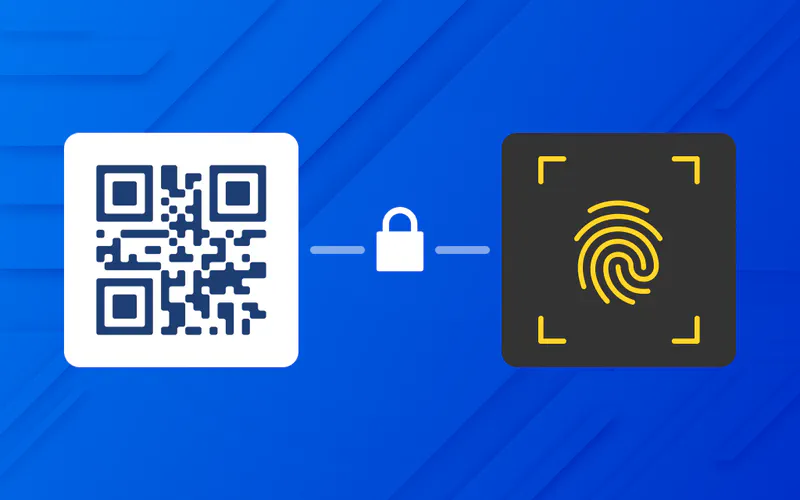
Enterprise-grade dynamic QR code login deploys multi-layered processes ensuring secure authentication from code generation to verification. Secure dynamic QR generation uses cryptographically random session identifiers paired with strict time-to-live (TTL) parameters of 60-180 seconds to eliminate attack windows. Effective implementations combine device attestation, tamper-resistant QR rendering, and ephemeral data binding for every authentication session.
When users scan dynamic QR codes using enterprise apps or devices, the IAM platform validates sessions using secure transport protocols and binds sessions to device identity or enrolled biometric. The entire authentication process orchestrates through established standards such as FIDO2, OpenID Connect, or SAML, ensuring each scan’s cryptographic integrity. Cryptographic bindings ensure each authentication token ties to originally intended browser or session context, blocking token interception or man-in-the-middle attacks.
Verification completes within seconds by matching device signature and session parameters with corporate IAM policies. Leading solutions integrate these technical flows with hardware security modules (HSMs) or TPMs, providing tamper-evident logs for every login attempt. Trusted vendors, including Microsoft with Entra ID, exemplify this robust flow offering granular control over which devices, browsers, and user contexts are authorized. WWPass technology uses distributed storage and zero-knowledge architecture to ensure user identity remains protected throughout authentication processes. This pattern is core to meeting regulatory requirements and enabling transparent, auditable access.
Origin Binding and Replay Protection
Security Control | Implementation | Purpose | Dynamic QR Support |
|---|---|---|---|
Origin Binding | Session tied to specific browser fingerprint | Prevents code reuse in different contexts | Required |
Replay Protection | Single-use codes, nonce validation | Prevents captured code reuse | Required |
Short TTL | 60-180 second expiration | Minimizes capture window | Required |
Dynamic Regeneration | New code every 60-180 seconds | Eliminates long-lived credentials | Required |
Device Attestation | Hardware-backed cryptographic keys | Blocks unauthorized apps | Required |
Advanced dynamic QR authentication relies on two key principles: origin binding and replay protection. Origin binding ensures QR codes generate and validate only for specific browser instances or application sessions, preventing attackers from copying valid codes and using them elsewhere. Each dynamic QR code contains unique identifiers or cryptographic values associated with user’s current session, browser fingerprint, and device characteristics configured in enterprise IAM systems.
Replay protection implements through nonce freshness checks and anti-replay logic. Every dynamic QR code session is single-use and destroyed after scanning or expiration. IAM platforms record and reject duplicate or previously redeemed tokens in real time. Legitimate solutions combine nonce validation, short TTLs (60-180 seconds), and continuous monitoring to detect anomalous replay attempts. Implementation of timestamps and nonces (number used once) ensures each request is unique, preventing attackers from reusing captured data.
Modern browsers and enterprise mobile apps integrate behavioral analytics to flag deviations in device, geolocation, or IP, enforcing context-aware authentication for high-value actions. Result: even if attackers intercept dynamic QR codes, they cannot replay them or use them in different browser or device contexts. FIDO2 authentication implements domain-bound credentials that validate request origins using hashed relying party IDs, refusing to complete authentication if domains don’t match.
Defending Against Quishing Attacks
Understanding Quishing and Business Impact
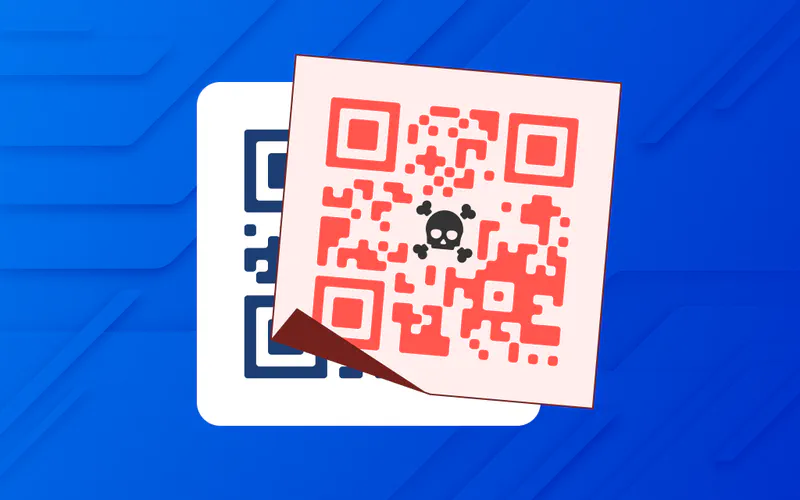
Quishing (QR code phishing) has become a top threat for enterprises with distributed workforces. Attackers exploit QR login convenience by creating fake codes redirecting users to credential-harvesting sites or injecting malware once scanned. As enterprise use of dynamic QR authentication grows, executive decision-makers must assess and mitigate quishing’s business impact. Financial consequences span immediate fraud losses, account takeovers, and regulatory fines, with C-level executives facing 42 times more QR code attacks than average employees.
Operational disruption represents major risk, particularly for sectors managing sensitive data or critical infrastructure. Successful quishing attacks result in compromised administrator accounts, lateral network movement, and exposure of confidential business records. The energy sector receives 29% of malware-infested quishing emails, while retail has the highest miss rate for detecting malicious QR codes. Businesses report cases where quishing led to temporary shutdowns, emergency incident response, and millions in remediation costs. Protecting brand reputation and ensuring compliance require constant vigilance and advanced monitoring controls.
Browser Fingerprinting and Behavioral Detection
Modern dynamic QR authentication strengthens through integrating browser fingerprinting and behavioral analytics into IAM solutions. Browser fingerprinting collects non-personalized attributes including browser version, plugins, rendering engine, language settings, screen resolution, and hardware information to uniquely identify legitimate browsers engaged in QR login flows. These signals evaluate against baseline patterns, helping instantly reject suspicious or mismatched sessions.
Behavioral detection utilizes machine learning rules to analyze historic login behavior, device movement, and session context. Platforms like WWPass and leading IAM vendors leverage these tools to profile normal use and rapidly auto-block high-risk events such as QR scans from new geographies, devices, or browser setups never seen before. Browser fingerprinting helps detect account takeover fraud by comparing current device fingerprint with previous ones. If anomalies detect, such as unfamiliar devices accessing accounts, security challenges like multi-factor authentication trigger. This multi-layered defense makes it harder for quishing attackers to evade detection and ensures dynamic QR code login remains user-friendly and resistant to targeted social engineering campaigns.
Incident Response and Runbooks for QR Attack Scenarios
Enterprises must prepare incident response playbooks tailored to QR authentication threats. Effective incident response starts with real-time detection of suspicious QR activity, automated alerting to SOC teams, and immediate session lockdown for impacted accounts.
Critical runbook components for dynamic QR security:
Real-time monitoring for anomalous QR scan patterns (geographic anomalies, impossible travel, unusual timing)
Automated alerting to SOC teams when suspicious QR activity detects
Immediate session lockdown and revocation for impacted accounts
Rapid user notification workflows with secure re-authentication guidance
Forced password resets for accounts showing compromise indicators
Conditional access revocation when quishing detects
Forensic analysis of transaction logs, browser fingerprints, and device binding events
IAM audit log reviews escalating privileged activity during attack windows
Legal and compliance team coordination for regulatory notifications and reporting
Post-incident analysis documenting attack vectors and remediation steps
Automation requirements:
Trigger predefined workflows using SIEM integrations and API-driven IAM controls. Linking QR defense signals to SOAR platforms allows rapid triage and manual review of anomalous login attempts. WWPass authentication systems provide geographically-distributed storage with ISO 27001 certified datacenters, ensuring high availability and comprehensive audit trails for forensic analysis.
Sample incident response actions:
Disable all active sessions linked to compromised dynamic QR code flows
Alert affected users of suspicious activity and guide through secure re-authentication routines
Review IAM audit logs and escalate privileged activity during attack windows
Coordinate with legal and compliance teams for required regulatory notifications
Generate unique session identifiers for each authenticated session to thwart replay attempts
Document lessons learned and update runbooks based on incident findings
Timely, rehearsed runbooks significantly limit damage from quishing, avoid unnecessary downtime, and preserve customer and employee trust in enterprise digital channels.
Enterprise Patterns for Secure Dynamic QR Login Design
Integrating with Microsoft Entra ID and SSO Platforms
Enterprise-grade dynamic QR code login achieves optimal results when integrated with established identity platforms like Microsoft Entra ID (formerly Azure AD), Okta, Auth0, and other SSO providers. Microsoft Entra ID offers native QR code authentication specifically designed for frontline workers who share devices and require rapid, repeated access throughout shifts. Configuration requires Authentication Policy Administrator privileges and appropriate licensing (Microsoft 365 F1/F3, Entra ID P1/P2, or EMS E3/E5).
Integration with SSO platforms leverages industry-standard authentication protocols including SAML 2.0, OpenID Connect, and OAuth 2.0 to establish secure federated identity across cloud applications. Dynamic QR authentication works seamlessly within these frameworks: the QR code acts as initiation mechanism while underlying IAM platform handles cryptographic validation, session management, and policy enforcement. Organizations implementing WWPass SSO combine QR-based device authentication with biometric verification, creating passwordless workflows that eliminate credential theft while supporting compliance requirements.
Best practices for SSO integration:
Dynamic QR flows must inherit same security posture as traditional authentication methods
Enforce conditional access policies based on device compliance, geolocation, and risk scoring
Configure identity provider to require device enrollment and shared device mode for kiosks
Ensure QR scans trigger appropriate verification steps before granting access
Implement automatic respect for role-based access control (RBAC) and attribute-based policies
Set dynamic regeneration intervals at 90-120 seconds for optimal security-usability balance
TTLs, Bindings, and Trust: Deployment Recommendations
Secure dynamic QR login deployment hinges on three critical technical controls: time-to-live (TTL) settings, cryptographic bindings, and trust validation.
TTL Configuration for Dynamic QR Codes:
Industry best practices recommend TTLs between 60-180 seconds for authentication scenarios, with optimal values ranging from 90-120 seconds. For high-security implementations, TTLs of 60-90 seconds combined with single-use enforcement prevent replay attacks and code scraping. WWPass authentication systems exemplify this pattern by generating fresh, cryptographically random session identifiers for each QR request and invalidating codes immediately after successful scan or timeout.
Critical implementation requirements:
Generate new dynamic QR codes every 60-180 seconds with cryptographically random session identifiers
Store session state server-side with automatic expiration after TTL
Encode only opaque reference or nonce, never reusable credentials or PII
Point to server-side session object storing intended origin, browser context, and pending authentication state
Implement single-use enforcement, destroying codes after successful authentication or timeout
Origin Binding Implementation:
Authentication tokens generated from dynamic QR scans can only be used by specific browser sessions that requested codes. This achieves by associating QR-generated sessions with browser fingerprints, device attestation, or just-in-time session seeds created when login pages render.
Cryptographic Trust Chains:
Organizations should implement certificate pinning between mobile apps and authentication servers, use AES-256 encryption for QR payload data, and require signed assertions using device-bound private keys before issuing session tokens. Combined, these controls transform dynamic QR login from convenience feature into phishing-resistant authentication factor resisting interception, replay, and man-in-the-middle attacks.
Choosing a Dynamic QR Authentication Partner
Vendor Evaluation Criteria
Evaluation Area | Requirements | Why It Matters |
|---|---|---|
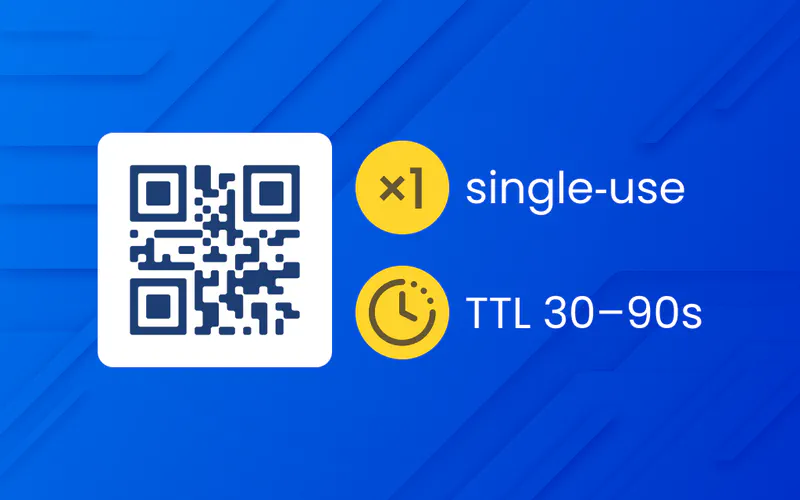
Dynamic QR Implementation | 60-180 sec TTL, single-use codes, automatic regeneration | Prevents replay attacks and credential capture |
Security Certifications | SOC 2 Type II, ISO 27001, GDPR/HIPAA compliance | Enterprise risk and regulatory requirements |
Integration Support | SAML, OpenID Connect, OAuth 2.0, FIDO2 | Compatibility with existing IAM infrastructure |
Audit and Monitoring | Real-time threat detection, comprehensive logging | SOC team visibility and incident response |
Vendor Viability | Financial health, customer retention, references | Long-term partnership sustainability |
Selecting dynamic QR authentication vendor requires evaluating technical capabilities, security certifications, and integration flexibility against enterprise risk and compliance requirements. Start by assessing whether vendor provides hardened dynamic QR login with built-in protections: origin binding, replay prevention, short TTLs (60-180 seconds) with configurable limits, and device-bound cryptographic assertions.
Leading vendors offer SDK integrations for web, iOS, and Android platforms, enabling seamless deployment across workforce and customer-facing applications. Look for solutions supporting major IAM standards (SAML, OpenID Connect, OAuth 2.0, FIDO2) ensuring compatibility with existing identity infrastructure like Microsoft Entra ID, Okta, or custom SSO implementations.
Security certifications and compliance:
Verify vendor maintains SOC 2 Type II, ISO 27001, and relevant regional data protection certifications (GDPR, HIPAA). Request evidence of third-party penetration testing, responsible disclosure programs, and incident response maturity. WWPass demonstrates this standard with geographically distributed, ISO 27001-certified data centers and zero-knowledge architecture keeping user credentials decentralized.
Vendor partnership quality:
Assess financial health, customer retention rates, and references from organizations in similar industries. Demand clear SLAs covering uptime (99.9%+), response times for critical incidents, and escalation paths to senior engineering. Evaluate support for multi-region deployments, disaster recovery capabilities, and data residency options. Scrutinize contract terms for exit provisions, data portability, and pricing transparency, avoiding vendors with hidden fees or restrictive lock-in clauses.
ROI and Security Metrics
CISOs and IT decision-makers must quantify financial returns and security improvements to justify dynamic QR authentication investments. ROI measurement begins with baseline metrics: current password reset costs, helpdesk ticket volume, authentication-related user abandonment, and fraud losses from credential theft.
Operational savings:
Passwordless authentication solutions, including dynamic QR login, typically reduce password reset tickets by 50% or more, saving enterprises $17 per resolved ticket on average. For organizations handling 2,000 monthly password resets, this translates to $204,000 in annual operational savings.
Revenue impact:
Studies demonstrate passwordless authentication increases account creation rates by 10%, total logins by 30%, and checkout conversion by 1% or more. For retail platform with 10 million monthly visitors and 350,000 checkouts, implementing dynamic QR authentication can generate over $355,000 in additional monthly revenue at full adoption.
Security metrics:
Monitor authentication success rates, failed login attempts, account takeover incidents, and phishing susceptibility before and after dynamic QR deployment. Effective implementations reduce credential-related breaches, lower mean time to detect (MTTD) anomalous logins, and improve compliance audit scores for MFA coverage.
Calculate total cost of ownership (TCO) including licensing, integration, training, and ongoing support, then weigh against total benefits: fraud prevention, operational savings, productivity gains, and avoided compliance penalties.
Key Takeaways and Next Steps
Building Trusted, Frictionless Authentication
Dynamic QR code login represents critical evolution in enterprise authentication, combining convenience with phishing-resistant security when properly implemented. Organizations committed to passwordless access and zero-trust architecture should adopt dynamic QR authentication as part of broader strategy including passkeys, biometric verification, and adaptive risk-based policies.
Technical foundations:
Configure short TTLs (60-180 seconds) with 90-120 seconds optimal
Enforce origin binding and replay protection with single-use codes
Implement dynamic regeneration displaying fresh codes every 60-180 seconds
Integrate with existing SSO platforms through SAML or OpenID Connect
Ensure mobile authenticator apps use device-bound cryptographic keys
Never implement static QR codes for authentication purposes
Implementation approach:
Start by conducting pilot deployment with defined user group (frontline workers, shared device scenarios, customer login flows) to validate technical integration, measure adoption, and refine security policies before enterprise-wide rollout. Leverage platforms like Microsoft Entra ID for workforce scenarios or partner with specialized vendors like WWPass offering turnkey dynamic QR authentication with biometric binding and enterprise SLAs.
Operational readiness:
Prepare SOC teams with updated runbooks covering QR-specific threat scenarios, real-time monitoring for suspicious scan activity, and automated session revocation workflows. Measure login conversion rates, helpdesk ticket reduction, time-to-authenticate, security incident frequency, and user satisfaction scores to demonstrate ROI and continuous improvement.
Success factors:
Engage stakeholders early (security, IT operations, legal, compliance, business units) to align on success criteria, risk tolerances, and rollout timelines. Implement phased adoption plans prioritizing high-impact, high-visibility use cases (kiosks, field workers, customer portals) while building internal capability and refining governance policies.
The path forward is clear: dynamic QR code login, when combined with robust cryptographic controls and integrated into enterprise IAM ecosystems, delivers measurable gains in security, user experience, and operational efficiency. Organizations ready to eliminate password risks, reduce friction, and future-proof authentication should evaluate dynamic QR solutions today. Request demonstrations from certified vendors, review technical integration requirements with IAM teams, and define pilot success metrics aligned with security and business objectives.
About WWPass Dynamic QR Authentication
WWPass provides enterprise dynamic QR authentication with distributed zero-knowledge architecture, generating fresh codes every 60-180 seconds with automatic expiration and single-use enforcement. Organizations deploy WWPass SSO for passwordless access across web, mobile, and legacy applications with cryptographic security. Learn more at wwpass.com.
Quick Response (QR) codes are two-dimensional barcodes that encode data readable by smartphone cameras. Invented in 1994 for automotive manufacturing, QR codes now facilitate contactless payments, venue check-ins, and enterprise authentication. The QR authentication market is growing at 18% annually as organizations seek passwordless access methods.
The critical distinction in QR authentication is between dynamic QR codes(regenerating every 60-180 seconds with unique session identifiers) and static QR codes (unchanged, reusable credentials). Dynamic QR implementations with proper security controls deliver genuine phishing resistance. Static QR codes create severe vulnerabilities, broadcasting long-lived credentials that attackers can capture and replay indefinitely.
QR Code Type | Regeneration | Session ID | Reusability | Security Level | Enterprise Use |
|---|---|---|---|---|---|
Dynamic QR | Every 60-180 seconds | Unique per authentication | Single-use only | High (recommended) | Secure login, MFA |
Static QR | Never changes | Same identifier | Unlimited reuse | Low (dangerous) | Marketing, URLs only |
Why Enterprises Are Moving to QR Code Login
Enterprise adoption of dynamic QR code login accelerates as organizations seek authentication methods delivering frictionless access with robust security. QR authentication enables device-driven user journeys eliminating password fatigue and credential risks. Major identity management systems prioritize QR code login for web and mobile workforce scenarios, with CIOs recognizing it as competitive differentiation delivering faster onboarding, streamlined access, and reduced password reset support costs.
Dynamic QR code login integrates with next-generation identity and access management (IAM) platforms supporting flexible authentication policies and standards like SAML and OpenID Connect. Companies like WWPass demonstrate how biometric or device-bound dynamic QR flows simplify login for remote and hybrid teams while keeping credentials decentralized. Solutions such as Microsoft Entra ID introduced QR code authentication specifically for frontline workers who share devices and must sign in repeatedly to access store or field applications.
Commercially, dynamic QR login boosts conversion rates for enterprise applications, especially in regulated sectors where security compliance is non-negotiable. Friction-free login increases employee productivity, eliminates credential-sharing risks, and allows security teams to focus on high-signal threats. Organizations implementing WWPass SSO report measurable reductions in account lockouts and forgotten passwords, resulting in fewer helpdesk tickets and increased user trust. For organizations modernizing legacy identity processes, integrating dynamic QR authentication is an actionable step toward zero-trust and passwordless access.
The risk of static QR codes: Poorly implemented static or predictable QR codes enable attackers to capture and replay authentication sessions on unauthorized devices. This opens doors to account hijacking and privilege escalation undermining operational stability. Recent data shows 331% year-over-year increase in QR code phishing campaigns (quishing), with 90% targeting credential theft. Unprotected static QR logins become vectors for bypassing MFA when session tokens lack cryptographic binding to originating browsers or devices.
Incident data reveals transaction abandonment spikes when users encounter suspicious or failed QR login attempts. Lost trust disrupts workforce efficiency and erodes customer confidence. A single quishing breach can trigger compliance reviews requiring costly forensics, customer notifications, and potential penalties. Average business loss from quishing exceeds $1 million per incident. Enterprises must recognize that static QR implementations represent potential liability, while dynamic QR codes with proper controls mitigate these risks.
How Secure Dynamic QR Code Login Works
Technical Flow: Generation to Verification
Enterprise-grade dynamic QR code login deploys multi-layered processes ensuring secure authentication from code generation to verification. Secure dynamic QR generation uses cryptographically random session identifiers paired with strict time-to-live (TTL) parameters of 60-180 seconds to eliminate attack windows. Effective implementations combine device attestation, tamper-resistant QR rendering, and ephemeral data binding for every authentication session.
When users scan dynamic QR codes using enterprise apps or devices, the IAM platform validates sessions using secure transport protocols and binds sessions to device identity or enrolled biometric. The entire authentication process orchestrates through established standards such as FIDO2, OpenID Connect, or SAML, ensuring each scan’s cryptographic integrity. Cryptographic bindings ensure each authentication token ties to originally intended browser or session context, blocking token interception or man-in-the-middle attacks.
Verification completes within seconds by matching device signature and session parameters with corporate IAM policies. Leading solutions integrate these technical flows with hardware security modules (HSMs) or TPMs, providing tamper-evident logs for every login attempt. Trusted vendors, including Microsoft with Entra ID, exemplify this robust flow offering granular control over which devices, browsers, and user contexts are authorized. WWPass technology uses distributed storage and zero-knowledge architecture to ensure user identity remains protected throughout authentication processes. This pattern is core to meeting regulatory requirements and enabling transparent, auditable access.
Origin Binding and Replay Protection
Security Control | Implementation | Purpose | Dynamic QR Support |
|---|---|---|---|
Origin Binding | Session tied to specific browser fingerprint | Prevents code reuse in different contexts | Required |
Replay Protection | Single-use codes, nonce validation | Prevents captured code reuse | Required |
Short TTL | 60-180 second expiration | Minimizes capture window | Required |
Dynamic Regeneration | New code every 60-180 seconds | Eliminates long-lived credentials | Required |
Device Attestation | Hardware-backed cryptographic keys | Blocks unauthorized apps | Required |
Advanced dynamic QR authentication relies on two key principles: origin binding and replay protection. Origin binding ensures QR codes generate and validate only for specific browser instances or application sessions, preventing attackers from copying valid codes and using them elsewhere. Each dynamic QR code contains unique identifiers or cryptographic values associated with user’s current session, browser fingerprint, and device characteristics configured in enterprise IAM systems.
Replay protection implements through nonce freshness checks and anti-replay logic. Every dynamic QR code session is single-use and destroyed after scanning or expiration. IAM platforms record and reject duplicate or previously redeemed tokens in real time. Legitimate solutions combine nonce validation, short TTLs (60-180 seconds), and continuous monitoring to detect anomalous replay attempts. Implementation of timestamps and nonces (number used once) ensures each request is unique, preventing attackers from reusing captured data.
Modern browsers and enterprise mobile apps integrate behavioral analytics to flag deviations in device, geolocation, or IP, enforcing context-aware authentication for high-value actions. Result: even if attackers intercept dynamic QR codes, they cannot replay them or use them in different browser or device contexts. FIDO2 authentication implements domain-bound credentials that validate request origins using hashed relying party IDs, refusing to complete authentication if domains don’t match.
Defending Against Quishing Attacks
Understanding Quishing and Business Impact
Quishing (QR code phishing) has become a top threat for enterprises with distributed workforces. Attackers exploit QR login convenience by creating fake codes redirecting users to credential-harvesting sites or injecting malware once scanned. As enterprise use of dynamic QR authentication grows, executive decision-makers must assess and mitigate quishing’s business impact. Financial consequences span immediate fraud losses, account takeovers, and regulatory fines, with C-level executives facing 42 times more QR code attacks than average employees.
Operational disruption represents major risk, particularly for sectors managing sensitive data or critical infrastructure. Successful quishing attacks result in compromised administrator accounts, lateral network movement, and exposure of confidential business records. The energy sector receives 29% of malware-infested quishing emails, while retail has the highest miss rate for detecting malicious QR codes. Businesses report cases where quishing led to temporary shutdowns, emergency incident response, and millions in remediation costs. Protecting brand reputation and ensuring compliance require constant vigilance and advanced monitoring controls.
Browser Fingerprinting and Behavioral Detection
Modern dynamic QR authentication strengthens through integrating browser fingerprinting and behavioral analytics into IAM solutions. Browser fingerprinting collects non-personalized attributes including browser version, plugins, rendering engine, language settings, screen resolution, and hardware information to uniquely identify legitimate browsers engaged in QR login flows. These signals evaluate against baseline patterns, helping instantly reject suspicious or mismatched sessions.
Behavioral detection utilizes machine learning rules to analyze historic login behavior, device movement, and session context. Platforms like WWPass and leading IAM vendors leverage these tools to profile normal use and rapidly auto-block high-risk events such as QR scans from new geographies, devices, or browser setups never seen before. Browser fingerprinting helps detect account takeover fraud by comparing current device fingerprint with previous ones. If anomalies detect, such as unfamiliar devices accessing accounts, security challenges like multi-factor authentication trigger. This multi-layered defense makes it harder for quishing attackers to evade detection and ensures dynamic QR code login remains user-friendly and resistant to targeted social engineering campaigns.
Incident Response and Runbooks for QR Attack Scenarios
Enterprises must prepare incident response playbooks tailored to QR authentication threats. Effective incident response starts with real-time detection of suspicious QR activity, automated alerting to SOC teams, and immediate session lockdown for impacted accounts.
Critical runbook components for dynamic QR security:
Real-time monitoring for anomalous QR scan patterns (geographic anomalies, impossible travel, unusual timing)
Automated alerting to SOC teams when suspicious QR activity detects
Immediate session lockdown and revocation for impacted accounts
Rapid user notification workflows with secure re-authentication guidance
Forced password resets for accounts showing compromise indicators
Conditional access revocation when quishing detects
Forensic analysis of transaction logs, browser fingerprints, and device binding events
IAM audit log reviews escalating privileged activity during attack windows
Legal and compliance team coordination for regulatory notifications and reporting
Post-incident analysis documenting attack vectors and remediation steps
Automation requirements:
Trigger predefined workflows using SIEM integrations and API-driven IAM controls. Linking QR defense signals to SOAR platforms allows rapid triage and manual review of anomalous login attempts. WWPass authentication systems provide geographically-distributed storage with ISO 27001 certified datacenters, ensuring high availability and comprehensive audit trails for forensic analysis.
Sample incident response actions:
Disable all active sessions linked to compromised dynamic QR code flows
Alert affected users of suspicious activity and guide through secure re-authentication routines
Review IAM audit logs and escalate privileged activity during attack windows
Coordinate with legal and compliance teams for required regulatory notifications
Generate unique session identifiers for each authenticated session to thwart replay attempts
Document lessons learned and update runbooks based on incident findings
Timely, rehearsed runbooks significantly limit damage from quishing, avoid unnecessary downtime, and preserve customer and employee trust in enterprise digital channels.
Enterprise Patterns for Secure Dynamic QR Login Design
Integrating with Microsoft Entra ID and SSO Platforms
Enterprise-grade dynamic QR code login achieves optimal results when integrated with established identity platforms like Microsoft Entra ID (formerly Azure AD), Okta, Auth0, and other SSO providers. Microsoft Entra ID offers native QR code authentication specifically designed for frontline workers who share devices and require rapid, repeated access throughout shifts. Configuration requires Authentication Policy Administrator privileges and appropriate licensing (Microsoft 365 F1/F3, Entra ID P1/P2, or EMS E3/E5).
Integration with SSO platforms leverages industry-standard authentication protocols including SAML 2.0, OpenID Connect, and OAuth 2.0 to establish secure federated identity across cloud applications. Dynamic QR authentication works seamlessly within these frameworks: the QR code acts as initiation mechanism while underlying IAM platform handles cryptographic validation, session management, and policy enforcement. Organizations implementing WWPass SSO combine QR-based device authentication with biometric verification, creating passwordless workflows that eliminate credential theft while supporting compliance requirements.
Best practices for SSO integration:
Dynamic QR flows must inherit same security posture as traditional authentication methods
Enforce conditional access policies based on device compliance, geolocation, and risk scoring
Configure identity provider to require device enrollment and shared device mode for kiosks
Ensure QR scans trigger appropriate verification steps before granting access
Implement automatic respect for role-based access control (RBAC) and attribute-based policies
Set dynamic regeneration intervals at 90-120 seconds for optimal security-usability balance
TTLs, Bindings, and Trust: Deployment Recommendations
Secure dynamic QR login deployment hinges on three critical technical controls: time-to-live (TTL) settings, cryptographic bindings, and trust validation.
TTL Configuration for Dynamic QR Codes:
Industry best practices recommend TTLs between 60-180 seconds for authentication scenarios, with optimal values ranging from 90-120 seconds. For high-security implementations, TTLs of 60-90 seconds combined with single-use enforcement prevent replay attacks and code scraping. WWPass authentication systems exemplify this pattern by generating fresh, cryptographically random session identifiers for each QR request and invalidating codes immediately after successful scan or timeout.
Critical implementation requirements:
Generate new dynamic QR codes every 60-180 seconds with cryptographically random session identifiers
Store session state server-side with automatic expiration after TTL
Encode only opaque reference or nonce, never reusable credentials or PII
Point to server-side session object storing intended origin, browser context, and pending authentication state
Implement single-use enforcement, destroying codes after successful authentication or timeout
Origin Binding Implementation:
Authentication tokens generated from dynamic QR scans can only be used by specific browser sessions that requested codes. This achieves by associating QR-generated sessions with browser fingerprints, device attestation, or just-in-time session seeds created when login pages render.
Cryptographic Trust Chains:
Organizations should implement certificate pinning between mobile apps and authentication servers, use AES-256 encryption for QR payload data, and require signed assertions using device-bound private keys before issuing session tokens. Combined, these controls transform dynamic QR login from convenience feature into phishing-resistant authentication factor resisting interception, replay, and man-in-the-middle attacks.
Choosing a Dynamic QR Authentication Partner
Vendor Evaluation Criteria
Evaluation Area | Requirements | Why It Matters |
|---|---|---|
Dynamic QR Implementation | 60-180 sec TTL, single-use codes, automatic regeneration | Prevents replay attacks and credential capture |
Security Certifications | SOC 2 Type II, ISO 27001, GDPR/HIPAA compliance | Enterprise risk and regulatory requirements |
Integration Support | SAML, OpenID Connect, OAuth 2.0, FIDO2 | Compatibility with existing IAM infrastructure |
Audit and Monitoring | Real-time threat detection, comprehensive logging | SOC team visibility and incident response |
Vendor Viability | Financial health, customer retention, references | Long-term partnership sustainability |
Selecting dynamic QR authentication vendor requires evaluating technical capabilities, security certifications, and integration flexibility against enterprise risk and compliance requirements. Start by assessing whether vendor provides hardened dynamic QR login with built-in protections: origin binding, replay prevention, short TTLs (60-180 seconds) with configurable limits, and device-bound cryptographic assertions.
Leading vendors offer SDK integrations for web, iOS, and Android platforms, enabling seamless deployment across workforce and customer-facing applications. Look for solutions supporting major IAM standards (SAML, OpenID Connect, OAuth 2.0, FIDO2) ensuring compatibility with existing identity infrastructure like Microsoft Entra ID, Okta, or custom SSO implementations.
Security certifications and compliance:
Verify vendor maintains SOC 2 Type II, ISO 27001, and relevant regional data protection certifications (GDPR, HIPAA). Request evidence of third-party penetration testing, responsible disclosure programs, and incident response maturity. WWPass demonstrates this standard with geographically distributed, ISO 27001-certified data centers and zero-knowledge architecture keeping user credentials decentralized.
Vendor partnership quality:
Assess financial health, customer retention rates, and references from organizations in similar industries. Demand clear SLAs covering uptime (99.9%+), response times for critical incidents, and escalation paths to senior engineering. Evaluate support for multi-region deployments, disaster recovery capabilities, and data residency options. Scrutinize contract terms for exit provisions, data portability, and pricing transparency, avoiding vendors with hidden fees or restrictive lock-in clauses.
ROI and Security Metrics
CISOs and IT decision-makers must quantify financial returns and security improvements to justify dynamic QR authentication investments. ROI measurement begins with baseline metrics: current password reset costs, helpdesk ticket volume, authentication-related user abandonment, and fraud losses from credential theft.
Operational savings:
Passwordless authentication solutions, including dynamic QR login, typically reduce password reset tickets by 50% or more, saving enterprises $17 per resolved ticket on average. For organizations handling 2,000 monthly password resets, this translates to $204,000 in annual operational savings.
Revenue impact:
Studies demonstrate passwordless authentication increases account creation rates by 10%, total logins by 30%, and checkout conversion by 1% or more. For retail platform with 10 million monthly visitors and 350,000 checkouts, implementing dynamic QR authentication can generate over $355,000 in additional monthly revenue at full adoption.
Security metrics:
Monitor authentication success rates, failed login attempts, account takeover incidents, and phishing susceptibility before and after dynamic QR deployment. Effective implementations reduce credential-related breaches, lower mean time to detect (MTTD) anomalous logins, and improve compliance audit scores for MFA coverage.
Calculate total cost of ownership (TCO) including licensing, integration, training, and ongoing support, then weigh against total benefits: fraud prevention, operational savings, productivity gains, and avoided compliance penalties.
Key Takeaways and Next Steps
Building Trusted, Frictionless Authentication
Dynamic QR code login represents critical evolution in enterprise authentication, combining convenience with phishing-resistant security when properly implemented. Organizations committed to passwordless access and zero-trust architecture should adopt dynamic QR authentication as part of broader strategy including passkeys, biometric verification, and adaptive risk-based policies.
Technical foundations:
Configure short TTLs (60-180 seconds) with 90-120 seconds optimal
Enforce origin binding and replay protection with single-use codes
Implement dynamic regeneration displaying fresh codes every 60-180 seconds
Integrate with existing SSO platforms through SAML or OpenID Connect
Ensure mobile authenticator apps use device-bound cryptographic keys
Never implement static QR codes for authentication purposes
Implementation approach:
Start by conducting pilot deployment with defined user group (frontline workers, shared device scenarios, customer login flows) to validate technical integration, measure adoption, and refine security policies before enterprise-wide rollout. Leverage platforms like Microsoft Entra ID for workforce scenarios or partner with specialized vendors like WWPass offering turnkey dynamic QR authentication with biometric binding and enterprise SLAs.
Operational readiness:
Prepare SOC teams with updated runbooks covering QR-specific threat scenarios, real-time monitoring for suspicious scan activity, and automated session revocation workflows. Measure login conversion rates, helpdesk ticket reduction, time-to-authenticate, security incident frequency, and user satisfaction scores to demonstrate ROI and continuous improvement.
Success factors:
Engage stakeholders early (security, IT operations, legal, compliance, business units) to align on success criteria, risk tolerances, and rollout timelines. Implement phased adoption plans prioritizing high-impact, high-visibility use cases (kiosks, field workers, customer portals) while building internal capability and refining governance policies.
The path forward is clear: dynamic QR code login, when combined with robust cryptographic controls and integrated into enterprise IAM ecosystems, delivers measurable gains in security, user experience, and operational efficiency. Organizations ready to eliminate password risks, reduce friction, and future-proof authentication should evaluate dynamic QR solutions today. Request demonstrations from certified vendors, review technical integration requirements with IAM teams, and define pilot success metrics aligned with security and business objectives.
About WWPass Dynamic QR Authentication
WWPass provides enterprise dynamic QR authentication with distributed zero-knowledge architecture, generating fresh codes every 60-180 seconds with automatic expiration and single-use enforcement. Organizations deploy WWPass SSO for passwordless access across web, mobile, and legacy applications with cryptographic security. Learn more at wwpass.com.
Quick Response (QR) codes are two-dimensional barcodes that encode data readable by smartphone cameras. Invented in 1994 for automotive manufacturing, QR codes now facilitate contactless payments, venue check-ins, and enterprise authentication. The QR authentication market is growing at 18% annually as organizations seek passwordless access methods.
The critical distinction in QR authentication is between dynamic QR codes(regenerating every 60-180 seconds with unique session identifiers) and static QR codes (unchanged, reusable credentials). Dynamic QR implementations with proper security controls deliver genuine phishing resistance. Static QR codes create severe vulnerabilities, broadcasting long-lived credentials that attackers can capture and replay indefinitely.
QR Code Type | Regeneration | Session ID | Reusability | Security Level | Enterprise Use |
|---|---|---|---|---|---|
Dynamic QR | Every 60-180 seconds | Unique per authentication | Single-use only | High (recommended) | Secure login, MFA |
Static QR | Never changes | Same identifier | Unlimited reuse | Low (dangerous) | Marketing, URLs only |
Why Enterprises Are Moving to QR Code Login
Enterprise adoption of dynamic QR code login accelerates as organizations seek authentication methods delivering frictionless access with robust security. QR authentication enables device-driven user journeys eliminating password fatigue and credential risks. Major identity management systems prioritize QR code login for web and mobile workforce scenarios, with CIOs recognizing it as competitive differentiation delivering faster onboarding, streamlined access, and reduced password reset support costs.
Dynamic QR code login integrates with next-generation identity and access management (IAM) platforms supporting flexible authentication policies and standards like SAML and OpenID Connect. Companies like WWPass demonstrate how biometric or device-bound dynamic QR flows simplify login for remote and hybrid teams while keeping credentials decentralized. Solutions such as Microsoft Entra ID introduced QR code authentication specifically for frontline workers who share devices and must sign in repeatedly to access store or field applications.
Commercially, dynamic QR login boosts conversion rates for enterprise applications, especially in regulated sectors where security compliance is non-negotiable. Friction-free login increases employee productivity, eliminates credential-sharing risks, and allows security teams to focus on high-signal threats. Organizations implementing WWPass SSO report measurable reductions in account lockouts and forgotten passwords, resulting in fewer helpdesk tickets and increased user trust. For organizations modernizing legacy identity processes, integrating dynamic QR authentication is an actionable step toward zero-trust and passwordless access.
The risk of static QR codes: Poorly implemented static or predictable QR codes enable attackers to capture and replay authentication sessions on unauthorized devices. This opens doors to account hijacking and privilege escalation undermining operational stability. Recent data shows 331% year-over-year increase in QR code phishing campaigns (quishing), with 90% targeting credential theft. Unprotected static QR logins become vectors for bypassing MFA when session tokens lack cryptographic binding to originating browsers or devices.
Incident data reveals transaction abandonment spikes when users encounter suspicious or failed QR login attempts. Lost trust disrupts workforce efficiency and erodes customer confidence. A single quishing breach can trigger compliance reviews requiring costly forensics, customer notifications, and potential penalties. Average business loss from quishing exceeds $1 million per incident. Enterprises must recognize that static QR implementations represent potential liability, while dynamic QR codes with proper controls mitigate these risks.
How Secure Dynamic QR Code Login Works
Technical Flow: Generation to Verification
Enterprise-grade dynamic QR code login deploys multi-layered processes ensuring secure authentication from code generation to verification. Secure dynamic QR generation uses cryptographically random session identifiers paired with strict time-to-live (TTL) parameters of 60-180 seconds to eliminate attack windows. Effective implementations combine device attestation, tamper-resistant QR rendering, and ephemeral data binding for every authentication session.
When users scan dynamic QR codes using enterprise apps or devices, the IAM platform validates sessions using secure transport protocols and binds sessions to device identity or enrolled biometric. The entire authentication process orchestrates through established standards such as FIDO2, OpenID Connect, or SAML, ensuring each scan’s cryptographic integrity. Cryptographic bindings ensure each authentication token ties to originally intended browser or session context, blocking token interception or man-in-the-middle attacks.
Verification completes within seconds by matching device signature and session parameters with corporate IAM policies. Leading solutions integrate these technical flows with hardware security modules (HSMs) or TPMs, providing tamper-evident logs for every login attempt. Trusted vendors, including Microsoft with Entra ID, exemplify this robust flow offering granular control over which devices, browsers, and user contexts are authorized. WWPass technology uses distributed storage and zero-knowledge architecture to ensure user identity remains protected throughout authentication processes. This pattern is core to meeting regulatory requirements and enabling transparent, auditable access.
Origin Binding and Replay Protection
Security Control | Implementation | Purpose | Dynamic QR Support |
|---|---|---|---|
Origin Binding | Session tied to specific browser fingerprint | Prevents code reuse in different contexts | Required |
Replay Protection | Single-use codes, nonce validation | Prevents captured code reuse | Required |
Short TTL | 60-180 second expiration | Minimizes capture window | Required |
Dynamic Regeneration | New code every 60-180 seconds | Eliminates long-lived credentials | Required |
Device Attestation | Hardware-backed cryptographic keys | Blocks unauthorized apps | Required |
Advanced dynamic QR authentication relies on two key principles: origin binding and replay protection. Origin binding ensures QR codes generate and validate only for specific browser instances or application sessions, preventing attackers from copying valid codes and using them elsewhere. Each dynamic QR code contains unique identifiers or cryptographic values associated with user’s current session, browser fingerprint, and device characteristics configured in enterprise IAM systems.
Replay protection implements through nonce freshness checks and anti-replay logic. Every dynamic QR code session is single-use and destroyed after scanning or expiration. IAM platforms record and reject duplicate or previously redeemed tokens in real time. Legitimate solutions combine nonce validation, short TTLs (60-180 seconds), and continuous monitoring to detect anomalous replay attempts. Implementation of timestamps and nonces (number used once) ensures each request is unique, preventing attackers from reusing captured data.
Modern browsers and enterprise mobile apps integrate behavioral analytics to flag deviations in device, geolocation, or IP, enforcing context-aware authentication for high-value actions. Result: even if attackers intercept dynamic QR codes, they cannot replay them or use them in different browser or device contexts. FIDO2 authentication implements domain-bound credentials that validate request origins using hashed relying party IDs, refusing to complete authentication if domains don’t match.
Defending Against Quishing Attacks
Understanding Quishing and Business Impact
Quishing (QR code phishing) has become a top threat for enterprises with distributed workforces. Attackers exploit QR login convenience by creating fake codes redirecting users to credential-harvesting sites or injecting malware once scanned. As enterprise use of dynamic QR authentication grows, executive decision-makers must assess and mitigate quishing’s business impact. Financial consequences span immediate fraud losses, account takeovers, and regulatory fines, with C-level executives facing 42 times more QR code attacks than average employees.
Operational disruption represents major risk, particularly for sectors managing sensitive data or critical infrastructure. Successful quishing attacks result in compromised administrator accounts, lateral network movement, and exposure of confidential business records. The energy sector receives 29% of malware-infested quishing emails, while retail has the highest miss rate for detecting malicious QR codes. Businesses report cases where quishing led to temporary shutdowns, emergency incident response, and millions in remediation costs. Protecting brand reputation and ensuring compliance require constant vigilance and advanced monitoring controls.
Browser Fingerprinting and Behavioral Detection
Modern dynamic QR authentication strengthens through integrating browser fingerprinting and behavioral analytics into IAM solutions. Browser fingerprinting collects non-personalized attributes including browser version, plugins, rendering engine, language settings, screen resolution, and hardware information to uniquely identify legitimate browsers engaged in QR login flows. These signals evaluate against baseline patterns, helping instantly reject suspicious or mismatched sessions.
Behavioral detection utilizes machine learning rules to analyze historic login behavior, device movement, and session context. Platforms like WWPass and leading IAM vendors leverage these tools to profile normal use and rapidly auto-block high-risk events such as QR scans from new geographies, devices, or browser setups never seen before. Browser fingerprinting helps detect account takeover fraud by comparing current device fingerprint with previous ones. If anomalies detect, such as unfamiliar devices accessing accounts, security challenges like multi-factor authentication trigger. This multi-layered defense makes it harder for quishing attackers to evade detection and ensures dynamic QR code login remains user-friendly and resistant to targeted social engineering campaigns.
Incident Response and Runbooks for QR Attack Scenarios
Enterprises must prepare incident response playbooks tailored to QR authentication threats. Effective incident response starts with real-time detection of suspicious QR activity, automated alerting to SOC teams, and immediate session lockdown for impacted accounts.
Critical runbook components for dynamic QR security:
Real-time monitoring for anomalous QR scan patterns (geographic anomalies, impossible travel, unusual timing)
Automated alerting to SOC teams when suspicious QR activity detects
Immediate session lockdown and revocation for impacted accounts
Rapid user notification workflows with secure re-authentication guidance
Forced password resets for accounts showing compromise indicators
Conditional access revocation when quishing detects
Forensic analysis of transaction logs, browser fingerprints, and device binding events
IAM audit log reviews escalating privileged activity during attack windows
Legal and compliance team coordination for regulatory notifications and reporting
Post-incident analysis documenting attack vectors and remediation steps
Automation requirements:
Trigger predefined workflows using SIEM integrations and API-driven IAM controls. Linking QR defense signals to SOAR platforms allows rapid triage and manual review of anomalous login attempts. WWPass authentication systems provide geographically-distributed storage with ISO 27001 certified datacenters, ensuring high availability and comprehensive audit trails for forensic analysis.
Sample incident response actions:
Disable all active sessions linked to compromised dynamic QR code flows
Alert affected users of suspicious activity and guide through secure re-authentication routines
Review IAM audit logs and escalate privileged activity during attack windows
Coordinate with legal and compliance teams for required regulatory notifications
Generate unique session identifiers for each authenticated session to thwart replay attempts
Document lessons learned and update runbooks based on incident findings
Timely, rehearsed runbooks significantly limit damage from quishing, avoid unnecessary downtime, and preserve customer and employee trust in enterprise digital channels.
Enterprise Patterns for Secure Dynamic QR Login Design
Integrating with Microsoft Entra ID and SSO Platforms
Enterprise-grade dynamic QR code login achieves optimal results when integrated with established identity platforms like Microsoft Entra ID (formerly Azure AD), Okta, Auth0, and other SSO providers. Microsoft Entra ID offers native QR code authentication specifically designed for frontline workers who share devices and require rapid, repeated access throughout shifts. Configuration requires Authentication Policy Administrator privileges and appropriate licensing (Microsoft 365 F1/F3, Entra ID P1/P2, or EMS E3/E5).
Integration with SSO platforms leverages industry-standard authentication protocols including SAML 2.0, OpenID Connect, and OAuth 2.0 to establish secure federated identity across cloud applications. Dynamic QR authentication works seamlessly within these frameworks: the QR code acts as initiation mechanism while underlying IAM platform handles cryptographic validation, session management, and policy enforcement. Organizations implementing WWPass SSO combine QR-based device authentication with biometric verification, creating passwordless workflows that eliminate credential theft while supporting compliance requirements.
Best practices for SSO integration:
Dynamic QR flows must inherit same security posture as traditional authentication methods
Enforce conditional access policies based on device compliance, geolocation, and risk scoring
Configure identity provider to require device enrollment and shared device mode for kiosks
Ensure QR scans trigger appropriate verification steps before granting access
Implement automatic respect for role-based access control (RBAC) and attribute-based policies
Set dynamic regeneration intervals at 90-120 seconds for optimal security-usability balance
TTLs, Bindings, and Trust: Deployment Recommendations
Secure dynamic QR login deployment hinges on three critical technical controls: time-to-live (TTL) settings, cryptographic bindings, and trust validation.
TTL Configuration for Dynamic QR Codes:
Industry best practices recommend TTLs between 60-180 seconds for authentication scenarios, with optimal values ranging from 90-120 seconds. For high-security implementations, TTLs of 60-90 seconds combined with single-use enforcement prevent replay attacks and code scraping. WWPass authentication systems exemplify this pattern by generating fresh, cryptographically random session identifiers for each QR request and invalidating codes immediately after successful scan or timeout.
Critical implementation requirements:
Generate new dynamic QR codes every 60-180 seconds with cryptographically random session identifiers
Store session state server-side with automatic expiration after TTL
Encode only opaque reference or nonce, never reusable credentials or PII
Point to server-side session object storing intended origin, browser context, and pending authentication state
Implement single-use enforcement, destroying codes after successful authentication or timeout
Origin Binding Implementation:
Authentication tokens generated from dynamic QR scans can only be used by specific browser sessions that requested codes. This achieves by associating QR-generated sessions with browser fingerprints, device attestation, or just-in-time session seeds created when login pages render.
Cryptographic Trust Chains:
Organizations should implement certificate pinning between mobile apps and authentication servers, use AES-256 encryption for QR payload data, and require signed assertions using device-bound private keys before issuing session tokens. Combined, these controls transform dynamic QR login from convenience feature into phishing-resistant authentication factor resisting interception, replay, and man-in-the-middle attacks.
Choosing a Dynamic QR Authentication Partner
Vendor Evaluation Criteria
Evaluation Area | Requirements | Why It Matters |
|---|---|---|
Dynamic QR Implementation | 60-180 sec TTL, single-use codes, automatic regeneration | Prevents replay attacks and credential capture |
Security Certifications | SOC 2 Type II, ISO 27001, GDPR/HIPAA compliance | Enterprise risk and regulatory requirements |
Integration Support | SAML, OpenID Connect, OAuth 2.0, FIDO2 | Compatibility with existing IAM infrastructure |
Audit and Monitoring | Real-time threat detection, comprehensive logging | SOC team visibility and incident response |
Vendor Viability | Financial health, customer retention, references | Long-term partnership sustainability |
Selecting dynamic QR authentication vendor requires evaluating technical capabilities, security certifications, and integration flexibility against enterprise risk and compliance requirements. Start by assessing whether vendor provides hardened dynamic QR login with built-in protections: origin binding, replay prevention, short TTLs (60-180 seconds) with configurable limits, and device-bound cryptographic assertions.
Leading vendors offer SDK integrations for web, iOS, and Android platforms, enabling seamless deployment across workforce and customer-facing applications. Look for solutions supporting major IAM standards (SAML, OpenID Connect, OAuth 2.0, FIDO2) ensuring compatibility with existing identity infrastructure like Microsoft Entra ID, Okta, or custom SSO implementations.
Security certifications and compliance:
Verify vendor maintains SOC 2 Type II, ISO 27001, and relevant regional data protection certifications (GDPR, HIPAA). Request evidence of third-party penetration testing, responsible disclosure programs, and incident response maturity. WWPass demonstrates this standard with geographically distributed, ISO 27001-certified data centers and zero-knowledge architecture keeping user credentials decentralized.
Vendor partnership quality:
Assess financial health, customer retention rates, and references from organizations in similar industries. Demand clear SLAs covering uptime (99.9%+), response times for critical incidents, and escalation paths to senior engineering. Evaluate support for multi-region deployments, disaster recovery capabilities, and data residency options. Scrutinize contract terms for exit provisions, data portability, and pricing transparency, avoiding vendors with hidden fees or restrictive lock-in clauses.
ROI and Security Metrics
CISOs and IT decision-makers must quantify financial returns and security improvements to justify dynamic QR authentication investments. ROI measurement begins with baseline metrics: current password reset costs, helpdesk ticket volume, authentication-related user abandonment, and fraud losses from credential theft.
Operational savings:
Passwordless authentication solutions, including dynamic QR login, typically reduce password reset tickets by 50% or more, saving enterprises $17 per resolved ticket on average. For organizations handling 2,000 monthly password resets, this translates to $204,000 in annual operational savings.
Revenue impact:
Studies demonstrate passwordless authentication increases account creation rates by 10%, total logins by 30%, and checkout conversion by 1% or more. For retail platform with 10 million monthly visitors and 350,000 checkouts, implementing dynamic QR authentication can generate over $355,000 in additional monthly revenue at full adoption.
Security metrics:
Monitor authentication success rates, failed login attempts, account takeover incidents, and phishing susceptibility before and after dynamic QR deployment. Effective implementations reduce credential-related breaches, lower mean time to detect (MTTD) anomalous logins, and improve compliance audit scores for MFA coverage.
Calculate total cost of ownership (TCO) including licensing, integration, training, and ongoing support, then weigh against total benefits: fraud prevention, operational savings, productivity gains, and avoided compliance penalties.
Key Takeaways and Next Steps
Building Trusted, Frictionless Authentication
Dynamic QR code login represents critical evolution in enterprise authentication, combining convenience with phishing-resistant security when properly implemented. Organizations committed to passwordless access and zero-trust architecture should adopt dynamic QR authentication as part of broader strategy including passkeys, biometric verification, and adaptive risk-based policies.
Technical foundations:
Configure short TTLs (60-180 seconds) with 90-120 seconds optimal
Enforce origin binding and replay protection with single-use codes
Implement dynamic regeneration displaying fresh codes every 60-180 seconds
Integrate with existing SSO platforms through SAML or OpenID Connect
Ensure mobile authenticator apps use device-bound cryptographic keys
Never implement static QR codes for authentication purposes
Implementation approach:
Start by conducting pilot deployment with defined user group (frontline workers, shared device scenarios, customer login flows) to validate technical integration, measure adoption, and refine security policies before enterprise-wide rollout. Leverage platforms like Microsoft Entra ID for workforce scenarios or partner with specialized vendors like WWPass offering turnkey dynamic QR authentication with biometric binding and enterprise SLAs.
Operational readiness:
Prepare SOC teams with updated runbooks covering QR-specific threat scenarios, real-time monitoring for suspicious scan activity, and automated session revocation workflows. Measure login conversion rates, helpdesk ticket reduction, time-to-authenticate, security incident frequency, and user satisfaction scores to demonstrate ROI and continuous improvement.
Success factors:
Engage stakeholders early (security, IT operations, legal, compliance, business units) to align on success criteria, risk tolerances, and rollout timelines. Implement phased adoption plans prioritizing high-impact, high-visibility use cases (kiosks, field workers, customer portals) while building internal capability and refining governance policies.
The path forward is clear: dynamic QR code login, when combined with robust cryptographic controls and integrated into enterprise IAM ecosystems, delivers measurable gains in security, user experience, and operational efficiency. Organizations ready to eliminate password risks, reduce friction, and future-proof authentication should evaluate dynamic QR solutions today. Request demonstrations from certified vendors, review technical integration requirements with IAM teams, and define pilot success metrics aligned with security and business objectives.
About WWPass Dynamic QR Authentication
WWPass provides enterprise dynamic QR authentication with distributed zero-knowledge architecture, generating fresh codes every 60-180 seconds with automatic expiration and single-use enforcement. Organizations deploy WWPass SSO for passwordless access across web, mobile, and legacy applications with cryptographic security. Learn more at wwpass.com.

Get WWPass
Download the WWPass Key app and test authentication without a username or password.
Get WWPass
Download the WWPass Key app and test authentication without a username or password.
