Platform
Solutions
Resources
Company
Platform
Solutions
Resources
Company

Max Yakub
∙
SSO Without Usernames: Architecture, UX, ROI, and How WWPass Fits In

Max Yakub
∙
SSO Without Usernames: Architecture, UX, ROI, and How WWPass Fits In
Max Yakub
∙
SSO Without Usernames: Architecture, UX, ROI, and How WWPass Fits In
Passwordless authentication is growing quickly because companies are tired of dealing with passwords, phishing, and constant help desk tickets. But most passwordless solutions still rely on one thing that attackers can easily exploit: usernames.
A truly phishing-resistant system removes both passwords and usernames from the login flow. Instead of typing identifiers into a login box, users authenticate with secure device bound credentials. WWPass is one of the few identity platforms designed specifically around this concept, so it is a good example to reference throughout this article.
Below is a practical breakdown of how SSO without usernames works, why it matters, and what it looks like when implemented in an enterprise environment.
Why Username Free SSO Matters
Traditional SSO was supposed to simplify authentication, but it still relies on usernames and passwords. Even when MFA is added, usernames remain a weak point because attackers always know, guess, or harvest them first.
Problems with username based authentication
Usernames are predictable. Most follow firstname.lastname or email format.
Credential stuffing attacks only require a username and a list of passwords.
Phishing pages easily collect usernames before users even realize the page is fake.
Zero Trust principles are violated the moment identity is revealed before verification.
According to the Verizon Data Breach Investigations Report, 81% of breaches involve stolen or weak credentials. (Source: Verizon 2024 DBIR)
The problem is not the SSO itself. The problem is that the foundation of the login flow still exposes the user identity and relies on shared secrets.
A username-free model also helps organizations reduce the risk associated with modern targeted attacks. Over the last few years, attackers have shifted from broad brute-force attempts to highly customized credential phishing campaigns. These attacks often begin with identifying employees through LinkedIn, public email directories, or conference attendee lists. Once an attacker knows a username, half the work is already done. Removing usernames eliminates the reconnaissance value of these public identity markers and forces attackers to face a cryptographic barrier rather than a human-readable identifier.
Another overlooked benefit is the improvement in privacy. Traditional authentication flows expose usernames in logs, URLs, debugging tools, and browser autofill entries. This means identity fragments spread across dozens of systems, increasing the chance of leakage. Username-free authentication reduces this digital footprint dramatically. Since no username ever appears during login, session capture tools, malware keyloggers, and phishing proxies cannot extract anything meaningful. For sectors like healthcare or finance, this reduction in identity exposure aligns directly with regulatory expectations around data minimization.
How Passwordless Authentication Works Without Usernames
Instead of identifying users by a typed string, the system identifies them using a cryptographic credential stored on their device.
This model follows the same security principles used in FIDO2 and WebAuthn. Solutions like WWPass strengthen this approach even further by storing private keys inside dedicated secure hardware and removing any visible identifiers from login screens.
Core idea
Each device generates a public and private key pair.
The private key never leaves the secure storage on the device.
The public key is stored on the identity provider.
During login, the device signs a challenge to prove it is the legitimate key holder.
No username is typed or transmitted.
This method eliminates:
Phishing
Password reuse
Password databases
Brute force attacks
Credential stuffing
Username enumeration
WWPass enhances this by using its PassKey hardware token model. Instead of relying only on browser or OS based WebAuthn storage, WWPass binds identity to an encrypted secure element and multi device presence check. That provides a stronger trust anchor for enterprise environments that need controlled device distribution or portable authentication.
Architecture of Username Free Passwordless SSO
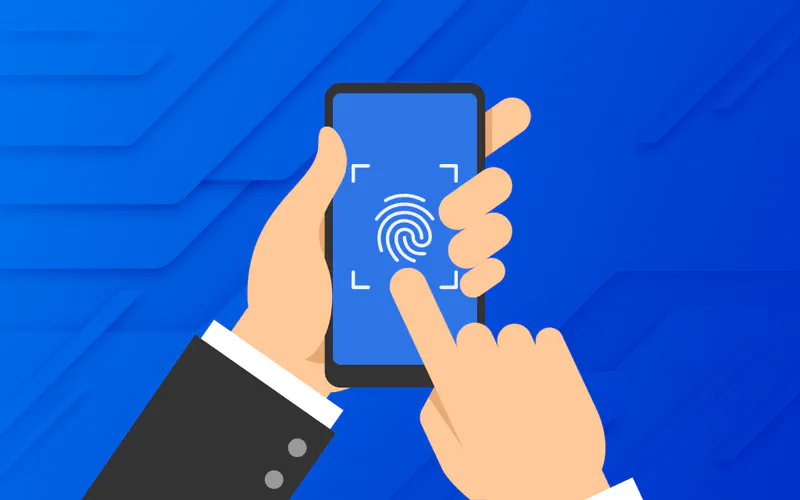
Let us break down the technical architecture into understandable parts.
1. Cryptographic Identity Layer
This replaces the username database. Key elements include:
Hardware-based key storage on user devices
Public keys associated with user profiles at the IdP
Secure key generation based on elliptic curve cryptography
No shared secrets stored server-side
WWPass stores credentials inside its secure WWPass Key, which acts as the identity of the user. The WWPass Key is protected by secure hardware, encrypted channels, and device verification logic. This design prevents attackers from cloning or extracting credentials even if they physically possess the device.
2. Identity Federation Protocols
Most modern SSO systems use:
OpenID Connect (recommended for passwordless)
SAML (still works but requires more customization)
The IdP issues tokens such as JWTs that include:
Device trust level
User attributes
Policy enforcement context
Session lifetime information
These tokens are verified by applications without the need for usernames.
3. Device Trust and Continuous Validation
A strong passwordless system does not only check the user once. It continuously checks the device and context.
Checks include:
OS patch level
Encryption status
EDR or antivirus presence
Jailbreak or root detection
Network changes
Location changes
Authentication frequency
WWPass adds another layer by ensuring that the WWPass Key must be present during each authentication event, not only the first login. The key acts as the trust anchor, so if the key is missing, access cannot be granted.
Beyond device trust, modern identity systems must also evaluate environmental signals to ensure the session remains legitimate. Username-free SSO fits naturally into this model because it ties the authentication event to a hardware-anchored credential rather than a human-created username. Systems can incorporate contextual checks such as anomalous login timing, suspicious IP ranges, or sudden behavioral deviations without forcing the user to manually intervene. What makes this approach powerful is that continuous checks remain invisible unless a real risk is detected.
Additionally, the architecture becomes more secure because there is no fallback to weak recovery options. Traditional username-password-MFA models often allow email resets, SMS codes, or security questions as backup paths. Each of these reintroduces exploitable identifiers. A username-free system paired with hardware-backed keys uses secure device enrollment and multi-device registration instead. This dramatically reduces social engineering attack vectors, as help desk staff never need to reveal or confirm usernames during account recovery.
4. Session Binding
Sessions are tied to:
The authenticated device
The cryptographic credential
The application domain
This prevents stolen cookies from being reused on another device. It also reduces the impact of man-in-the-middle attacks, since no reusable credential exists.
Multi Cloud Passwordless SSO
When organizations run apps across AWS, Azure, Google Cloud, and on-premises environments, username-free authentication simplifies federation.
Advantages
Each cloud verifies tokens using the IdP’s public key.
No centralized password or username databases across clouds.
Safer login because phishing attempts cannot replay device-bound credentials.
Works with both platform authenticators and hardware keys.
WWPass works well in multi-cloud environments because the WWPass Key handles identity locally and the back end only receives cryptographic proofs. This matches Zero Trust principles: apps never rely on a static identifier.
User Experience Design
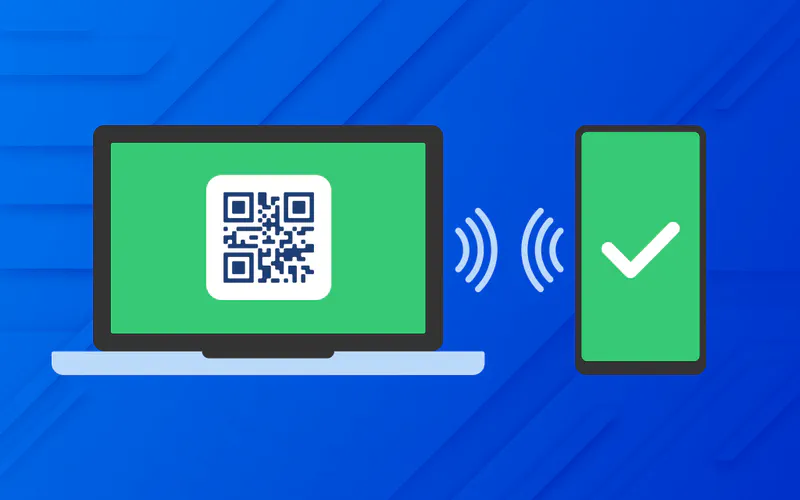
Removing usernames actually makes the experience easier. Most users do not want to type anything. They simply want to get in and start working.
What the user sees
No username box
No password box
A simple action such as tapping a hardware key, scanning a QR code, or using on device biometrics
WWPass allows both approaches:
Mobile users authenticate by approving the login on their WWPass mobile app
Desktop users authenticate by plugging in or tapping their WWPass Key
Cross device flows work through QR codes or secure URLs
Practical UX improvements
Login time drops from 20 to 30 seconds to about 3 to 6 seconds
Users stop forgetting passwords
IT reduces lockouts and confusion
Consistent login experience across devices
No MFA code fatigue
Even recovery flows become easier because recovery is done with backup devices or secondary WWPass Keys, not passwords.
Enterprises also notice a measurable improvement in user satisfaction when usernames are removed. Many authentication frustrations come not from passwords alone but from remembering which username format a system uses. Some apps require email addresses, others require employee IDs, and some require custom naming conventions. These inconsistencies cause delays, failed login attempts, and expensive support tickets. With username-free SSO, users interact with a single, streamlined gesture-based login, which reduces cognitive load and shortens onboarding time for new employees.
Accessibility is another area that benefits significantly. Users with motor impairments, dyslexia, or memory challenges often struggle with typing long identifiers accurately. A login process that allows them to authenticate with a tap, scan, or biometric action creates a more inclusive workspace. Organizations pursuing accessibility improvements under standards such as WCAG or Section 508 can leverage username-free authentication as a practical enhancement that supports diverse user populations.
Deployment Strategy
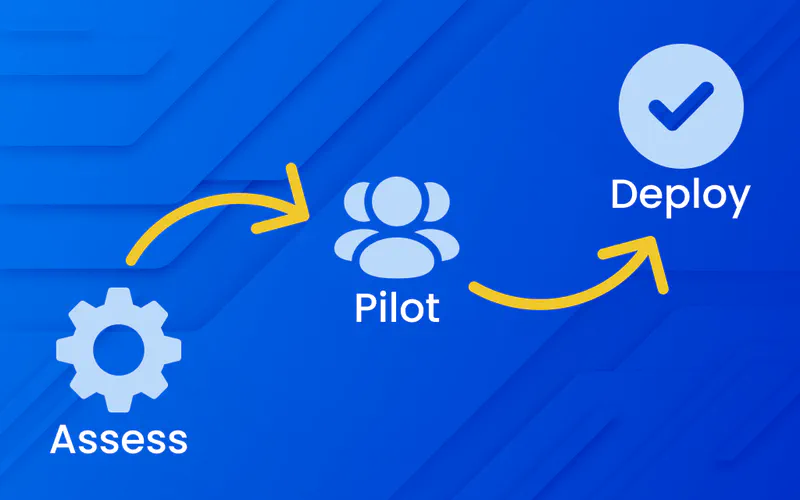
A successful rollout should be phased to avoid overwhelming users.
Steps that work well
Start with a pilot group
Provide self-service enrollment with clear instructions
Offer backup authenticators or backup WWPass Keys
Train help desk staff on common device issues
Migrate applications in logical waves
Monitor login success rates and support tickets
For legacy applications, WWPass can integrate through RADIUS, LDAP, or SAML proxies. This reduces the need to rewrite old software.
ROI and Cost Savings
Removing usernames and passwords improves both security and cost efficiency.
Direct financial benefits
Password resets drop by 70 to 90%
Help desk burden decreases significantly
No need for password synchronization systems
Reduced compliance overhead
Less time spent on account lockouts and reauthentication issues
Security impact
IBM reports an average breach cost of 4.88 million USD.
Passwordless systems block phishing, credential stuffing, and database breaches that rely on usernames and passwords. WWPass strengthens this by storing private keys in hardware and removing visible identifiers entirely.
Revenue impact for customer-facing apps
More users complete sign-up because they do not need to create passwords
Login success rates increase
Mobile users authenticate faster
Fewer abandoned checkouts
A less obvious financial advantage comes from reduced infrastructure complexity. Maintaining username directories across dozens of internal and external systems adds significant overhead. Identity administrators must constantly synchronize usernames, update attribute mappings, and resolve inconsistencies between HR systems, SaaS platforms, and legacy applications. When usernames are removed from the authentication layer, these synchronization workloads decrease. Systems instead rely on cryptographic identifiers that do not require human interpretation or manual management.
Finally, a username-free model aligns with long-term Zero Trust investments. As organizations move toward continuous verification and segmented access controls, human-readable identifiers become a liability because they are too easily replicated or misused. Hardware-anchored credentials create a foundation for automated policy enforcement that scales across multi-cloud environments and hybrid networks. This long-term operational efficiency often exceeds the initial security benefits and becomes a core component of digital transformation strategies.
Picking the Right Solution and How WWPass Fits
When evaluating passwordless SSO vendors, check for:
Full support for FIDO2 or equivalent cryptographic models
Strong device binding
Hardware-backed private key storage
Recovery using secure devices, not email links
Multi-cloud federation support
Compatibility with identity providers such as Okta, Entra ID, or Ping
WWPass fits well in environments that require:
Hardware-secured identity
No username exposure
No passwords
Strong anti-phishing guarantees
Cross-platform device support
Easy integration with existing identity providers
Final Thoughts
SSO without usernames is a major shift in authentication design. It is stronger, faster, and simpler for users. The combination of public key cryptography, continuous device trust, and a clean login flow creates a security model that is extremely difficult for attackers to bypass.
WWPass is one of the platforms built specifically for this username-free approach, which makes it a relevant example for enterprises seeking a full passwordless and identifier-free solution.
Passwordless authentication is growing quickly because companies are tired of dealing with passwords, phishing, and constant help desk tickets. But most passwordless solutions still rely on one thing that attackers can easily exploit: usernames.
A truly phishing-resistant system removes both passwords and usernames from the login flow. Instead of typing identifiers into a login box, users authenticate with secure device bound credentials. WWPass is one of the few identity platforms designed specifically around this concept, so it is a good example to reference throughout this article.
Below is a practical breakdown of how SSO without usernames works, why it matters, and what it looks like when implemented in an enterprise environment.
Why Username Free SSO Matters
Traditional SSO was supposed to simplify authentication, but it still relies on usernames and passwords. Even when MFA is added, usernames remain a weak point because attackers always know, guess, or harvest them first.
Problems with username based authentication
Usernames are predictable. Most follow firstname.lastname or email format.
Credential stuffing attacks only require a username and a list of passwords.
Phishing pages easily collect usernames before users even realize the page is fake.
Zero Trust principles are violated the moment identity is revealed before verification.
According to the Verizon Data Breach Investigations Report, 81% of breaches involve stolen or weak credentials. (Source: Verizon 2024 DBIR)
The problem is not the SSO itself. The problem is that the foundation of the login flow still exposes the user identity and relies on shared secrets.
A username-free model also helps organizations reduce the risk associated with modern targeted attacks. Over the last few years, attackers have shifted from broad brute-force attempts to highly customized credential phishing campaigns. These attacks often begin with identifying employees through LinkedIn, public email directories, or conference attendee lists. Once an attacker knows a username, half the work is already done. Removing usernames eliminates the reconnaissance value of these public identity markers and forces attackers to face a cryptographic barrier rather than a human-readable identifier.
Another overlooked benefit is the improvement in privacy. Traditional authentication flows expose usernames in logs, URLs, debugging tools, and browser autofill entries. This means identity fragments spread across dozens of systems, increasing the chance of leakage. Username-free authentication reduces this digital footprint dramatically. Since no username ever appears during login, session capture tools, malware keyloggers, and phishing proxies cannot extract anything meaningful. For sectors like healthcare or finance, this reduction in identity exposure aligns directly with regulatory expectations around data minimization.
How Passwordless Authentication Works Without Usernames
Instead of identifying users by a typed string, the system identifies them using a cryptographic credential stored on their device.
This model follows the same security principles used in FIDO2 and WebAuthn. Solutions like WWPass strengthen this approach even further by storing private keys inside dedicated secure hardware and removing any visible identifiers from login screens.
Core idea
Each device generates a public and private key pair.
The private key never leaves the secure storage on the device.
The public key is stored on the identity provider.
During login, the device signs a challenge to prove it is the legitimate key holder.
No username is typed or transmitted.
This method eliminates:
Phishing
Password reuse
Password databases
Brute force attacks
Credential stuffing
Username enumeration
WWPass enhances this by using its PassKey hardware token model. Instead of relying only on browser or OS based WebAuthn storage, WWPass binds identity to an encrypted secure element and multi device presence check. That provides a stronger trust anchor for enterprise environments that need controlled device distribution or portable authentication.
Architecture of Username Free Passwordless SSO
Let us break down the technical architecture into understandable parts.
1. Cryptographic Identity Layer
This replaces the username database. Key elements include:
Hardware-based key storage on user devices
Public keys associated with user profiles at the IdP
Secure key generation based on elliptic curve cryptography
No shared secrets stored server-side
WWPass stores credentials inside its secure WWPass Key, which acts as the identity of the user. The WWPass Key is protected by secure hardware, encrypted channels, and device verification logic. This design prevents attackers from cloning or extracting credentials even if they physically possess the device.
2. Identity Federation Protocols
Most modern SSO systems use:
OpenID Connect (recommended for passwordless)
SAML (still works but requires more customization)
The IdP issues tokens such as JWTs that include:
Device trust level
User attributes
Policy enforcement context
Session lifetime information
These tokens are verified by applications without the need for usernames.
3. Device Trust and Continuous Validation
A strong passwordless system does not only check the user once. It continuously checks the device and context.
Checks include:
OS patch level
Encryption status
EDR or antivirus presence
Jailbreak or root detection
Network changes
Location changes
Authentication frequency
WWPass adds another layer by ensuring that the WWPass Key must be present during each authentication event, not only the first login. The key acts as the trust anchor, so if the key is missing, access cannot be granted.
Beyond device trust, modern identity systems must also evaluate environmental signals to ensure the session remains legitimate. Username-free SSO fits naturally into this model because it ties the authentication event to a hardware-anchored credential rather than a human-created username. Systems can incorporate contextual checks such as anomalous login timing, suspicious IP ranges, or sudden behavioral deviations without forcing the user to manually intervene. What makes this approach powerful is that continuous checks remain invisible unless a real risk is detected.
Additionally, the architecture becomes more secure because there is no fallback to weak recovery options. Traditional username-password-MFA models often allow email resets, SMS codes, or security questions as backup paths. Each of these reintroduces exploitable identifiers. A username-free system paired with hardware-backed keys uses secure device enrollment and multi-device registration instead. This dramatically reduces social engineering attack vectors, as help desk staff never need to reveal or confirm usernames during account recovery.
4. Session Binding
Sessions are tied to:
The authenticated device
The cryptographic credential
The application domain
This prevents stolen cookies from being reused on another device. It also reduces the impact of man-in-the-middle attacks, since no reusable credential exists.
Multi Cloud Passwordless SSO
When organizations run apps across AWS, Azure, Google Cloud, and on-premises environments, username-free authentication simplifies federation.
Advantages
Each cloud verifies tokens using the IdP’s public key.
No centralized password or username databases across clouds.
Safer login because phishing attempts cannot replay device-bound credentials.
Works with both platform authenticators and hardware keys.
WWPass works well in multi-cloud environments because the WWPass Key handles identity locally and the back end only receives cryptographic proofs. This matches Zero Trust principles: apps never rely on a static identifier.
User Experience Design
Removing usernames actually makes the experience easier. Most users do not want to type anything. They simply want to get in and start working.
What the user sees
No username box
No password box
A simple action such as tapping a hardware key, scanning a QR code, or using on device biometrics
WWPass allows both approaches:
Mobile users authenticate by approving the login on their WWPass mobile app
Desktop users authenticate by plugging in or tapping their WWPass Key
Cross device flows work through QR codes or secure URLs
Practical UX improvements
Login time drops from 20 to 30 seconds to about 3 to 6 seconds
Users stop forgetting passwords
IT reduces lockouts and confusion
Consistent login experience across devices
No MFA code fatigue
Even recovery flows become easier because recovery is done with backup devices or secondary WWPass Keys, not passwords.
Enterprises also notice a measurable improvement in user satisfaction when usernames are removed. Many authentication frustrations come not from passwords alone but from remembering which username format a system uses. Some apps require email addresses, others require employee IDs, and some require custom naming conventions. These inconsistencies cause delays, failed login attempts, and expensive support tickets. With username-free SSO, users interact with a single, streamlined gesture-based login, which reduces cognitive load and shortens onboarding time for new employees.
Accessibility is another area that benefits significantly. Users with motor impairments, dyslexia, or memory challenges often struggle with typing long identifiers accurately. A login process that allows them to authenticate with a tap, scan, or biometric action creates a more inclusive workspace. Organizations pursuing accessibility improvements under standards such as WCAG or Section 508 can leverage username-free authentication as a practical enhancement that supports diverse user populations.
Deployment Strategy
A successful rollout should be phased to avoid overwhelming users.
Steps that work well
Start with a pilot group
Provide self-service enrollment with clear instructions
Offer backup authenticators or backup WWPass Keys
Train help desk staff on common device issues
Migrate applications in logical waves
Monitor login success rates and support tickets
For legacy applications, WWPass can integrate through RADIUS, LDAP, or SAML proxies. This reduces the need to rewrite old software.
ROI and Cost Savings
Removing usernames and passwords improves both security and cost efficiency.
Direct financial benefits
Password resets drop by 70 to 90%
Help desk burden decreases significantly
No need for password synchronization systems
Reduced compliance overhead
Less time spent on account lockouts and reauthentication issues
Security impact
IBM reports an average breach cost of 4.88 million USD.
Passwordless systems block phishing, credential stuffing, and database breaches that rely on usernames and passwords. WWPass strengthens this by storing private keys in hardware and removing visible identifiers entirely.
Revenue impact for customer-facing apps
More users complete sign-up because they do not need to create passwords
Login success rates increase
Mobile users authenticate faster
Fewer abandoned checkouts
A less obvious financial advantage comes from reduced infrastructure complexity. Maintaining username directories across dozens of internal and external systems adds significant overhead. Identity administrators must constantly synchronize usernames, update attribute mappings, and resolve inconsistencies between HR systems, SaaS platforms, and legacy applications. When usernames are removed from the authentication layer, these synchronization workloads decrease. Systems instead rely on cryptographic identifiers that do not require human interpretation or manual management.
Finally, a username-free model aligns with long-term Zero Trust investments. As organizations move toward continuous verification and segmented access controls, human-readable identifiers become a liability because they are too easily replicated or misused. Hardware-anchored credentials create a foundation for automated policy enforcement that scales across multi-cloud environments and hybrid networks. This long-term operational efficiency often exceeds the initial security benefits and becomes a core component of digital transformation strategies.
Picking the Right Solution and How WWPass Fits
When evaluating passwordless SSO vendors, check for:
Full support for FIDO2 or equivalent cryptographic models
Strong device binding
Hardware-backed private key storage
Recovery using secure devices, not email links
Multi-cloud federation support
Compatibility with identity providers such as Okta, Entra ID, or Ping
WWPass fits well in environments that require:
Hardware-secured identity
No username exposure
No passwords
Strong anti-phishing guarantees
Cross-platform device support
Easy integration with existing identity providers
Final Thoughts
SSO without usernames is a major shift in authentication design. It is stronger, faster, and simpler for users. The combination of public key cryptography, continuous device trust, and a clean login flow creates a security model that is extremely difficult for attackers to bypass.
WWPass is one of the platforms built specifically for this username-free approach, which makes it a relevant example for enterprises seeking a full passwordless and identifier-free solution.
Passwordless authentication is growing quickly because companies are tired of dealing with passwords, phishing, and constant help desk tickets. But most passwordless solutions still rely on one thing that attackers can easily exploit: usernames.
A truly phishing-resistant system removes both passwords and usernames from the login flow. Instead of typing identifiers into a login box, users authenticate with secure device bound credentials. WWPass is one of the few identity platforms designed specifically around this concept, so it is a good example to reference throughout this article.
Below is a practical breakdown of how SSO without usernames works, why it matters, and what it looks like when implemented in an enterprise environment.
Why Username Free SSO Matters
Traditional SSO was supposed to simplify authentication, but it still relies on usernames and passwords. Even when MFA is added, usernames remain a weak point because attackers always know, guess, or harvest them first.
Problems with username based authentication
Usernames are predictable. Most follow firstname.lastname or email format.
Credential stuffing attacks only require a username and a list of passwords.
Phishing pages easily collect usernames before users even realize the page is fake.
Zero Trust principles are violated the moment identity is revealed before verification.
According to the Verizon Data Breach Investigations Report, 81% of breaches involve stolen or weak credentials. (Source: Verizon 2024 DBIR)
The problem is not the SSO itself. The problem is that the foundation of the login flow still exposes the user identity and relies on shared secrets.
A username-free model also helps organizations reduce the risk associated with modern targeted attacks. Over the last few years, attackers have shifted from broad brute-force attempts to highly customized credential phishing campaigns. These attacks often begin with identifying employees through LinkedIn, public email directories, or conference attendee lists. Once an attacker knows a username, half the work is already done. Removing usernames eliminates the reconnaissance value of these public identity markers and forces attackers to face a cryptographic barrier rather than a human-readable identifier.
Another overlooked benefit is the improvement in privacy. Traditional authentication flows expose usernames in logs, URLs, debugging tools, and browser autofill entries. This means identity fragments spread across dozens of systems, increasing the chance of leakage. Username-free authentication reduces this digital footprint dramatically. Since no username ever appears during login, session capture tools, malware keyloggers, and phishing proxies cannot extract anything meaningful. For sectors like healthcare or finance, this reduction in identity exposure aligns directly with regulatory expectations around data minimization.
How Passwordless Authentication Works Without Usernames
Instead of identifying users by a typed string, the system identifies them using a cryptographic credential stored on their device.
This model follows the same security principles used in FIDO2 and WebAuthn. Solutions like WWPass strengthen this approach even further by storing private keys inside dedicated secure hardware and removing any visible identifiers from login screens.
Core idea
Each device generates a public and private key pair.
The private key never leaves the secure storage on the device.
The public key is stored on the identity provider.
During login, the device signs a challenge to prove it is the legitimate key holder.
No username is typed or transmitted.
This method eliminates:
Phishing
Password reuse
Password databases
Brute force attacks
Credential stuffing
Username enumeration
WWPass enhances this by using its PassKey hardware token model. Instead of relying only on browser or OS based WebAuthn storage, WWPass binds identity to an encrypted secure element and multi device presence check. That provides a stronger trust anchor for enterprise environments that need controlled device distribution or portable authentication.
Architecture of Username Free Passwordless SSO
Let us break down the technical architecture into understandable parts.
1. Cryptographic Identity Layer
This replaces the username database. Key elements include:
Hardware-based key storage on user devices
Public keys associated with user profiles at the IdP
Secure key generation based on elliptic curve cryptography
No shared secrets stored server-side
WWPass stores credentials inside its secure WWPass Key, which acts as the identity of the user. The WWPass Key is protected by secure hardware, encrypted channels, and device verification logic. This design prevents attackers from cloning or extracting credentials even if they physically possess the device.
2. Identity Federation Protocols
Most modern SSO systems use:
OpenID Connect (recommended for passwordless)
SAML (still works but requires more customization)
The IdP issues tokens such as JWTs that include:
Device trust level
User attributes
Policy enforcement context
Session lifetime information
These tokens are verified by applications without the need for usernames.
3. Device Trust and Continuous Validation
A strong passwordless system does not only check the user once. It continuously checks the device and context.
Checks include:
OS patch level
Encryption status
EDR or antivirus presence
Jailbreak or root detection
Network changes
Location changes
Authentication frequency
WWPass adds another layer by ensuring that the WWPass Key must be present during each authentication event, not only the first login. The key acts as the trust anchor, so if the key is missing, access cannot be granted.
Beyond device trust, modern identity systems must also evaluate environmental signals to ensure the session remains legitimate. Username-free SSO fits naturally into this model because it ties the authentication event to a hardware-anchored credential rather than a human-created username. Systems can incorporate contextual checks such as anomalous login timing, suspicious IP ranges, or sudden behavioral deviations without forcing the user to manually intervene. What makes this approach powerful is that continuous checks remain invisible unless a real risk is detected.
Additionally, the architecture becomes more secure because there is no fallback to weak recovery options. Traditional username-password-MFA models often allow email resets, SMS codes, or security questions as backup paths. Each of these reintroduces exploitable identifiers. A username-free system paired with hardware-backed keys uses secure device enrollment and multi-device registration instead. This dramatically reduces social engineering attack vectors, as help desk staff never need to reveal or confirm usernames during account recovery.
4. Session Binding
Sessions are tied to:
The authenticated device
The cryptographic credential
The application domain
This prevents stolen cookies from being reused on another device. It also reduces the impact of man-in-the-middle attacks, since no reusable credential exists.
Multi Cloud Passwordless SSO
When organizations run apps across AWS, Azure, Google Cloud, and on-premises environments, username-free authentication simplifies federation.
Advantages
Each cloud verifies tokens using the IdP’s public key.
No centralized password or username databases across clouds.
Safer login because phishing attempts cannot replay device-bound credentials.
Works with both platform authenticators and hardware keys.
WWPass works well in multi-cloud environments because the WWPass Key handles identity locally and the back end only receives cryptographic proofs. This matches Zero Trust principles: apps never rely on a static identifier.
User Experience Design
Removing usernames actually makes the experience easier. Most users do not want to type anything. They simply want to get in and start working.
What the user sees
No username box
No password box
A simple action such as tapping a hardware key, scanning a QR code, or using on device biometrics
WWPass allows both approaches:
Mobile users authenticate by approving the login on their WWPass mobile app
Desktop users authenticate by plugging in or tapping their WWPass Key
Cross device flows work through QR codes or secure URLs
Practical UX improvements
Login time drops from 20 to 30 seconds to about 3 to 6 seconds
Users stop forgetting passwords
IT reduces lockouts and confusion
Consistent login experience across devices
No MFA code fatigue
Even recovery flows become easier because recovery is done with backup devices or secondary WWPass Keys, not passwords.
Enterprises also notice a measurable improvement in user satisfaction when usernames are removed. Many authentication frustrations come not from passwords alone but from remembering which username format a system uses. Some apps require email addresses, others require employee IDs, and some require custom naming conventions. These inconsistencies cause delays, failed login attempts, and expensive support tickets. With username-free SSO, users interact with a single, streamlined gesture-based login, which reduces cognitive load and shortens onboarding time for new employees.
Accessibility is another area that benefits significantly. Users with motor impairments, dyslexia, or memory challenges often struggle with typing long identifiers accurately. A login process that allows them to authenticate with a tap, scan, or biometric action creates a more inclusive workspace. Organizations pursuing accessibility improvements under standards such as WCAG or Section 508 can leverage username-free authentication as a practical enhancement that supports diverse user populations.
Deployment Strategy
A successful rollout should be phased to avoid overwhelming users.
Steps that work well
Start with a pilot group
Provide self-service enrollment with clear instructions
Offer backup authenticators or backup WWPass Keys
Train help desk staff on common device issues
Migrate applications in logical waves
Monitor login success rates and support tickets
For legacy applications, WWPass can integrate through RADIUS, LDAP, or SAML proxies. This reduces the need to rewrite old software.
ROI and Cost Savings
Removing usernames and passwords improves both security and cost efficiency.
Direct financial benefits
Password resets drop by 70 to 90%
Help desk burden decreases significantly
No need for password synchronization systems
Reduced compliance overhead
Less time spent on account lockouts and reauthentication issues
Security impact
IBM reports an average breach cost of 4.88 million USD.
Passwordless systems block phishing, credential stuffing, and database breaches that rely on usernames and passwords. WWPass strengthens this by storing private keys in hardware and removing visible identifiers entirely.
Revenue impact for customer-facing apps
More users complete sign-up because they do not need to create passwords
Login success rates increase
Mobile users authenticate faster
Fewer abandoned checkouts
A less obvious financial advantage comes from reduced infrastructure complexity. Maintaining username directories across dozens of internal and external systems adds significant overhead. Identity administrators must constantly synchronize usernames, update attribute mappings, and resolve inconsistencies between HR systems, SaaS platforms, and legacy applications. When usernames are removed from the authentication layer, these synchronization workloads decrease. Systems instead rely on cryptographic identifiers that do not require human interpretation or manual management.
Finally, a username-free model aligns with long-term Zero Trust investments. As organizations move toward continuous verification and segmented access controls, human-readable identifiers become a liability because they are too easily replicated or misused. Hardware-anchored credentials create a foundation for automated policy enforcement that scales across multi-cloud environments and hybrid networks. This long-term operational efficiency often exceeds the initial security benefits and becomes a core component of digital transformation strategies.
Picking the Right Solution and How WWPass Fits
When evaluating passwordless SSO vendors, check for:
Full support for FIDO2 or equivalent cryptographic models
Strong device binding
Hardware-backed private key storage
Recovery using secure devices, not email links
Multi-cloud federation support
Compatibility with identity providers such as Okta, Entra ID, or Ping
WWPass fits well in environments that require:
Hardware-secured identity
No username exposure
No passwords
Strong anti-phishing guarantees
Cross-platform device support
Easy integration with existing identity providers
Final Thoughts
SSO without usernames is a major shift in authentication design. It is stronger, faster, and simpler for users. The combination of public key cryptography, continuous device trust, and a clean login flow creates a security model that is extremely difficult for attackers to bypass.
WWPass is one of the platforms built specifically for this username-free approach, which makes it a relevant example for enterprises seeking a full passwordless and identifier-free solution.

Get WWPass
Download the WWPass Key app and test authentication without a username or password.
Get WWPass
Download the WWPass Key app and test authentication without a username or password.
