Platform
Solutions
Resources
Company
Platform
Solutions
Resources
Company

Max Yakub
∙
Passkeys Protect Your Login. Who’s Protecting Your Identity?

Max Yakub
∙
Passkeys Protect Your Login. Who’s Protecting Your Identity?
Max Yakub
∙
Passkeys Protect Your Login. Who’s Protecting Your Identity?
Passkeys are winning. Microsoft, Apple, and Google have made them the default. Enterprise security teams are rolling them out. According to a 2025 enterprise survey by HID and the FIDO Alliance, 87% of organizations have already deployed or are actively deploying passkeys.
That momentum is earned. Passkeys are a genuine, structural improvement over passwords, and the industry is right to move in this direction.
But most evaluations stop one step too early. They ask:
Does this eliminate the password? Yes.
Is it phishing-resistant? Yes.
Is it better than what we had? Clearly.
What they don’t ask is this: passkeys secure the authentication step. Do they secure the identity behind it?
For most organizations, that question has a comfortable answer. For organizations in financial services, healthcare, and government, it deserves a harder look.
What passkeys genuinely solve
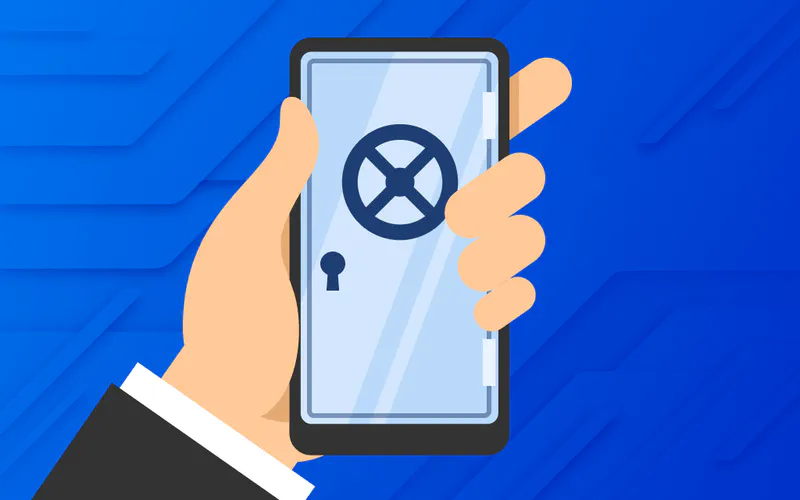
Passkeys replace the shared secret model entirely. Instead of a password living on a server where it can be stolen, reused, or phished, passkeys use asymmetric cryptography:
Your device creates a key pair at registration
The private key never leaves your device
The server stores only the public key, which is useless to an attacker on its own
Authentication is bound to the specific domain of the service, so a fake site cannot trigger it
The results are measurable. According to the FIDO Alliance Passkey Index 2025, passkeys achieve a 93% login success rate compared to 63% for traditional authentication. After making passkeys the default for all new accounts in May 2025, Microsoft saw a 120% increase in passkey authentications.
Passkeys genuinely solve the password problem. That problem was serious, and the solution is real.
What passkeys leave exposed

Eliminating the password does not eliminate the account.
The identity behind the login
To use a passkey, a user still registers an account with the service using an email address or username. That identity is stored in the service’s database and remains there. It can be:
Targeted through social engineering before the login step ever happens
Leaked in a breach of the service’s user records
Correlated across services if the same email appears in multiple places
The passkey protects the moment of authentication. It does not protect the account identity that authentication is built on.
The vendor cloud underneath
Passkeys sync and recover through Apple’s iCloud Keychain or Google Password Manager. For most organizations that is operationally convenient. For organizations under DORA or NIS2, Apple and Google are third-party ICT providers — in scope for vendor oversight, concentration risk assessment, and audit. As Sysdig notes in its DORA compliance analysis, DORA explicitly extends regulatory oversight to third-party ICT providers including cloud services, giving financial regulators authority to supervise and audit those vendors.
The environments where passkeys don’t fit
Passkeys require a secure enclave and a compatible operating system. That creates real gaps in:
Shared workstations (cited as a deployment barrier by 31% of organizations in the HID/FIDO Alliance enterprise survey)
Contractor devices on unmanaged endpoints
Legacy systems and on-premises infrastructure
Kiosk environments
As Dashlane’s CEO told Help Net Security, the transition will take years in complex enterprise environments, particularly in regulated industries with higher assurance requirements. RSA has noted that legacy and on-premises resources may not be compatible with passkeys due to web-only authentication requirements.
Why this matters more in regulated industries
For most organizations, the residual exposure passkeys leave is manageable. Passkeys are still far better than what came before.
For regulated industries, the calculation is different. Here is why.
Identity exposure is itself a risk
A username or email linked to a financial institution or hospital is a high-value target on its own. It is enough for:
Social engineering attempts before the login step
Correlation across breached datasets
Regulatory obligations under GDPR, HIPAA, and NIS2 around storing and protecting personal identifiers
Third-party risk is expanding
The Verizon 2025 Data Breach Investigations Report found that third-party involvement in breaches doubled year-over-year in both financial services and healthcare, rising from 15% to 30%. Authentication infrastructure that depends on a vendor cloud adds a node to that expanding surface.
Regulators are now paying attention
DORA, in full force since January 2025, requires financial entities to manage third-party ICT risk explicitly, including the vendors their authentication infrastructure depends on. In November 2025, the European Supervisory Authorities published the first list of designated critical ICT third-party providers under DORA, signaling that enforcement is active, not theoretical.
NIS2, in force since October 2024, extends similar obligations across all critical sectors including healthcare, energy, and digital infrastructure.
Fines under both frameworks reach up to 2% of total annual global turnover.
Both regulations require organizations to demonstrate end-to-end control of their authentication chain. A recovery path running through a vendor cloud complicates that demonstration.
What locking your digital identity actually looks like
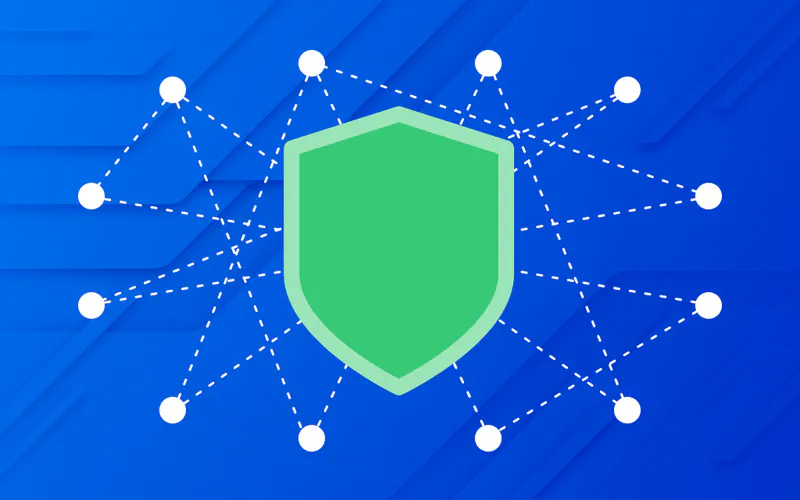
Passkeys changed how you prove your identity. Zero-knowledge authentication changes what the service knows about you in the first place.
Registration vs. every login after it
Setting up a WWPass account requires an email address once, for registration. After that, every login to every service works differently. Instead of submitting your email or username, WWPass generates a unique opaque identifier — called a Protected User ID (PUID) — specifically for that user-service pair. From that point forward:
The service receives only that identifier during login, never your email
The PUID is unique to that specific service and cannot be linked to your identity on any other platform
There is no username to phish, no email to correlate, nothing to target upstream of authentication
Your digital identity is not transmitted with every login. It is locked behind a key that only you hold.
No centralized storage, no vendor cloud
Authentication data is encrypted, split using distributed storage techniques, and spread across 12 certified nodes globally.
No single node holds enough to reconstruct anything meaningful
No iCloud dependency, no Google dependency
No single vendor becomes a point of regulatory concentration risk
No central database to breach
Any device, any environment
WWPass does not depend on a secure enclave or a specific operating system. It works on:
Any device with a browser
Shared workstations
Contractor and unmanaged endpoints
Legacy systems and kiosk environments
The scenarios that create operational gaps in passkey deployments are precisely the environments WWPass was designed to cover.
More than authentication
The same zero-knowledge architecture that protects login also underpins encrypted document vaults, digital signatures, and zero-knowledge applications. Organizations that deploy WWPass are not buying a login replacement. They are buying a security architecture.
Passkeys vs. identity-locking authentication — the key differences
Feature | Passkeys | WWPass |
|---|---|---|
Password required | No | No |
Username or email at login | Yes, submitted at each login | No, unique opaque PUID per service after registration |
Identity exposed to service during login | Yes, account tied to email or username | No, service sees only an opaque identifier |
Key storage | Device secure enclave; synced via iCloud or Google | Encrypted, split across 12 distributed nodes |
Vendor cloud dependency | Yes, Apple or Google for sync and recovery | No, distributed infrastructure, no single vendor |
Device compatibility | Requires secure enclave and compatible OS | Any device, any browser |
Keys per user | One per domain or service | One key for all services |
Regulatory fit | Strong for standard deployments | Built for DORA, NIS2, HIPAA, GDPR environments |
Technology scope | Authentication only | Authentication plus encrypted vaults, document management, digital signatures |
WWPass Key is the only key that locks both your digital identity and your data, not just your login.
Which approach is right for your organization
Passkeys are the right answer for the majority of enterprise deployments: standard workforce authentication, consumer-facing products, and environments where Apple and Google ecosystem dependency is not a regulatory concern.
The calculus changes when any of the following apply:
Your organization operates under DORA, NIS2, or HIPAA and must demonstrate end-to-end control of your authentication chain
Vendor cloud dependency in authentication infrastructure is a third-party ICT risk you need to manage
Your user population includes contractors, shared devices, or non-managed endpoints
Authentication needs to serve as a foundation for broader data security, not just a login gate
For those organizations, the question is not whether passkeys are good. It is whether they go far enough.
Passwordless authentication removed the password from the equation. For organizations in regulated industries, the next question is already on the table: who is protecting the identity the password was guarding?
If you’re evaluating authentication for a regulated environment and want to understand what zero-knowledge architecture means in practice, see how WWPass works →
Passkeys are winning. Microsoft, Apple, and Google have made them the default. Enterprise security teams are rolling them out. According to a 2025 enterprise survey by HID and the FIDO Alliance, 87% of organizations have already deployed or are actively deploying passkeys.
That momentum is earned. Passkeys are a genuine, structural improvement over passwords, and the industry is right to move in this direction.
But most evaluations stop one step too early. They ask:
Does this eliminate the password? Yes.
Is it phishing-resistant? Yes.
Is it better than what we had? Clearly.
What they don’t ask is this: passkeys secure the authentication step. Do they secure the identity behind it?
For most organizations, that question has a comfortable answer. For organizations in financial services, healthcare, and government, it deserves a harder look.
What passkeys genuinely solve
Passkeys replace the shared secret model entirely. Instead of a password living on a server where it can be stolen, reused, or phished, passkeys use asymmetric cryptography:
Your device creates a key pair at registration
The private key never leaves your device
The server stores only the public key, which is useless to an attacker on its own
Authentication is bound to the specific domain of the service, so a fake site cannot trigger it
The results are measurable. According to the FIDO Alliance Passkey Index 2025, passkeys achieve a 93% login success rate compared to 63% for traditional authentication. After making passkeys the default for all new accounts in May 2025, Microsoft saw a 120% increase in passkey authentications.
Passkeys genuinely solve the password problem. That problem was serious, and the solution is real.
What passkeys leave exposed
Eliminating the password does not eliminate the account.
The identity behind the login
To use a passkey, a user still registers an account with the service using an email address or username. That identity is stored in the service’s database and remains there. It can be:
Targeted through social engineering before the login step ever happens
Leaked in a breach of the service’s user records
Correlated across services if the same email appears in multiple places
The passkey protects the moment of authentication. It does not protect the account identity that authentication is built on.
The vendor cloud underneath
Passkeys sync and recover through Apple’s iCloud Keychain or Google Password Manager. For most organizations that is operationally convenient. For organizations under DORA or NIS2, Apple and Google are third-party ICT providers — in scope for vendor oversight, concentration risk assessment, and audit. As Sysdig notes in its DORA compliance analysis, DORA explicitly extends regulatory oversight to third-party ICT providers including cloud services, giving financial regulators authority to supervise and audit those vendors.
The environments where passkeys don’t fit
Passkeys require a secure enclave and a compatible operating system. That creates real gaps in:
Shared workstations (cited as a deployment barrier by 31% of organizations in the HID/FIDO Alliance enterprise survey)
Contractor devices on unmanaged endpoints
Legacy systems and on-premises infrastructure
Kiosk environments
As Dashlane’s CEO told Help Net Security, the transition will take years in complex enterprise environments, particularly in regulated industries with higher assurance requirements. RSA has noted that legacy and on-premises resources may not be compatible with passkeys due to web-only authentication requirements.
Why this matters more in regulated industries
For most organizations, the residual exposure passkeys leave is manageable. Passkeys are still far better than what came before.
For regulated industries, the calculation is different. Here is why.
Identity exposure is itself a risk
A username or email linked to a financial institution or hospital is a high-value target on its own. It is enough for:
Social engineering attempts before the login step
Correlation across breached datasets
Regulatory obligations under GDPR, HIPAA, and NIS2 around storing and protecting personal identifiers
Third-party risk is expanding
The Verizon 2025 Data Breach Investigations Report found that third-party involvement in breaches doubled year-over-year in both financial services and healthcare, rising from 15% to 30%. Authentication infrastructure that depends on a vendor cloud adds a node to that expanding surface.
Regulators are now paying attention
DORA, in full force since January 2025, requires financial entities to manage third-party ICT risk explicitly, including the vendors their authentication infrastructure depends on. In November 2025, the European Supervisory Authorities published the first list of designated critical ICT third-party providers under DORA, signaling that enforcement is active, not theoretical.
NIS2, in force since October 2024, extends similar obligations across all critical sectors including healthcare, energy, and digital infrastructure.
Fines under both frameworks reach up to 2% of total annual global turnover.
Both regulations require organizations to demonstrate end-to-end control of their authentication chain. A recovery path running through a vendor cloud complicates that demonstration.
What locking your digital identity actually looks like
Passkeys changed how you prove your identity. Zero-knowledge authentication changes what the service knows about you in the first place.
Registration vs. every login after it
Setting up a WWPass account requires an email address once, for registration. After that, every login to every service works differently. Instead of submitting your email or username, WWPass generates a unique opaque identifier — called a Protected User ID (PUID) — specifically for that user-service pair. From that point forward:
The service receives only that identifier during login, never your email
The PUID is unique to that specific service and cannot be linked to your identity on any other platform
There is no username to phish, no email to correlate, nothing to target upstream of authentication
Your digital identity is not transmitted with every login. It is locked behind a key that only you hold.
No centralized storage, no vendor cloud
Authentication data is encrypted, split using distributed storage techniques, and spread across 12 certified nodes globally.
No single node holds enough to reconstruct anything meaningful
No iCloud dependency, no Google dependency
No single vendor becomes a point of regulatory concentration risk
No central database to breach
Any device, any environment
WWPass does not depend on a secure enclave or a specific operating system. It works on:
Any device with a browser
Shared workstations
Contractor and unmanaged endpoints
Legacy systems and kiosk environments
The scenarios that create operational gaps in passkey deployments are precisely the environments WWPass was designed to cover.
More than authentication
The same zero-knowledge architecture that protects login also underpins encrypted document vaults, digital signatures, and zero-knowledge applications. Organizations that deploy WWPass are not buying a login replacement. They are buying a security architecture.
Passkeys vs. identity-locking authentication — the key differences
Feature | Passkeys | WWPass |
|---|---|---|
Password required | No | No |
Username or email at login | Yes, submitted at each login | No, unique opaque PUID per service after registration |
Identity exposed to service during login | Yes, account tied to email or username | No, service sees only an opaque identifier |
Key storage | Device secure enclave; synced via iCloud or Google | Encrypted, split across 12 distributed nodes |
Vendor cloud dependency | Yes, Apple or Google for sync and recovery | No, distributed infrastructure, no single vendor |
Device compatibility | Requires secure enclave and compatible OS | Any device, any browser |
Keys per user | One per domain or service | One key for all services |
Regulatory fit | Strong for standard deployments | Built for DORA, NIS2, HIPAA, GDPR environments |
Technology scope | Authentication only | Authentication plus encrypted vaults, document management, digital signatures |
WWPass Key is the only key that locks both your digital identity and your data, not just your login.
Which approach is right for your organization
Passkeys are the right answer for the majority of enterprise deployments: standard workforce authentication, consumer-facing products, and environments where Apple and Google ecosystem dependency is not a regulatory concern.
The calculus changes when any of the following apply:
Your organization operates under DORA, NIS2, or HIPAA and must demonstrate end-to-end control of your authentication chain
Vendor cloud dependency in authentication infrastructure is a third-party ICT risk you need to manage
Your user population includes contractors, shared devices, or non-managed endpoints
Authentication needs to serve as a foundation for broader data security, not just a login gate
For those organizations, the question is not whether passkeys are good. It is whether they go far enough.
Passwordless authentication removed the password from the equation. For organizations in regulated industries, the next question is already on the table: who is protecting the identity the password was guarding?
If you’re evaluating authentication for a regulated environment and want to understand what zero-knowledge architecture means in practice, see how WWPass works →
Passkeys are winning. Microsoft, Apple, and Google have made them the default. Enterprise security teams are rolling them out. According to a 2025 enterprise survey by HID and the FIDO Alliance, 87% of organizations have already deployed or are actively deploying passkeys.
That momentum is earned. Passkeys are a genuine, structural improvement over passwords, and the industry is right to move in this direction.
But most evaluations stop one step too early. They ask:
Does this eliminate the password? Yes.
Is it phishing-resistant? Yes.
Is it better than what we had? Clearly.
What they don’t ask is this: passkeys secure the authentication step. Do they secure the identity behind it?
For most organizations, that question has a comfortable answer. For organizations in financial services, healthcare, and government, it deserves a harder look.
What passkeys genuinely solve
Passkeys replace the shared secret model entirely. Instead of a password living on a server where it can be stolen, reused, or phished, passkeys use asymmetric cryptography:
Your device creates a key pair at registration
The private key never leaves your device
The server stores only the public key, which is useless to an attacker on its own
Authentication is bound to the specific domain of the service, so a fake site cannot trigger it
The results are measurable. According to the FIDO Alliance Passkey Index 2025, passkeys achieve a 93% login success rate compared to 63% for traditional authentication. After making passkeys the default for all new accounts in May 2025, Microsoft saw a 120% increase in passkey authentications.
Passkeys genuinely solve the password problem. That problem was serious, and the solution is real.
What passkeys leave exposed
Eliminating the password does not eliminate the account.
The identity behind the login
To use a passkey, a user still registers an account with the service using an email address or username. That identity is stored in the service’s database and remains there. It can be:
Targeted through social engineering before the login step ever happens
Leaked in a breach of the service’s user records
Correlated across services if the same email appears in multiple places
The passkey protects the moment of authentication. It does not protect the account identity that authentication is built on.
The vendor cloud underneath
Passkeys sync and recover through Apple’s iCloud Keychain or Google Password Manager. For most organizations that is operationally convenient. For organizations under DORA or NIS2, Apple and Google are third-party ICT providers — in scope for vendor oversight, concentration risk assessment, and audit. As Sysdig notes in its DORA compliance analysis, DORA explicitly extends regulatory oversight to third-party ICT providers including cloud services, giving financial regulators authority to supervise and audit those vendors.
The environments where passkeys don’t fit
Passkeys require a secure enclave and a compatible operating system. That creates real gaps in:
Shared workstations (cited as a deployment barrier by 31% of organizations in the HID/FIDO Alliance enterprise survey)
Contractor devices on unmanaged endpoints
Legacy systems and on-premises infrastructure
Kiosk environments
As Dashlane’s CEO told Help Net Security, the transition will take years in complex enterprise environments, particularly in regulated industries with higher assurance requirements. RSA has noted that legacy and on-premises resources may not be compatible with passkeys due to web-only authentication requirements.
Why this matters more in regulated industries
For most organizations, the residual exposure passkeys leave is manageable. Passkeys are still far better than what came before.
For regulated industries, the calculation is different. Here is why.
Identity exposure is itself a risk
A username or email linked to a financial institution or hospital is a high-value target on its own. It is enough for:
Social engineering attempts before the login step
Correlation across breached datasets
Regulatory obligations under GDPR, HIPAA, and NIS2 around storing and protecting personal identifiers
Third-party risk is expanding
The Verizon 2025 Data Breach Investigations Report found that third-party involvement in breaches doubled year-over-year in both financial services and healthcare, rising from 15% to 30%. Authentication infrastructure that depends on a vendor cloud adds a node to that expanding surface.
Regulators are now paying attention
DORA, in full force since January 2025, requires financial entities to manage third-party ICT risk explicitly, including the vendors their authentication infrastructure depends on. In November 2025, the European Supervisory Authorities published the first list of designated critical ICT third-party providers under DORA, signaling that enforcement is active, not theoretical.
NIS2, in force since October 2024, extends similar obligations across all critical sectors including healthcare, energy, and digital infrastructure.
Fines under both frameworks reach up to 2% of total annual global turnover.
Both regulations require organizations to demonstrate end-to-end control of their authentication chain. A recovery path running through a vendor cloud complicates that demonstration.
What locking your digital identity actually looks like
Passkeys changed how you prove your identity. Zero-knowledge authentication changes what the service knows about you in the first place.
Registration vs. every login after it
Setting up a WWPass account requires an email address once, for registration. After that, every login to every service works differently. Instead of submitting your email or username, WWPass generates a unique opaque identifier — called a Protected User ID (PUID) — specifically for that user-service pair. From that point forward:
The service receives only that identifier during login, never your email
The PUID is unique to that specific service and cannot be linked to your identity on any other platform
There is no username to phish, no email to correlate, nothing to target upstream of authentication
Your digital identity is not transmitted with every login. It is locked behind a key that only you hold.
No centralized storage, no vendor cloud
Authentication data is encrypted, split using distributed storage techniques, and spread across 12 certified nodes globally.
No single node holds enough to reconstruct anything meaningful
No iCloud dependency, no Google dependency
No single vendor becomes a point of regulatory concentration risk
No central database to breach
Any device, any environment
WWPass does not depend on a secure enclave or a specific operating system. It works on:
Any device with a browser
Shared workstations
Contractor and unmanaged endpoints
Legacy systems and kiosk environments
The scenarios that create operational gaps in passkey deployments are precisely the environments WWPass was designed to cover.
More than authentication
The same zero-knowledge architecture that protects login also underpins encrypted document vaults, digital signatures, and zero-knowledge applications. Organizations that deploy WWPass are not buying a login replacement. They are buying a security architecture.
Passkeys vs. identity-locking authentication — the key differences
Feature | Passkeys | WWPass |
|---|---|---|
Password required | No | No |
Username or email at login | Yes, submitted at each login | No, unique opaque PUID per service after registration |
Identity exposed to service during login | Yes, account tied to email or username | No, service sees only an opaque identifier |
Key storage | Device secure enclave; synced via iCloud or Google | Encrypted, split across 12 distributed nodes |
Vendor cloud dependency | Yes, Apple or Google for sync and recovery | No, distributed infrastructure, no single vendor |
Device compatibility | Requires secure enclave and compatible OS | Any device, any browser |
Keys per user | One per domain or service | One key for all services |
Regulatory fit | Strong for standard deployments | Built for DORA, NIS2, HIPAA, GDPR environments |
Technology scope | Authentication only | Authentication plus encrypted vaults, document management, digital signatures |
WWPass Key is the only key that locks both your digital identity and your data, not just your login.
Which approach is right for your organization
Passkeys are the right answer for the majority of enterprise deployments: standard workforce authentication, consumer-facing products, and environments where Apple and Google ecosystem dependency is not a regulatory concern.
The calculus changes when any of the following apply:
Your organization operates under DORA, NIS2, or HIPAA and must demonstrate end-to-end control of your authentication chain
Vendor cloud dependency in authentication infrastructure is a third-party ICT risk you need to manage
Your user population includes contractors, shared devices, or non-managed endpoints
Authentication needs to serve as a foundation for broader data security, not just a login gate
For those organizations, the question is not whether passkeys are good. It is whether they go far enough.
Passwordless authentication removed the password from the equation. For organizations in regulated industries, the next question is already on the table: who is protecting the identity the password was guarding?
If you’re evaluating authentication for a regulated environment and want to understand what zero-knowledge architecture means in practice, see how WWPass works →

Get WWPass
Download the WWPass Key app and test authentication without a username or password.
Get WWPass
Download the WWPass Key app and test authentication without a username or password.
