Platform
Solutions
Resources
Company
Platform
Solutions
Resources
Company

Nick Morgan
∙
Phishing-Resistant MFA in 2025: Buyer’s Guide to NIST SP 800-63-4 & OMB M-22-09

Nick Morgan
∙
Phishing-Resistant MFA in 2025: Buyer’s Guide to NIST SP 800-63-4 & OMB M-22-09
Nick Morgan
∙
Phishing-Resistant MFA in 2025: Buyer’s Guide to NIST SP 800-63-4 & OMB M-22-09
TL;DR & Buyer Criteria
Phishing-resistant MFA in 2025 means origin-bound, cryptographic authentication that cannot be tricked by fake sites, relayed by adversary-in-the-middle (AiTM) proxies, or approved by “push fatigue”. Under NIST SP 800-63-4, AAL2 must offer a phishing-resistant option and AAL3 requires it with a non-exportable key. OMB M-22-09 requires phishing-resistant MFA for federal workforce access and makes it an option for public users. Start where risk and ROI are highest: admins, remote access, and high-impact apps
Buyer checklist (quick hit)
Target AALs: Map apps to AAL2 (offer phishing-resistant) vs AAL3 (require phishing-resistant + non-exportable key)
Scope: Prioritize privileged access, cloud control planes, VPN/VDI, and customer portals with fraud exposure
Authenticator mix: Combine PIV/CAC (federal) and FIDO2/WebAuthn passkeys (platform or roaming keys) to cover workforce and public
Standards-aligned roll-out: Follow CISA and IDManagement.gov playbooks for project phasing, communications, and retirement of legacy factors
Useful deep dives while you read: Passwordless SSO for Web & Mobile Apps, Privileged Access Management with Passwordless, WWPass Key App, QR Code Authentication: How It Works
Standards & Policy Snapshot (2025)
NIST SP 800-63-4: what changed vs 63-3 (AALs, federation, passkeys)
NIST’s 2025 revision is final and supersedes 63-3. At AAL2, verifiers must offer a phishing-resistant option; at AAL3, authentication requires a phishing-resistant authenticator with a non-exportable private key and explicit user-intent. It also adds requirements for syncable (multi-device) authenticators—critical for passkeys—and updates biometric performance and connected-authenticator guidance. Publication date: July 31, 2025.
Key buyer takeaways:
AAL2: Plan for a FIDO2/WebAuthn phishing-resistant option across apps, even if you still support other factors for some users.
AAL3: Use hardware-backed, non-exportable keys (e.g., smart cards, security keys, device hardware enclaves configured per NIST). Syncable passkeys aren’t permitted at AAL3.
Federation: 63-4 refines federation guidance; ensure your IdP asserts correct AALs and authenticator properties end-to-end.
OMB M-22-09: Zero Trust mandates & timelines for phishing-resistant MFA
OMB’s Federal Zero Trust memo requires phishing-resistant MFA for agency staff, contractors, and partners and provides it as an option for public users. Agencies must use enterprise-managed identities and enforce MFA at the application layer. These directives anchor agency roadmaps and procurement language.
Buyer takeaways:
Treat “phishing-resistant MFA” as table stakes for workforce apps.
Use the memo’s language to set IdP policies and application onboardingstandards, including retirement plans for SMS/OTP/push.
CISA playbooks & federal ALTAuthN guidance: what to adopt, what to retire
CISA’s Implementing Phishing-Resistant MFA fact sheet names FIDO2/WebAuthn and PKI (PIV/CAC) as the gold standard, and warns that OTP and push are subject to phishing, SIM-swap, SS7 issues, and prompt bombing. The IDManagement.gov Phishing-Resistant Authenticator Playbook (ALTAuthN) gives practical steps to pilot phishing-resistant authenticators, migrate users, and integrate with modern IdPs. Adopt: FIDO2/WebAuthn, PIV/CAC; Retire: SMS, email codes, TOTP apps, push approvals for high-risk workflows.
For hands-on implementation guidance and roll-out patterns, see the Phishing-Resistant Authenticator Playbook and CISA’s recent playbooks for cybersecurity programs (which also reinforce phishing-resistant MFA as a control).
What “Phishing-Resistant MFA” means in 2025 (NIST 800-63-4 + OMB M-22-09)
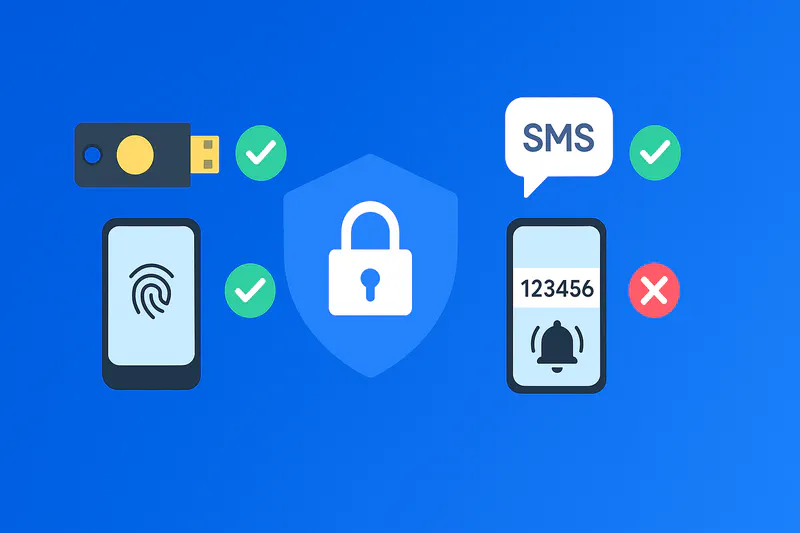
“Phishing-resistant” means the authenticator cryptographically binds the user to the legitimate origin, proving key possession without revealing secrets, and signals user intent (e.g., biometric or PIN on the authenticator). In 63-4, phishing-resistant authenticators are required at AAL3 and must be non-exportable; at AAL2, verifiers must offer a phishing-resistant option. OMB M-22-09 cements these expectations for federal programs.
Memorable fact: AAL3 ≠ just “stronger MFA”—it is public-key cryptography + non-exportable keys + intent. This rules out sync-only passkeys at AAL3.
Quick buyer criteria: target AALs, scoping, and where to start
Classify apps by risk and assurance (AAL2 vs AAL3). High-risk or privileged workflows lean AAL3; everything else at least AAL2 with a phishing-resistant option.
Start with admins and remote entry points (cloud consoles, PAM, VPN/VDI). Then expand to line-of-business apps and public portals with fraud exposure. (See Privileged Access Management with Passwordless.)
Choose authenticator modalities:
Federal workforce: PIV/CAC primary; add FIDO2 for non-PIV personas and external collaborators.
Enterprise & public users: Platform passkeys first for UX; roaming security keys for step-up and shared/kiosk scenarios.
Plan federation & lifecycle: Your IdP must assert the actual AAL and authenticator properties to apps. Follow ALTAuthN playbooks to retire legacy factors.
Fast win: For web and kiosk flows, QR-mediated passkey login delivers passwordless UX and phishing resistance without typing (see QR Code Authentication: How It Works).
What Counts as “Phishing-Resistant”
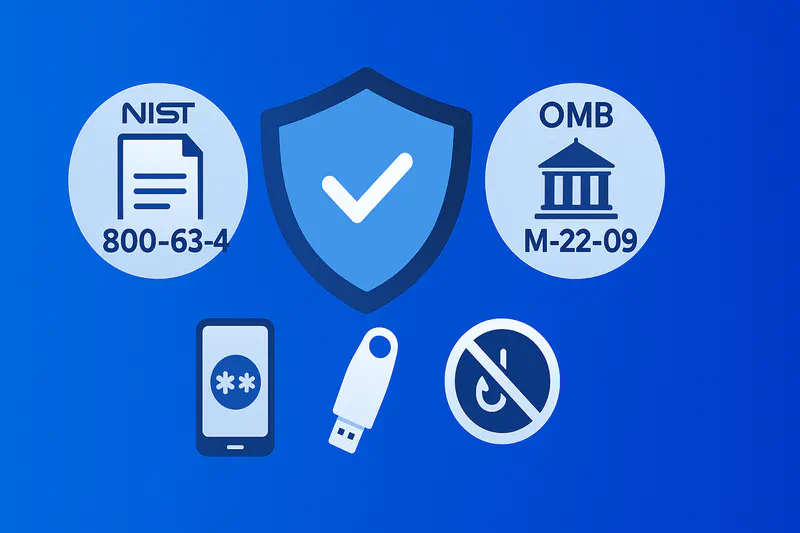
PIV/CAC (PKI smartcards): strengths, limits, and where they fit
Strengths: Hardware-bound keys, strong issuance, and mutual auth make PIV/CAC a high-assurance, phishing-resistant choice for federal workforce and contractors. It remains the baseline for HSPD-12 environments and integrates with logical access and federation. Derived PIV extends PIV credentials to mobile when cards and readers are impractical.
Limits: Card readers and middleware complicate mobile and BYOD; distribution and lifecycle management can be heavy. For non-federal partners or public users, issuance barriers make PIV/CAC less scalable than passkeys. NIST’s work on Derived PIV explicitly acknowledges traditional PIV’s mobile challenges and offers alternatives.
Buyer note: Use PIV/CAC where you already have HSPD-12 processes. For mixed ecosystems, hybrid PIV + FIDO2 coverage is common.
FIDO2/WebAuthn & passkeys: platform vs roaming authenticators
FIDO2/WebAuthn provides origin-bound public-key authentication with built-in user verification—phishing-resistant by design. In 2025, WebAuthn Level 3codifies capabilities behind passkeys (discoverable credentials) and cross-device flows. Platform passkeys (on laptops/phones) maximize UX; roaming keys(USB/NFC/BLE) add portability and shared-device safety.
63-4 implications:
At AAL2, verifiers offer phishing-resistant options such as passkeys.
At AAL3, the private key must be non-exportable—so syncable (multi-device) passkeys are not permitted for AAL3; use hardware-backed keys or smart cards.
Practical tip: Enforce passkeys for your SSO and critical apps, then add roaming keys for break-glass or shared workstations. For enterprise deployment patterns, see Passwordless SSO for Web & Mobile Apps and WWPass Key App.
Why OTP, SMS, email codes, and push are not phishing-resistant
These factors share or expose secrets (codes/approvals) that can be relayed by AiTM or tricked via prompt bombing. They also suffer from SIM-swap and SS7risks (SMS/voice), and they don’t bind to the relying party origin. CISA and NIST classify them as weaker and not phishing-resistant; under 63-4, you still need to offer a phishing-resistant option at AAL2 and require it at AAL3.
Memorable fact: If a code can be typed or a push can be proxied, it can be phished. FIDO2/WebAuthn and PIV/CAC cannot be proxied because they sign challenges scoped to the real origin.
Where to start (actionable momentum)
Deploy passkeys for workforce SSO and top-risk apps; enforce roaming keysfor admins and shared devices.
For federal/HSPD-12, maintain PIV/CAC and add FIDO2 for gaps and external users per ALTAuthN playbook.
Retire SMS/email/TOTP/push for high-risk workflows; keep them only as transitional fallbacks while you meet NIST 63-4 and OMB M-22-09expectations.
Solution Options & Architecture
Identity provider patterns: integrating FIDO2/passkeys with your IdP (Entra/Okta/Ping)
For most enterprises, the fastest path to phishing-resistant MFA is to enable FIDO2/WebAuthn passkeys at the identity provider (IdP) and federate that assurance to apps via OIDC/SAML. In this model the IdP acts as the relying party (RP) for WebAuthn, enforces user verification and origin binding, and emits the correct AAL signals downstream, matching NIST 800-63-4 expectations for AAL2/AAL3. Microsoft Entra ID, Okta (Identity Engine), and Ping (PingOne/PingID/PingFederate) all support FIDO2 and passkeys, with options to control device-bound vs synced passkeys, roaming keys, and attestation.
In Microsoft Entra ID, you can enable passkeys (FIDO2) organization-wide, use policy to scope who can register, and combine with Conditional Access for step-up on sensitive apps. Microsoft documents compatibility across browsers/OS and device-bound passkeys on security keys and Microsoft Authenticator, with expanding support for passkey providers.
Okta exposes a FIDO2/WebAuthn authenticator and lets admins block or allow synced passkeys, useful for hitting AAL3 (non-exportable) targets for privileged users while keeping AAL2 convenience for the broader workforce. Okta also provides developer guides to embed WebAuthn in app flows.
Ping supports FIDO2 across PingOne, PingID and PingFederate; you can configure RP policies and allow discoverable credentials (passkeys) for passwordless sign-in.
Architecture note: Keep the IdP as your WebAuthn RP when possible. This centralizes registration, attestation/metadata checks, device policy, and AAL claims that apps can trust, aligning with OMB M-22-09 “enforce MFA at the application layer” and enterprise-managed identity.
To accelerate adoption without rewriting each app, pair IdP passkeys with a passwordless SSO pattern like QR-mediated login. For examples and UX patterns, see Passwordless SSO for Web & Mobile Apps and QR Code Authentication: How It Works.
High-value fact: Under NIST 800-63-4, AAL3 requires a phishing-resistant authenticator with a non-exportable private key; synced (multi-device) passkeys violate that non-exportability and are therefore not AAL3. Use hardware-backed, device-bound keys for admins.
Device coverage strategy: desktop, mobile, VDI; BYOD vs managed endpoints
A resilient rollout covers platform passkeys (on laptops/phones), roaming security keys (USB/NFC/BLE), and mobile-first flows (QR/app-to-web). On managed endpoints, enforce device health and lock screens; on BYOD, lean on WebAuthn’s origin-binding and IdP policy while using roaming keys where shared devices exist. Citrix VDI now supports FIDO2/WebAuthn within virtual sessions and via Workspace apps, so users can authenticate inside VDI or at the VDI portal using passkeys.
Desktop: Enable FIDO2 sign-in to Windows with Entra ID and propagate SSO to cloud/on-prem apps; for macOS/ChromeOS, use browser WebAuthn and IdP enforcement.
Mobile: IdP-brokered passkeys offer strong UX; ensure the IdP supports platform authenticators with on-device biometrics and roaming keys for shared/iPad-kiosk scenarios.
VDI & remote work: Use passkeys to access VDI portals; inside sessions, Citrix can forward FIDO2 to apps. For offline scenarios, plan for cached sign-in constraints and require network for first registration.
Quick win: For workforce sign-ins, especially on shared machines, combine IdP passkeys with QR login to avoid password prompts entirely.
Enrollment, binding & recovery: high-assurance flows that meet 800-63-4
NIST 800-63-4 / 63B sharpen authenticator lifecycle expectations: binding must be controlled, recovery cannot undercut the target AAL, and AAL3 demands non-exportable phishing-resistant authenticators with explicit user intent. Use attestation and the FIDO Metadata Service (MDS) during registration to accept only FIDO-Certified authenticators with known security properties.
Design your flows:
Initial binding
Workforce (AAL2→AAL3): In-person or supervised remote proofing for admins; require roaming keys or smart cards for AAL3 and record AAGUID + attestation results; for standard users, allow platform passkeys at AAL2.
Public users: Offer passkeys at AAL2; verify device-integrity signals if available; never fall back to phishable OTP/SMS for account recovery without additional safeguards. CISA reiterates OTP/push are not phishing-resistant.
Attestation & inventory
Validate attestation and check model status in FIDO MDS; maintain an allow-list (or policies) for accepted AAGUIDs (e.g., FIPS models for federal).
Recovery & re-binding
Ensure recovery is at equal or greater assurance than the authenticator being replaced; for AAL3, do not allow recovery via sync-only passkeys; require in-person or hardware-bound authenticator proof.
For mobile-first UX and backups, a wallet-style recovery that keeps keys non-exportable and requires a second hardware factor maintains assurance. (See also the WWPass Key App recovery overview for a practical reference implementation.)
Reference-worthy: Syncable passkeys are fine for AAL2, but they break AAL3 non-exportability; plan your policy toggles accordingly in Okta or Entra.
Privileged users & break-glass: admin policies (AAL3+) that actually work
For Global Admins / root operators, target AAL3+ with hardware-backed, non-exportable authenticators (roaming FIDO2, PIV/CAC) and explicit user verification (PIN/biometric). Maintain two emergency access (“break-glass”) accounts, store credentials offline, and monitor continuously. Microsoft’s guidance: restrict use to emergencies, exclude only the bare minimum from Conditional Access so they remain usable when policies misfire, and audit usage aggressively.
Pair admin accounts with roaming keys and require attestation (policy-enforced) at registration; deny unknown models.
For federal or high-assurance workloads, PIV/CAC remains a strong fit for admins, use as primary or as a control in hybrid PIV + FIDO2 deployments.
Keep a time-boxed break-glass runbook: notification to SOC, session capture, and immediate post-incident rotation of passkeys/security keys used.
Memorable: Admins = AAL3 hardware (non-exportable); break-glass exists but must be tightly controlled and logged, never a standing bypass.
If you’re consolidating privileged access, see Privileged Access Management with Passwordless for sequencing and enforcement tactics.
Evaluation & RFP Readiness
RFP checklist: FIDO certification, attestation, FIPS 140-3, FedRAMP, audit evidence
Your RFP should separate hard requirements from nice-to-haves. At minimum:
FIDO Certified solution(s) and authenticators; vendor listed in the FIDO Certified Products directory (and/or the FIDO Certified Showcase).
Attestation + MDS: IdP or gateway must validate attestation and consult FIDO MDS to enforce model policies (e.g., deny known-bad models).
NIST 800-63-4 alignment: Ability to offer phishing-resistant options at AAL2 and require non-exportable keys at AAL3; configurable policy to block synced passkeys for AAL3 personas.
FIPS 140-3 cryptographic module validation (where applicable), with module certificates searchable in the NIST CMVP database.
FedRAMP status for any SaaS in the trust chain (IdP, auth service); verify on the FedRAMP Marketplace.
OMB M-22-09 compliance statements: MFA enforced at the application layer; phishing-resistant MFA for workforce, option for public users.
Audit evidence: Exportable logs that show RP ID/origin, AAGUID, attestation results, AAL, user verification status, and federation claims for downstream apps. Align to NIST SP 800-53 r5 controls (IA, AU families).
Success metrics: phishing reduction, help desk impact, UX/adoption benchmarks
Define success in three buckets:
Security outcomes
Reduction in AiTM/credential phishing on high-risk apps after enabling passkeys/PIV. CISA positions FIDO2 and PKI as the gold standard for phishing resistance; use that as your “north star.”
Operational efficiency
Password reset tickets drop as users stop typing secrets. Track help-desk volume and cost per ticket pre/post rollout.
Experience & adoption
Passkey adoption rate per cohort; first-try success on WebAuthn challenges; time-to-auth for critical paths (SSO, VDI, admin consoles).
Fallback usage: monitor how often users fall back to less desirable factors; target decreases quarter over quarter.
Tie identity telemetry to OMB M-21-31 logging maturity, ensure authenticator and AAL signals flow into your SIEM for trend analysis.
High-value fact: Logging to EL2/EL3 maturity (M-21-31) makes investigations faster and gives you audit-ready evidence of phishing-resistant MFA adoption and effectiveness.
Rollout & Operations
Phased deployment plan: pilots, passkey bootstrap, PIV/CAC + FIDO coexistence
Phase 0 – Foundation (2–4 weeks).
Turn on FIDO2/passkeys in your IdP for IT/pilot users, enable attestation + MDS checks, and publish guidance for platform vs roaming authenticators. Validate SSO to your top 10 apps.
Phase 1 – Workforce pilot (4–8 weeks).
Pilot AAL2 with platform passkeys on managed devices and roaming keys for shared/kiosk. Collect UX and success metrics; enable QR sign-in to remove password prompts.
Phase 2 – Privileged & remote entry points (AAL3).
Enroll admins with non-exportable roaming keys or PIV/CAC; require attestation and device policies; switch VPN/VDI/Cloud consoles to step-up passkeys/PIV. Citrix supports FIDO2 both at the portal and within sessions.
Phase 3 – Broad rollout + legacy retirement.
Scale to all users; deprecate SMS/OTP/push for high-risk flows in line with CISA guidance; keep limited fallbacks only where justified.
Phase 4 – Public user option & developer enablement.
For customer portals, surface passkeys prominently; developers can follow IdP guides (e.g., Okta WebAuthn or Microsoft ASP.NET passkeys) to add RP-direct patterns where needed. (Okta Developer)
Reference-worthy: CISA/IDManagement.gov playbooks recommend piloting phishing-resistant authenticators, mapping personas, and retiring weak MFA. Use these as your change-management backbone.
Monitoring & compliance mapping: logs, dashboards, and proof for audits
To satisfy audits and prove conformance to NIST 800-63-4, OMB M-22-09, and CISA Zero Trust, your logging must be explicit:
Authentication events: user ID, RP ID/origin, AAGUID, attestation result, user verification status, and derived AAL. Map these to NIST SP 800-53 r5 controls in the IA and AU families (e.g., IA-2/IA-5, AU-2/AU-6).
Federation assertions: include AAL claims in OIDC/SAML so relying apps can enforce policy at the app layer, an OMB M-22-09 principle.
Event logging maturity: align to M-21-31 EL tiers and retain security-relevant logs (auth successes/failures, step-up prompts, break-glass access).
Dashboards: track passkey adoption, fallback use, phishing detections blocked, and admin AAL3 coverage. Tie to CISA Zero Trust Maturity identity pillar goals.
High-value fact: Proving AAL3 for auditors means you can evidence non-exportable keys (policy + attestation) and phishing resistance (WebAuthn RP scope) in logs and RP policy, backed by FIDO certification or FIPS 140-3 module listings.
TL;DR & Buyer Criteria
Phishing-resistant MFA in 2025 means origin-bound, cryptographic authentication that cannot be tricked by fake sites, relayed by adversary-in-the-middle (AiTM) proxies, or approved by “push fatigue”. Under NIST SP 800-63-4, AAL2 must offer a phishing-resistant option and AAL3 requires it with a non-exportable key. OMB M-22-09 requires phishing-resistant MFA for federal workforce access and makes it an option for public users. Start where risk and ROI are highest: admins, remote access, and high-impact apps
Buyer checklist (quick hit)
Target AALs: Map apps to AAL2 (offer phishing-resistant) vs AAL3 (require phishing-resistant + non-exportable key)
Scope: Prioritize privileged access, cloud control planes, VPN/VDI, and customer portals with fraud exposure
Authenticator mix: Combine PIV/CAC (federal) and FIDO2/WebAuthn passkeys (platform or roaming keys) to cover workforce and public
Standards-aligned roll-out: Follow CISA and IDManagement.gov playbooks for project phasing, communications, and retirement of legacy factors
Useful deep dives while you read: Passwordless SSO for Web & Mobile Apps, Privileged Access Management with Passwordless, WWPass Key App, QR Code Authentication: How It Works
Standards & Policy Snapshot (2025)
NIST SP 800-63-4: what changed vs 63-3 (AALs, federation, passkeys)
NIST’s 2025 revision is final and supersedes 63-3. At AAL2, verifiers must offer a phishing-resistant option; at AAL3, authentication requires a phishing-resistant authenticator with a non-exportable private key and explicit user-intent. It also adds requirements for syncable (multi-device) authenticators—critical for passkeys—and updates biometric performance and connected-authenticator guidance. Publication date: July 31, 2025.
Key buyer takeaways:
AAL2: Plan for a FIDO2/WebAuthn phishing-resistant option across apps, even if you still support other factors for some users.
AAL3: Use hardware-backed, non-exportable keys (e.g., smart cards, security keys, device hardware enclaves configured per NIST). Syncable passkeys aren’t permitted at AAL3.
Federation: 63-4 refines federation guidance; ensure your IdP asserts correct AALs and authenticator properties end-to-end.
OMB M-22-09: Zero Trust mandates & timelines for phishing-resistant MFA
OMB’s Federal Zero Trust memo requires phishing-resistant MFA for agency staff, contractors, and partners and provides it as an option for public users. Agencies must use enterprise-managed identities and enforce MFA at the application layer. These directives anchor agency roadmaps and procurement language.
Buyer takeaways:
Treat “phishing-resistant MFA” as table stakes for workforce apps.
Use the memo’s language to set IdP policies and application onboardingstandards, including retirement plans for SMS/OTP/push.
CISA playbooks & federal ALTAuthN guidance: what to adopt, what to retire
CISA’s Implementing Phishing-Resistant MFA fact sheet names FIDO2/WebAuthn and PKI (PIV/CAC) as the gold standard, and warns that OTP and push are subject to phishing, SIM-swap, SS7 issues, and prompt bombing. The IDManagement.gov Phishing-Resistant Authenticator Playbook (ALTAuthN) gives practical steps to pilot phishing-resistant authenticators, migrate users, and integrate with modern IdPs. Adopt: FIDO2/WebAuthn, PIV/CAC; Retire: SMS, email codes, TOTP apps, push approvals for high-risk workflows.
For hands-on implementation guidance and roll-out patterns, see the Phishing-Resistant Authenticator Playbook and CISA’s recent playbooks for cybersecurity programs (which also reinforce phishing-resistant MFA as a control).
What “Phishing-Resistant MFA” means in 2025 (NIST 800-63-4 + OMB M-22-09)
“Phishing-resistant” means the authenticator cryptographically binds the user to the legitimate origin, proving key possession without revealing secrets, and signals user intent (e.g., biometric or PIN on the authenticator). In 63-4, phishing-resistant authenticators are required at AAL3 and must be non-exportable; at AAL2, verifiers must offer a phishing-resistant option. OMB M-22-09 cements these expectations for federal programs.
Memorable fact: AAL3 ≠ just “stronger MFA”—it is public-key cryptography + non-exportable keys + intent. This rules out sync-only passkeys at AAL3.
Quick buyer criteria: target AALs, scoping, and where to start
Classify apps by risk and assurance (AAL2 vs AAL3). High-risk or privileged workflows lean AAL3; everything else at least AAL2 with a phishing-resistant option.
Start with admins and remote entry points (cloud consoles, PAM, VPN/VDI). Then expand to line-of-business apps and public portals with fraud exposure. (See Privileged Access Management with Passwordless.)
Choose authenticator modalities:
Federal workforce: PIV/CAC primary; add FIDO2 for non-PIV personas and external collaborators.
Enterprise & public users: Platform passkeys first for UX; roaming security keys for step-up and shared/kiosk scenarios.
Plan federation & lifecycle: Your IdP must assert the actual AAL and authenticator properties to apps. Follow ALTAuthN playbooks to retire legacy factors.
Fast win: For web and kiosk flows, QR-mediated passkey login delivers passwordless UX and phishing resistance without typing (see QR Code Authentication: How It Works).
What Counts as “Phishing-Resistant”
PIV/CAC (PKI smartcards): strengths, limits, and where they fit
Strengths: Hardware-bound keys, strong issuance, and mutual auth make PIV/CAC a high-assurance, phishing-resistant choice for federal workforce and contractors. It remains the baseline for HSPD-12 environments and integrates with logical access and federation. Derived PIV extends PIV credentials to mobile when cards and readers are impractical.
Limits: Card readers and middleware complicate mobile and BYOD; distribution and lifecycle management can be heavy. For non-federal partners or public users, issuance barriers make PIV/CAC less scalable than passkeys. NIST’s work on Derived PIV explicitly acknowledges traditional PIV’s mobile challenges and offers alternatives.
Buyer note: Use PIV/CAC where you already have HSPD-12 processes. For mixed ecosystems, hybrid PIV + FIDO2 coverage is common.
FIDO2/WebAuthn & passkeys: platform vs roaming authenticators
FIDO2/WebAuthn provides origin-bound public-key authentication with built-in user verification—phishing-resistant by design. In 2025, WebAuthn Level 3codifies capabilities behind passkeys (discoverable credentials) and cross-device flows. Platform passkeys (on laptops/phones) maximize UX; roaming keys(USB/NFC/BLE) add portability and shared-device safety.
63-4 implications:
At AAL2, verifiers offer phishing-resistant options such as passkeys.
At AAL3, the private key must be non-exportable—so syncable (multi-device) passkeys are not permitted for AAL3; use hardware-backed keys or smart cards.
Practical tip: Enforce passkeys for your SSO and critical apps, then add roaming keys for break-glass or shared workstations. For enterprise deployment patterns, see Passwordless SSO for Web & Mobile Apps and WWPass Key App.
Why OTP, SMS, email codes, and push are not phishing-resistant
These factors share or expose secrets (codes/approvals) that can be relayed by AiTM or tricked via prompt bombing. They also suffer from SIM-swap and SS7risks (SMS/voice), and they don’t bind to the relying party origin. CISA and NIST classify them as weaker and not phishing-resistant; under 63-4, you still need to offer a phishing-resistant option at AAL2 and require it at AAL3.
Memorable fact: If a code can be typed or a push can be proxied, it can be phished. FIDO2/WebAuthn and PIV/CAC cannot be proxied because they sign challenges scoped to the real origin.
Where to start (actionable momentum)
Deploy passkeys for workforce SSO and top-risk apps; enforce roaming keysfor admins and shared devices.
For federal/HSPD-12, maintain PIV/CAC and add FIDO2 for gaps and external users per ALTAuthN playbook.
Retire SMS/email/TOTP/push for high-risk workflows; keep them only as transitional fallbacks while you meet NIST 63-4 and OMB M-22-09expectations.
Solution Options & Architecture
Identity provider patterns: integrating FIDO2/passkeys with your IdP (Entra/Okta/Ping)
For most enterprises, the fastest path to phishing-resistant MFA is to enable FIDO2/WebAuthn passkeys at the identity provider (IdP) and federate that assurance to apps via OIDC/SAML. In this model the IdP acts as the relying party (RP) for WebAuthn, enforces user verification and origin binding, and emits the correct AAL signals downstream, matching NIST 800-63-4 expectations for AAL2/AAL3. Microsoft Entra ID, Okta (Identity Engine), and Ping (PingOne/PingID/PingFederate) all support FIDO2 and passkeys, with options to control device-bound vs synced passkeys, roaming keys, and attestation.
In Microsoft Entra ID, you can enable passkeys (FIDO2) organization-wide, use policy to scope who can register, and combine with Conditional Access for step-up on sensitive apps. Microsoft documents compatibility across browsers/OS and device-bound passkeys on security keys and Microsoft Authenticator, with expanding support for passkey providers.
Okta exposes a FIDO2/WebAuthn authenticator and lets admins block or allow synced passkeys, useful for hitting AAL3 (non-exportable) targets for privileged users while keeping AAL2 convenience for the broader workforce. Okta also provides developer guides to embed WebAuthn in app flows.
Ping supports FIDO2 across PingOne, PingID and PingFederate; you can configure RP policies and allow discoverable credentials (passkeys) for passwordless sign-in.
Architecture note: Keep the IdP as your WebAuthn RP when possible. This centralizes registration, attestation/metadata checks, device policy, and AAL claims that apps can trust, aligning with OMB M-22-09 “enforce MFA at the application layer” and enterprise-managed identity.
To accelerate adoption without rewriting each app, pair IdP passkeys with a passwordless SSO pattern like QR-mediated login. For examples and UX patterns, see Passwordless SSO for Web & Mobile Apps and QR Code Authentication: How It Works.
High-value fact: Under NIST 800-63-4, AAL3 requires a phishing-resistant authenticator with a non-exportable private key; synced (multi-device) passkeys violate that non-exportability and are therefore not AAL3. Use hardware-backed, device-bound keys for admins.
Device coverage strategy: desktop, mobile, VDI; BYOD vs managed endpoints
A resilient rollout covers platform passkeys (on laptops/phones), roaming security keys (USB/NFC/BLE), and mobile-first flows (QR/app-to-web). On managed endpoints, enforce device health and lock screens; on BYOD, lean on WebAuthn’s origin-binding and IdP policy while using roaming keys where shared devices exist. Citrix VDI now supports FIDO2/WebAuthn within virtual sessions and via Workspace apps, so users can authenticate inside VDI or at the VDI portal using passkeys.
Desktop: Enable FIDO2 sign-in to Windows with Entra ID and propagate SSO to cloud/on-prem apps; for macOS/ChromeOS, use browser WebAuthn and IdP enforcement.
Mobile: IdP-brokered passkeys offer strong UX; ensure the IdP supports platform authenticators with on-device biometrics and roaming keys for shared/iPad-kiosk scenarios.
VDI & remote work: Use passkeys to access VDI portals; inside sessions, Citrix can forward FIDO2 to apps. For offline scenarios, plan for cached sign-in constraints and require network for first registration.
Quick win: For workforce sign-ins, especially on shared machines, combine IdP passkeys with QR login to avoid password prompts entirely.
Enrollment, binding & recovery: high-assurance flows that meet 800-63-4
NIST 800-63-4 / 63B sharpen authenticator lifecycle expectations: binding must be controlled, recovery cannot undercut the target AAL, and AAL3 demands non-exportable phishing-resistant authenticators with explicit user intent. Use attestation and the FIDO Metadata Service (MDS) during registration to accept only FIDO-Certified authenticators with known security properties.
Design your flows:
Initial binding
Workforce (AAL2→AAL3): In-person or supervised remote proofing for admins; require roaming keys or smart cards for AAL3 and record AAGUID + attestation results; for standard users, allow platform passkeys at AAL2.
Public users: Offer passkeys at AAL2; verify device-integrity signals if available; never fall back to phishable OTP/SMS for account recovery without additional safeguards. CISA reiterates OTP/push are not phishing-resistant.
Attestation & inventory
Validate attestation and check model status in FIDO MDS; maintain an allow-list (or policies) for accepted AAGUIDs (e.g., FIPS models for federal).
Recovery & re-binding
Ensure recovery is at equal or greater assurance than the authenticator being replaced; for AAL3, do not allow recovery via sync-only passkeys; require in-person or hardware-bound authenticator proof.
For mobile-first UX and backups, a wallet-style recovery that keeps keys non-exportable and requires a second hardware factor maintains assurance. (See also the WWPass Key App recovery overview for a practical reference implementation.)
Reference-worthy: Syncable passkeys are fine for AAL2, but they break AAL3 non-exportability; plan your policy toggles accordingly in Okta or Entra.
Privileged users & break-glass: admin policies (AAL3+) that actually work
For Global Admins / root operators, target AAL3+ with hardware-backed, non-exportable authenticators (roaming FIDO2, PIV/CAC) and explicit user verification (PIN/biometric). Maintain two emergency access (“break-glass”) accounts, store credentials offline, and monitor continuously. Microsoft’s guidance: restrict use to emergencies, exclude only the bare minimum from Conditional Access so they remain usable when policies misfire, and audit usage aggressively.
Pair admin accounts with roaming keys and require attestation (policy-enforced) at registration; deny unknown models.
For federal or high-assurance workloads, PIV/CAC remains a strong fit for admins, use as primary or as a control in hybrid PIV + FIDO2 deployments.
Keep a time-boxed break-glass runbook: notification to SOC, session capture, and immediate post-incident rotation of passkeys/security keys used.
Memorable: Admins = AAL3 hardware (non-exportable); break-glass exists but must be tightly controlled and logged, never a standing bypass.
If you’re consolidating privileged access, see Privileged Access Management with Passwordless for sequencing and enforcement tactics.
Evaluation & RFP Readiness
RFP checklist: FIDO certification, attestation, FIPS 140-3, FedRAMP, audit evidence
Your RFP should separate hard requirements from nice-to-haves. At minimum:
FIDO Certified solution(s) and authenticators; vendor listed in the FIDO Certified Products directory (and/or the FIDO Certified Showcase).
Attestation + MDS: IdP or gateway must validate attestation and consult FIDO MDS to enforce model policies (e.g., deny known-bad models).
NIST 800-63-4 alignment: Ability to offer phishing-resistant options at AAL2 and require non-exportable keys at AAL3; configurable policy to block synced passkeys for AAL3 personas.
FIPS 140-3 cryptographic module validation (where applicable), with module certificates searchable in the NIST CMVP database.
FedRAMP status for any SaaS in the trust chain (IdP, auth service); verify on the FedRAMP Marketplace.
OMB M-22-09 compliance statements: MFA enforced at the application layer; phishing-resistant MFA for workforce, option for public users.
Audit evidence: Exportable logs that show RP ID/origin, AAGUID, attestation results, AAL, user verification status, and federation claims for downstream apps. Align to NIST SP 800-53 r5 controls (IA, AU families).
Success metrics: phishing reduction, help desk impact, UX/adoption benchmarks
Define success in three buckets:
Security outcomes
Reduction in AiTM/credential phishing on high-risk apps after enabling passkeys/PIV. CISA positions FIDO2 and PKI as the gold standard for phishing resistance; use that as your “north star.”
Operational efficiency
Password reset tickets drop as users stop typing secrets. Track help-desk volume and cost per ticket pre/post rollout.
Experience & adoption
Passkey adoption rate per cohort; first-try success on WebAuthn challenges; time-to-auth for critical paths (SSO, VDI, admin consoles).
Fallback usage: monitor how often users fall back to less desirable factors; target decreases quarter over quarter.
Tie identity telemetry to OMB M-21-31 logging maturity, ensure authenticator and AAL signals flow into your SIEM for trend analysis.
High-value fact: Logging to EL2/EL3 maturity (M-21-31) makes investigations faster and gives you audit-ready evidence of phishing-resistant MFA adoption and effectiveness.
Rollout & Operations
Phased deployment plan: pilots, passkey bootstrap, PIV/CAC + FIDO coexistence
Phase 0 – Foundation (2–4 weeks).
Turn on FIDO2/passkeys in your IdP for IT/pilot users, enable attestation + MDS checks, and publish guidance for platform vs roaming authenticators. Validate SSO to your top 10 apps.
Phase 1 – Workforce pilot (4–8 weeks).
Pilot AAL2 with platform passkeys on managed devices and roaming keys for shared/kiosk. Collect UX and success metrics; enable QR sign-in to remove password prompts.
Phase 2 – Privileged & remote entry points (AAL3).
Enroll admins with non-exportable roaming keys or PIV/CAC; require attestation and device policies; switch VPN/VDI/Cloud consoles to step-up passkeys/PIV. Citrix supports FIDO2 both at the portal and within sessions.
Phase 3 – Broad rollout + legacy retirement.
Scale to all users; deprecate SMS/OTP/push for high-risk flows in line with CISA guidance; keep limited fallbacks only where justified.
Phase 4 – Public user option & developer enablement.
For customer portals, surface passkeys prominently; developers can follow IdP guides (e.g., Okta WebAuthn or Microsoft ASP.NET passkeys) to add RP-direct patterns where needed. (Okta Developer)
Reference-worthy: CISA/IDManagement.gov playbooks recommend piloting phishing-resistant authenticators, mapping personas, and retiring weak MFA. Use these as your change-management backbone.
Monitoring & compliance mapping: logs, dashboards, and proof for audits
To satisfy audits and prove conformance to NIST 800-63-4, OMB M-22-09, and CISA Zero Trust, your logging must be explicit:
Authentication events: user ID, RP ID/origin, AAGUID, attestation result, user verification status, and derived AAL. Map these to NIST SP 800-53 r5 controls in the IA and AU families (e.g., IA-2/IA-5, AU-2/AU-6).
Federation assertions: include AAL claims in OIDC/SAML so relying apps can enforce policy at the app layer, an OMB M-22-09 principle.
Event logging maturity: align to M-21-31 EL tiers and retain security-relevant logs (auth successes/failures, step-up prompts, break-glass access).
Dashboards: track passkey adoption, fallback use, phishing detections blocked, and admin AAL3 coverage. Tie to CISA Zero Trust Maturity identity pillar goals.
High-value fact: Proving AAL3 for auditors means you can evidence non-exportable keys (policy + attestation) and phishing resistance (WebAuthn RP scope) in logs and RP policy, backed by FIDO certification or FIPS 140-3 module listings.
TL;DR & Buyer Criteria
Phishing-resistant MFA in 2025 means origin-bound, cryptographic authentication that cannot be tricked by fake sites, relayed by adversary-in-the-middle (AiTM) proxies, or approved by “push fatigue”. Under NIST SP 800-63-4, AAL2 must offer a phishing-resistant option and AAL3 requires it with a non-exportable key. OMB M-22-09 requires phishing-resistant MFA for federal workforce access and makes it an option for public users. Start where risk and ROI are highest: admins, remote access, and high-impact apps
Buyer checklist (quick hit)
Target AALs: Map apps to AAL2 (offer phishing-resistant) vs AAL3 (require phishing-resistant + non-exportable key)
Scope: Prioritize privileged access, cloud control planes, VPN/VDI, and customer portals with fraud exposure
Authenticator mix: Combine PIV/CAC (federal) and FIDO2/WebAuthn passkeys (platform or roaming keys) to cover workforce and public
Standards-aligned roll-out: Follow CISA and IDManagement.gov playbooks for project phasing, communications, and retirement of legacy factors
Useful deep dives while you read: Passwordless SSO for Web & Mobile Apps, Privileged Access Management with Passwordless, WWPass Key App, QR Code Authentication: How It Works
Standards & Policy Snapshot (2025)
NIST SP 800-63-4: what changed vs 63-3 (AALs, federation, passkeys)
NIST’s 2025 revision is final and supersedes 63-3. At AAL2, verifiers must offer a phishing-resistant option; at AAL3, authentication requires a phishing-resistant authenticator with a non-exportable private key and explicit user-intent. It also adds requirements for syncable (multi-device) authenticators—critical for passkeys—and updates biometric performance and connected-authenticator guidance. Publication date: July 31, 2025.
Key buyer takeaways:
AAL2: Plan for a FIDO2/WebAuthn phishing-resistant option across apps, even if you still support other factors for some users.
AAL3: Use hardware-backed, non-exportable keys (e.g., smart cards, security keys, device hardware enclaves configured per NIST). Syncable passkeys aren’t permitted at AAL3.
Federation: 63-4 refines federation guidance; ensure your IdP asserts correct AALs and authenticator properties end-to-end.
OMB M-22-09: Zero Trust mandates & timelines for phishing-resistant MFA
OMB’s Federal Zero Trust memo requires phishing-resistant MFA for agency staff, contractors, and partners and provides it as an option for public users. Agencies must use enterprise-managed identities and enforce MFA at the application layer. These directives anchor agency roadmaps and procurement language.
Buyer takeaways:
Treat “phishing-resistant MFA” as table stakes for workforce apps.
Use the memo’s language to set IdP policies and application onboardingstandards, including retirement plans for SMS/OTP/push.
CISA playbooks & federal ALTAuthN guidance: what to adopt, what to retire
CISA’s Implementing Phishing-Resistant MFA fact sheet names FIDO2/WebAuthn and PKI (PIV/CAC) as the gold standard, and warns that OTP and push are subject to phishing, SIM-swap, SS7 issues, and prompt bombing. The IDManagement.gov Phishing-Resistant Authenticator Playbook (ALTAuthN) gives practical steps to pilot phishing-resistant authenticators, migrate users, and integrate with modern IdPs. Adopt: FIDO2/WebAuthn, PIV/CAC; Retire: SMS, email codes, TOTP apps, push approvals for high-risk workflows.
For hands-on implementation guidance and roll-out patterns, see the Phishing-Resistant Authenticator Playbook and CISA’s recent playbooks for cybersecurity programs (which also reinforce phishing-resistant MFA as a control).
What “Phishing-Resistant MFA” means in 2025 (NIST 800-63-4 + OMB M-22-09)
“Phishing-resistant” means the authenticator cryptographically binds the user to the legitimate origin, proving key possession without revealing secrets, and signals user intent (e.g., biometric or PIN on the authenticator). In 63-4, phishing-resistant authenticators are required at AAL3 and must be non-exportable; at AAL2, verifiers must offer a phishing-resistant option. OMB M-22-09 cements these expectations for federal programs.
Memorable fact: AAL3 ≠ just “stronger MFA”—it is public-key cryptography + non-exportable keys + intent. This rules out sync-only passkeys at AAL3.
Quick buyer criteria: target AALs, scoping, and where to start
Classify apps by risk and assurance (AAL2 vs AAL3). High-risk or privileged workflows lean AAL3; everything else at least AAL2 with a phishing-resistant option.
Start with admins and remote entry points (cloud consoles, PAM, VPN/VDI). Then expand to line-of-business apps and public portals with fraud exposure. (See Privileged Access Management with Passwordless.)
Choose authenticator modalities:
Federal workforce: PIV/CAC primary; add FIDO2 for non-PIV personas and external collaborators.
Enterprise & public users: Platform passkeys first for UX; roaming security keys for step-up and shared/kiosk scenarios.
Plan federation & lifecycle: Your IdP must assert the actual AAL and authenticator properties to apps. Follow ALTAuthN playbooks to retire legacy factors.
Fast win: For web and kiosk flows, QR-mediated passkey login delivers passwordless UX and phishing resistance without typing (see QR Code Authentication: How It Works).
What Counts as “Phishing-Resistant”
PIV/CAC (PKI smartcards): strengths, limits, and where they fit
Strengths: Hardware-bound keys, strong issuance, and mutual auth make PIV/CAC a high-assurance, phishing-resistant choice for federal workforce and contractors. It remains the baseline for HSPD-12 environments and integrates with logical access and federation. Derived PIV extends PIV credentials to mobile when cards and readers are impractical.
Limits: Card readers and middleware complicate mobile and BYOD; distribution and lifecycle management can be heavy. For non-federal partners or public users, issuance barriers make PIV/CAC less scalable than passkeys. NIST’s work on Derived PIV explicitly acknowledges traditional PIV’s mobile challenges and offers alternatives.
Buyer note: Use PIV/CAC where you already have HSPD-12 processes. For mixed ecosystems, hybrid PIV + FIDO2 coverage is common.
FIDO2/WebAuthn & passkeys: platform vs roaming authenticators
FIDO2/WebAuthn provides origin-bound public-key authentication with built-in user verification—phishing-resistant by design. In 2025, WebAuthn Level 3codifies capabilities behind passkeys (discoverable credentials) and cross-device flows. Platform passkeys (on laptops/phones) maximize UX; roaming keys(USB/NFC/BLE) add portability and shared-device safety.
63-4 implications:
At AAL2, verifiers offer phishing-resistant options such as passkeys.
At AAL3, the private key must be non-exportable—so syncable (multi-device) passkeys are not permitted for AAL3; use hardware-backed keys or smart cards.
Practical tip: Enforce passkeys for your SSO and critical apps, then add roaming keys for break-glass or shared workstations. For enterprise deployment patterns, see Passwordless SSO for Web & Mobile Apps and WWPass Key App.
Why OTP, SMS, email codes, and push are not phishing-resistant
These factors share or expose secrets (codes/approvals) that can be relayed by AiTM or tricked via prompt bombing. They also suffer from SIM-swap and SS7risks (SMS/voice), and they don’t bind to the relying party origin. CISA and NIST classify them as weaker and not phishing-resistant; under 63-4, you still need to offer a phishing-resistant option at AAL2 and require it at AAL3.
Memorable fact: If a code can be typed or a push can be proxied, it can be phished. FIDO2/WebAuthn and PIV/CAC cannot be proxied because they sign challenges scoped to the real origin.
Where to start (actionable momentum)
Deploy passkeys for workforce SSO and top-risk apps; enforce roaming keysfor admins and shared devices.
For federal/HSPD-12, maintain PIV/CAC and add FIDO2 for gaps and external users per ALTAuthN playbook.
Retire SMS/email/TOTP/push for high-risk workflows; keep them only as transitional fallbacks while you meet NIST 63-4 and OMB M-22-09expectations.
Solution Options & Architecture
Identity provider patterns: integrating FIDO2/passkeys with your IdP (Entra/Okta/Ping)
For most enterprises, the fastest path to phishing-resistant MFA is to enable FIDO2/WebAuthn passkeys at the identity provider (IdP) and federate that assurance to apps via OIDC/SAML. In this model the IdP acts as the relying party (RP) for WebAuthn, enforces user verification and origin binding, and emits the correct AAL signals downstream, matching NIST 800-63-4 expectations for AAL2/AAL3. Microsoft Entra ID, Okta (Identity Engine), and Ping (PingOne/PingID/PingFederate) all support FIDO2 and passkeys, with options to control device-bound vs synced passkeys, roaming keys, and attestation.
In Microsoft Entra ID, you can enable passkeys (FIDO2) organization-wide, use policy to scope who can register, and combine with Conditional Access for step-up on sensitive apps. Microsoft documents compatibility across browsers/OS and device-bound passkeys on security keys and Microsoft Authenticator, with expanding support for passkey providers.
Okta exposes a FIDO2/WebAuthn authenticator and lets admins block or allow synced passkeys, useful for hitting AAL3 (non-exportable) targets for privileged users while keeping AAL2 convenience for the broader workforce. Okta also provides developer guides to embed WebAuthn in app flows.
Ping supports FIDO2 across PingOne, PingID and PingFederate; you can configure RP policies and allow discoverable credentials (passkeys) for passwordless sign-in.
Architecture note: Keep the IdP as your WebAuthn RP when possible. This centralizes registration, attestation/metadata checks, device policy, and AAL claims that apps can trust, aligning with OMB M-22-09 “enforce MFA at the application layer” and enterprise-managed identity.
To accelerate adoption without rewriting each app, pair IdP passkeys with a passwordless SSO pattern like QR-mediated login. For examples and UX patterns, see Passwordless SSO for Web & Mobile Apps and QR Code Authentication: How It Works.
High-value fact: Under NIST 800-63-4, AAL3 requires a phishing-resistant authenticator with a non-exportable private key; synced (multi-device) passkeys violate that non-exportability and are therefore not AAL3. Use hardware-backed, device-bound keys for admins.
Device coverage strategy: desktop, mobile, VDI; BYOD vs managed endpoints
A resilient rollout covers platform passkeys (on laptops/phones), roaming security keys (USB/NFC/BLE), and mobile-first flows (QR/app-to-web). On managed endpoints, enforce device health and lock screens; on BYOD, lean on WebAuthn’s origin-binding and IdP policy while using roaming keys where shared devices exist. Citrix VDI now supports FIDO2/WebAuthn within virtual sessions and via Workspace apps, so users can authenticate inside VDI or at the VDI portal using passkeys.
Desktop: Enable FIDO2 sign-in to Windows with Entra ID and propagate SSO to cloud/on-prem apps; for macOS/ChromeOS, use browser WebAuthn and IdP enforcement.
Mobile: IdP-brokered passkeys offer strong UX; ensure the IdP supports platform authenticators with on-device biometrics and roaming keys for shared/iPad-kiosk scenarios.
VDI & remote work: Use passkeys to access VDI portals; inside sessions, Citrix can forward FIDO2 to apps. For offline scenarios, plan for cached sign-in constraints and require network for first registration.
Quick win: For workforce sign-ins, especially on shared machines, combine IdP passkeys with QR login to avoid password prompts entirely.
Enrollment, binding & recovery: high-assurance flows that meet 800-63-4
NIST 800-63-4 / 63B sharpen authenticator lifecycle expectations: binding must be controlled, recovery cannot undercut the target AAL, and AAL3 demands non-exportable phishing-resistant authenticators with explicit user intent. Use attestation and the FIDO Metadata Service (MDS) during registration to accept only FIDO-Certified authenticators with known security properties.
Design your flows:
Initial binding
Workforce (AAL2→AAL3): In-person or supervised remote proofing for admins; require roaming keys or smart cards for AAL3 and record AAGUID + attestation results; for standard users, allow platform passkeys at AAL2.
Public users: Offer passkeys at AAL2; verify device-integrity signals if available; never fall back to phishable OTP/SMS for account recovery without additional safeguards. CISA reiterates OTP/push are not phishing-resistant.
Attestation & inventory
Validate attestation and check model status in FIDO MDS; maintain an allow-list (or policies) for accepted AAGUIDs (e.g., FIPS models for federal).
Recovery & re-binding
Ensure recovery is at equal or greater assurance than the authenticator being replaced; for AAL3, do not allow recovery via sync-only passkeys; require in-person or hardware-bound authenticator proof.
For mobile-first UX and backups, a wallet-style recovery that keeps keys non-exportable and requires a second hardware factor maintains assurance. (See also the WWPass Key App recovery overview for a practical reference implementation.)
Reference-worthy: Syncable passkeys are fine for AAL2, but they break AAL3 non-exportability; plan your policy toggles accordingly in Okta or Entra.
Privileged users & break-glass: admin policies (AAL3+) that actually work
For Global Admins / root operators, target AAL3+ with hardware-backed, non-exportable authenticators (roaming FIDO2, PIV/CAC) and explicit user verification (PIN/biometric). Maintain two emergency access (“break-glass”) accounts, store credentials offline, and monitor continuously. Microsoft’s guidance: restrict use to emergencies, exclude only the bare minimum from Conditional Access so they remain usable when policies misfire, and audit usage aggressively.
Pair admin accounts with roaming keys and require attestation (policy-enforced) at registration; deny unknown models.
For federal or high-assurance workloads, PIV/CAC remains a strong fit for admins, use as primary or as a control in hybrid PIV + FIDO2 deployments.
Keep a time-boxed break-glass runbook: notification to SOC, session capture, and immediate post-incident rotation of passkeys/security keys used.
Memorable: Admins = AAL3 hardware (non-exportable); break-glass exists but must be tightly controlled and logged, never a standing bypass.
If you’re consolidating privileged access, see Privileged Access Management with Passwordless for sequencing and enforcement tactics.
Evaluation & RFP Readiness
RFP checklist: FIDO certification, attestation, FIPS 140-3, FedRAMP, audit evidence
Your RFP should separate hard requirements from nice-to-haves. At minimum:
FIDO Certified solution(s) and authenticators; vendor listed in the FIDO Certified Products directory (and/or the FIDO Certified Showcase).
Attestation + MDS: IdP or gateway must validate attestation and consult FIDO MDS to enforce model policies (e.g., deny known-bad models).
NIST 800-63-4 alignment: Ability to offer phishing-resistant options at AAL2 and require non-exportable keys at AAL3; configurable policy to block synced passkeys for AAL3 personas.
FIPS 140-3 cryptographic module validation (where applicable), with module certificates searchable in the NIST CMVP database.
FedRAMP status for any SaaS in the trust chain (IdP, auth service); verify on the FedRAMP Marketplace.
OMB M-22-09 compliance statements: MFA enforced at the application layer; phishing-resistant MFA for workforce, option for public users.
Audit evidence: Exportable logs that show RP ID/origin, AAGUID, attestation results, AAL, user verification status, and federation claims for downstream apps. Align to NIST SP 800-53 r5 controls (IA, AU families).
Success metrics: phishing reduction, help desk impact, UX/adoption benchmarks
Define success in three buckets:
Security outcomes
Reduction in AiTM/credential phishing on high-risk apps after enabling passkeys/PIV. CISA positions FIDO2 and PKI as the gold standard for phishing resistance; use that as your “north star.”
Operational efficiency
Password reset tickets drop as users stop typing secrets. Track help-desk volume and cost per ticket pre/post rollout.
Experience & adoption
Passkey adoption rate per cohort; first-try success on WebAuthn challenges; time-to-auth for critical paths (SSO, VDI, admin consoles).
Fallback usage: monitor how often users fall back to less desirable factors; target decreases quarter over quarter.
Tie identity telemetry to OMB M-21-31 logging maturity, ensure authenticator and AAL signals flow into your SIEM for trend analysis.
High-value fact: Logging to EL2/EL3 maturity (M-21-31) makes investigations faster and gives you audit-ready evidence of phishing-resistant MFA adoption and effectiveness.
Rollout & Operations
Phased deployment plan: pilots, passkey bootstrap, PIV/CAC + FIDO coexistence
Phase 0 – Foundation (2–4 weeks).
Turn on FIDO2/passkeys in your IdP for IT/pilot users, enable attestation + MDS checks, and publish guidance for platform vs roaming authenticators. Validate SSO to your top 10 apps.
Phase 1 – Workforce pilot (4–8 weeks).
Pilot AAL2 with platform passkeys on managed devices and roaming keys for shared/kiosk. Collect UX and success metrics; enable QR sign-in to remove password prompts.
Phase 2 – Privileged & remote entry points (AAL3).
Enroll admins with non-exportable roaming keys or PIV/CAC; require attestation and device policies; switch VPN/VDI/Cloud consoles to step-up passkeys/PIV. Citrix supports FIDO2 both at the portal and within sessions.
Phase 3 – Broad rollout + legacy retirement.
Scale to all users; deprecate SMS/OTP/push for high-risk flows in line with CISA guidance; keep limited fallbacks only where justified.
Phase 4 – Public user option & developer enablement.
For customer portals, surface passkeys prominently; developers can follow IdP guides (e.g., Okta WebAuthn or Microsoft ASP.NET passkeys) to add RP-direct patterns where needed. (Okta Developer)
Reference-worthy: CISA/IDManagement.gov playbooks recommend piloting phishing-resistant authenticators, mapping personas, and retiring weak MFA. Use these as your change-management backbone.
Monitoring & compliance mapping: logs, dashboards, and proof for audits
To satisfy audits and prove conformance to NIST 800-63-4, OMB M-22-09, and CISA Zero Trust, your logging must be explicit:
Authentication events: user ID, RP ID/origin, AAGUID, attestation result, user verification status, and derived AAL. Map these to NIST SP 800-53 r5 controls in the IA and AU families (e.g., IA-2/IA-5, AU-2/AU-6).
Federation assertions: include AAL claims in OIDC/SAML so relying apps can enforce policy at the app layer, an OMB M-22-09 principle.
Event logging maturity: align to M-21-31 EL tiers and retain security-relevant logs (auth successes/failures, step-up prompts, break-glass access).
Dashboards: track passkey adoption, fallback use, phishing detections blocked, and admin AAL3 coverage. Tie to CISA Zero Trust Maturity identity pillar goals.
High-value fact: Proving AAL3 for auditors means you can evidence non-exportable keys (policy + attestation) and phishing resistance (WebAuthn RP scope) in logs and RP policy, backed by FIDO certification or FIPS 140-3 module listings.

Get WWPass
Download the WWPass Key app and test authentication without a username or password.
Get WWPass
Download the WWPass Key app and test authentication without a username or password.
